
AVer CAM520 Pro3 vs Neat Bar 2 Comparison
Compare AVer CAM520 Pro3 vs Neat Bar 2 side by side: specs, ratings, pros and cons, and which one fits your room best.
On this page
At a Glance
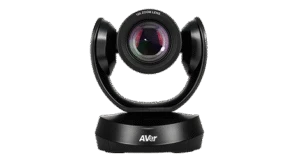
The AVer CAM520 Pro3 is a PTZ conference camera with a Sony 8 MP sensor, 1080p at 60 fps, 12x optical zoom, Smart Composition framing, and USB 3.1, HDMI, RS-232 and PoE+ network outputs.
- Best For
- Medium rooms and hybrid classrooms
- Launch Price
- $1,449
- Res.
- 1080p
- Zoom
- 12x optical, 36x total
- View
- 80.5° diagonal
- Framing
- SmartFrame, Smart Composition, Preset Framing
- Camera
- —
- Connect
- USB 3.1 Type-B, HDMI, RS-232, LAN
- Teams Rooms
- —
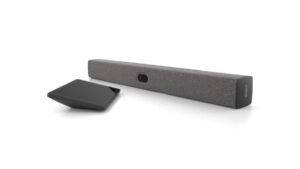
The Neat Bar 2 (Generation 2) is a slim all-in-one bar for small to medium rooms. It has a 50 MP camera with a 113° view and 4x zoom, a five-mic end-fire array plus four voice-tracking mics, and dual speakers with opposing drivers.
- Best For
- Small to medium rooms
- Launch Price
- —
- Res.
- 1080p30 people video; content up to 1080p60
- Zoom
- 4x digital
- View
- 113°
- Framing
- Yes
- Camera
- 50 MP sensor, f/2.8; 1080p people video
- Connect
- USB-C, HDMI; native Zoom Rooms or Microsoft Teams Rooms on Android; BYOD USB passthrough
- Teams Rooms
- Microsoft Teams Rooms, Zoom Rooms, Google Meet; USB BYOD mode
Review Scores Compared
Expert Score
Optics & Room Coverage
AI Speaker Tracking & Framing
Room Audio Pickup & Output
OS Platform & Ecosystem
Deployment & I/O
Editorial Reviews Comparison
Optics & Room Coverage
- AVer CAM520 Pro37.6/10
- Neat Bar 27.7/10Leader
AVer CAM520 Pro3
The Sony 8 MP sensor outputs 1080p at up to 60 fps through a lens with an f/1.6 to f/2.8 aperture. AVer applies WDR and noise reduction on board. The bright lens helps in dim rooms and lecture halls, keeping faces clean when the lights are lowered for slides. At 60 fps, presenters who walk and gesture look smooth on the remote screen.
Neat Bar 2
Neat uses a 50 MP sensor behind an f/2.8 lens with a 113° view, sending people video at up to 1080p30 while content runs up to 4K30. Automatic framing, people-counting sensors and voice tracking decide who's on screen. However, trying it myself around an eight-person table, framing moved to a new speaker in a moment.
AI Speaker Tracking & Framing
- AVer CAM520 Pro39.5/10Leader
- Neat Bar 29.3/10
AVer CAM520 Pro3
Optical zoom is 12x, with 36x total and 24x lossless using sensor cropping. The focal length runs from 3.9 to 46.8 mm. That reach lets a teacher at the back wall fill the frame, or a camera mounted at the rear capture a whiteboard at the front. Optical zoom keeps the text crisp enough for remote students to read.
Neat Bar 2
The Neat Bar 2 has speaker tracking: voice tracking. Auto framing is included. Official AI features include Automatic people framing, people counting and light sensors, voice tracking. Zoom is listed as 4x digital. People counting is listed (people-counting sensors). In rooms I've set up, I care whether tracking stays with the speaker without hunting around the table.
Room Audio Pickup & Output
- AVer CAM520 Pro3—
- Neat Bar 28.8/10
Neat Bar 2
A five-mic end-fire array plus four voice-localization mics cover about 5 m, with deep noise suppression and dereverberation. In a typical glass-walled room, I'd expect voices to stay natural across a typical meeting table. Dereverberation is what keeps the echo off hard surfaces, which is where cheaper bars fall apart.
OS Platform & Ecosystem
- AVer CAM520 Pro39.5/10Leader
- Neat Bar 29.1/10
AVer CAM520 Pro3
The camera is Zoom certified and works with Teams, Meet and other platforms as a standard UVC device. AVer's PTZ Management software and the CAMConnect app handle control and updates. A people-counting API reports room occupancy to building systems, which helps facilities teams plan space and spot rooms that are booked but empty.
Neat Bar 2
It runs Microsoft Teams Rooms or Zoom Rooms in appliance mode, supports Google Meet, and has a BYOD-only mode over USB-C. Teams proximity join works over Bluetooth. Most rooms pair it with a Neat Pad or Neat Pad Pro as the touch controller. If you're still choosing between a Teams Room and a plain BYOD setup, our Teams Rooms equipment guide lays out both paths.
Deployment & I/O
- AVer CAM520 Pro310.0/10
- Neat Bar 210.0/10
AVer CAM520 Pro3
Outputs include USB 3.1 Type-B, HDMI, RS-232 and LAN with RTSP and RTMP streaming in H.264. Power comes from PoE+ (802.3at) or a 12 V 2 A adapter. That range means one camera can feed a room PC, a lecture capture system and a livestream at the same time. AV teams can also drive it from Crestron or Extron controllers over RS-232 or IP.
Neat Bar 2
Neat Pulse handles remote management and settings, and the box includes HDMI, Ethernet and power cables plus every mount. The warranty is one year, with extensions available. I'd allow a short while per room, from unboxing to the first test call.
Why AVer CAM520 Pro3 Beats Neat Bar 2 (and Vice Versa)
Why AVer CAM520 Pro3 beats Neat Bar 2
- Max Frame Rate: 60 fps vs 30 fps
- Zoom: 12x optical, 36x total vs 4x digital
- Digital Zoom: 24x lossless with sensor crop vs 4x
- Remote Management: Yes (EZManager 2, PTZApp 2) vs Neat Pulse
- Weight: 1470 g vs 1.7 kg
Why Neat Bar 2 beats AVer CAM520 Pro3
- Field of View: 113° vs 80.5° diagonal
- Pan / Tilt: No mechanical PTZ; digital framing and follow vs Yes
- Megapixels: 50 MP vs 8 MP
- Horizontal FOV: 113° vs 72.8°
Review-score leads of 0.5+ points out of 10 first, then specs where only one comes out ahead.
Full Specifications
General
| AVer CAM520 Pro3 | Neat Bar 2 | |
|---|---|---|
| Best For | Medium rooms and hybrid classrooms | Small to medium rooms |
| Ideal Room Size | Medium rooms and classrooms | Small to medium spaces (up to 10 people per Neat medium category) |
| Release Year | 2023 | — |
| Launch Price | $1,449 | — |
Camera
| AVer CAM520 Pro3 | Neat Bar 2 | |
|---|---|---|
| Max Resolution | 1080p | 1080p30 people video; content up to 1080p60 |
| Max Frame Rate | 60 fps Better | 30 fps |
| Sensor | Sony 8 MP | Wide camera, 50 MP, ƒ/2.8 |
| Zoom | 12x optical, 36x total Better | 4x digital |
| Optical Zoom | 12x | — |
| Field of View | 80.5° diagonal | 113° Better |
| Pan / Tilt | Yes | No mechanical PTZ; digital framing and follow Better |
| Auto Framing | SmartFrame, Smart Composition, Preset Framing | Yes |
| Speaker Tracking | Yes (preset framing follows the presenter in preset areas) | Yes (voice tracking) |
| Camera Presets | 10 via RS-232 | — |
| Megapixels | 8 MP | 50 MP Better |
| Aperture | f/1.6 to f/2.8 | f/2.8 |
| Horizontal FOV | 72.8° | 113° Better |
| Vertical FOV | 44.1° | — |
| Digital Zoom | 24x lossless with sensor crop Better | 4x |
| HDR | WDR | — |
| Low-Light Performance | Sony super-low-light 8 MP sensor | — |
| Pan Range | ±170° | — |
| Tilt Range | −30° to +90° | — |
| Focus | Minimum focus distance 1 m; auto/manual AE and white balance via PTZApp 2 | — |
| Multi-Stream / Gallery | Smart Composition / people-counting API | — |
| People Counting | Yes (API) | Yes (people-counting sensors) |
| Video Codecs | H.264 | — |
| Camera | — | 50 MP sensor, f/2.8; 1080p people video |
| Camera Resolution | — | People video up to 1080p30; content up to 4K30 |
| AI Features | — | Automatic people framing, people counting and light sensors, voice tracking |
| Cameras | — | 1 |
Connectivity
| AVer CAM520 Pro3 | Neat Bar 2 | |
|---|---|---|
| Connection | USB 3.1 Type-B, HDMI, RS-232, LAN | USB-C, HDMI; native Zoom Rooms or Microsoft Teams Rooms on Android; BYOD USB passthrough |
| Video Outputs | USB, HDMI, IP | Up to two 4K screens |
| Power over Ethernet | Yes (PoE+ 802.3at) | — |
| Control Protocols | RS-232, IP | — |
| USB | USB 3.1 Type-B | USB-C (BYOD mode, DP alt mode) |
| HDMI | Yes | 2 x HDMI-out, 1 x HDMI-in |
| IP Streaming | RTSP, RTMP | — |
| Network | RJ45 Ethernet | Ethernet |
| Wireless | — | Wi-Fi; Bluetooth for proximity join (Teams) |
| Displays Supported | — | 2 (4K) |
| Ports | — | Ethernet, AC power |
| Content Sharing | — | HDMI-in, wireless sharing, proximity join |
| HDMI In | — | 1 x HDMI |
| HDMI Out | — | 2 x HDMI (4K) |
| Ethernet | — | RJ-45 |
| Bluetooth | — | Bluetooth (proximity join for Teams) |
Platforms
| AVer CAM520 Pro3 | Neat Bar 2 | |
|---|---|---|
| Certifications | Zoom | Native Zoom Rooms; native Microsoft Teams Rooms on Android |
| Remote Management | Yes (EZManager 2, PTZApp 2) Better | Neat Pulse |
| Microsoft Teams | Microsoft Teams (compatible applications list) | Microsoft Teams Rooms on Android |
| Zoom | Yes | Native Zoom Rooms |
| Software | AVer PTZ Management, CAMConnect | Neat Pulse; Neat OS |
| OS Compatibility | Windows 7/10/11, macOS 10.14 or later, Google Chromebox | — |
| Teams Rooms | — | Microsoft Teams Rooms, Zoom Rooms, Google Meet; USB BYOD mode |
| Certifications | — | Microsoft Teams, Zoom |
| USB / BYOD Mode | — | Yes (BYOD-only mode over USB-C, with or without Neat Pad) |
| Touch Controller | — | Neat Pad or Neat Pad Pro |
| Zoom Rooms | — | Certified |
| Google Meet | — | Supported |
| Appliance Mode | — | Yes |
Design
| AVer CAM520 Pro3 | Neat Bar 2 | |
|---|---|---|
| Mounting | Wall-mount bracket and 1/4-inch tripod screw included; optional ceiling and foldable TV mounts | Table, above/below screen, wall |
| Weight | 1470 g Better | 1.7 kg |
| Dimensions | 142.7 x 182 x 153 mm | 650 x 70 x 70 mm |
| Power | PoE+ or 12 V 2 A DC | Built-in PSU 100-240 V; idle 6 W, in call 10-13 W |
| Power Consumption | 12 V, 2 A (PoE+ 802.3at also supported) | — |
| Operating Temperature | 0 to 40 °C | — |
| Remote Control | Yes | — |
In the Box
| AVer CAM520 Pro3 | Neat Bar 2 | |
|---|---|---|
| In the Box | CAM520 Pro3, remote control, 5 m USB 2.0 Type-B to Type-A cable, power adapter (3 m), QR code card, wall-mount bracket, 1/4-inch tripod screw, Mini DIN9 to Mini DIN8 RS-232 adapter | Everything needed to get going is in the box (official Neat Bar 2 page) |
| Warranty | 3-year limited | 1 year (extended available) |
| Optional Accessories | Optional Mini DIN8 to D-SUB9 RS-232 adapter, 3 m USB 3.1 cable, HDMI cable, ceiling mount, 1-port PoE+ injector, foldable TV mount | Neat Pad, Neat Pad Pro, PoE power supply with 5 m RJ-45 cable, extended warranty (1 or 2 years) |
| In the Box | — | Neat Bar Gen 2, HDMI cable 2 m, Ethernet cable 3 m, power cord 3 m, mount adapter, wall mount, snap-on mount, table stand, 2 mm hex wrench |
| Licence Included | — | Zoom Rooms or Microsoft Teams Rooms licence sold separately |
Identifiers
| AVer CAM520 Pro3 | Neat Bar 2 | |
|---|---|---|
| Model Number | CAM520 Pro3 | — |
Audio
| AVer CAM520 Pro3 | Neat Bar 2 | |
|---|---|---|
| Built-in Mics | — | 5-mic end-fire array + 4 voice-localization mics |
| Full Duplex | — | Yes (built-in microphones and speakers) |
| Mic Pickup Range | — | 5 m (15 ft) |
| Speakers | — | Dual speakers with opposing drivers |
| Audio Processing | — | Voice enhancement, echo cancellation, deep noise suppression, dereverberation |
| Mic Array | — | 5-mic end-fire array + 4 voice-tracking mics |
| Beamforming | — | Yes |
| AI Noise Suppression | — | Yes (deep noise suppression) |
Design & Setup
| AVer CAM520 Pro3 | Neat Bar 2 | |
|---|---|---|
| Mounts | — | Mount adapter, wall mount, snap-on mount and table stand included |
Takeaways
- It's a tie on our rating (4.5/5) between AVer CAM520 Pro3 and Neat Bar 2, so choose on the rows that matter most to you.
- Choose AVer CAM520 Pro3 for medium rooms and hybrid classrooms.
- Choose Neat Bar 2 for small to medium rooms.
Pros and Cons
AVer CAM520 Pro3
PROS
- 12x optical zoom with fast f/1.6 lens
- USB, HDMI, IP streaming and RS-232
- PoE+ power
- Three-year warranty
CONS
- Video tops out at 1080p
- No built-in microphone array
- Software less polished than Logitech
Neat Bar 2
PROS
- Built-in power supply
- Mounts and table stand in the box
- Zoom, Teams and Google Meet
- Room sensors for people count
CONS
- People video up to 1080p30
- Licence sold separately
Similar Comparisons
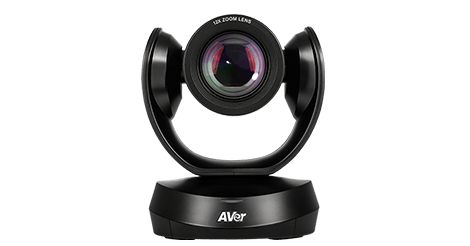 AVer CAM520 Pro38.9/10
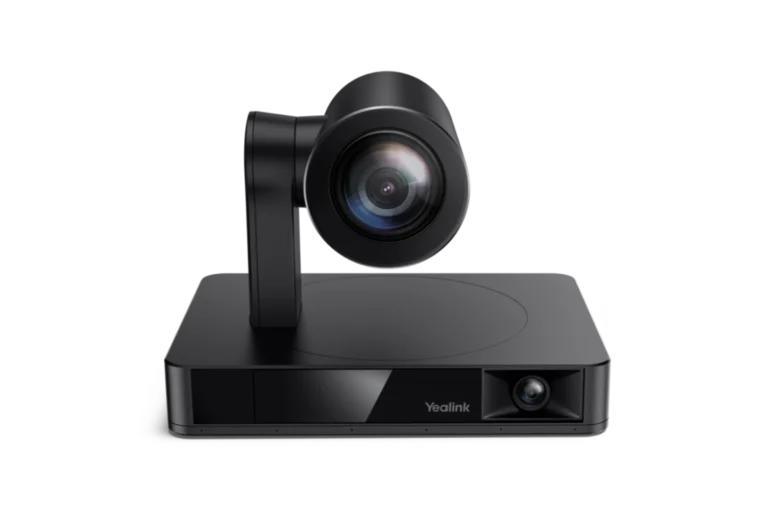 Yealink UVC869.4/10AVer CAM520 Pro3 vs Yealink UVC86
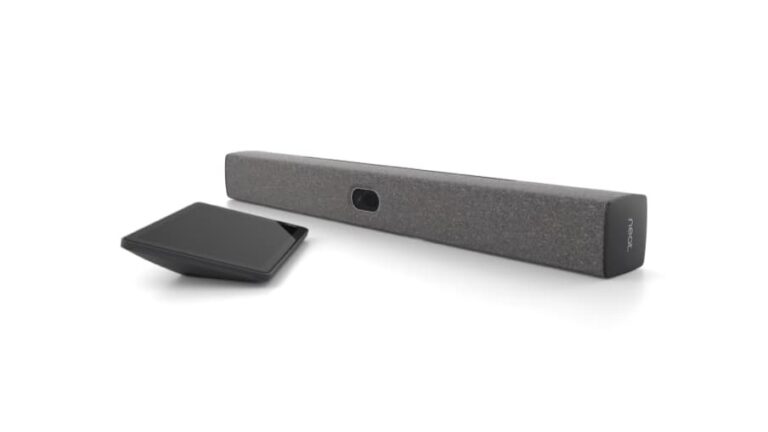 Neat Bar 28.8/10Yealink UVC869.4/10Neat Bar 2 vs Yealink UVC86
- AVer CAM520 Pro38.9/10
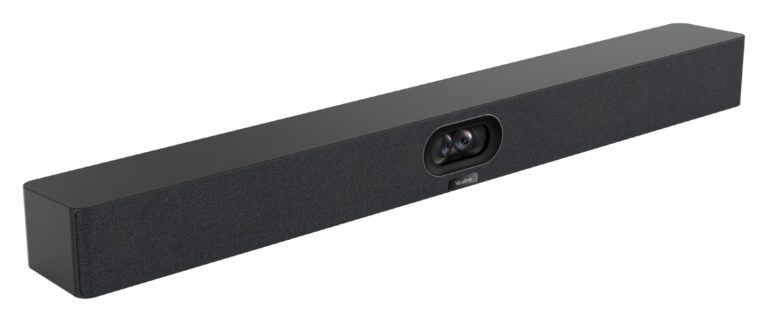 Yealink MeetingBar A409.2/10AVer CAM520 Pro3 vs Yealink MeetingBar A40
- Neat Bar 28.8/10Yealink MeetingBar A409.2/10Neat Bar 2 vs Yealink MeetingBar A40
Quick Verdict
- AVer CAM520 Pro3 8.9Best overallLeads in AI Speaker Tracking & Framing, OS Platform & Ecosystem
- Neat Bar 2 8.8Leads in Optics & Room Coverage