
AVer CAM550 vs Jabra PanaCast 50 Comparison
Compare AVer CAM550 vs Jabra PanaCast 50 side by side: specs, ratings, pros and cons, and which one fits your room best.
On this page
At a Glance
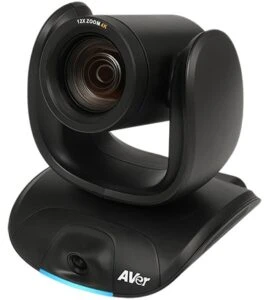
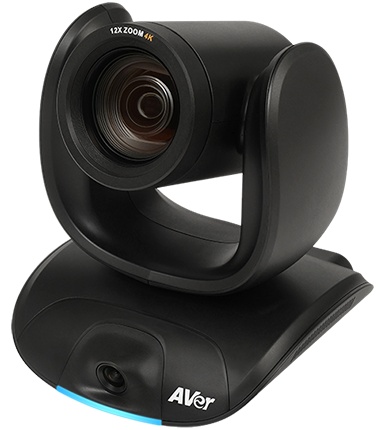
Want automatic framing on any USB meeting platform for rooms where people come and go? The AVer CAM550 is a 4K dual-lens conference camera that pairs a PTZ lens with 12x optical zoom (24x total) and a 95° wide-angle AI lens. It offers Smart Gallery, dynamic framing, gesture control, simultaneous USB, HDMI and IP outputs, and PoE+ support.
- Best For
- Medium to large rooms that want automatic framing over USB
- Launch Price
- $1,699
- Resolution
- 4K at 30 fps
- Zoom
- 24x total
- Field of View
- 95° (AI lens)
- Auto Framing
- Dynamic framing, Smart Gallery
- Camera
- Sony 4K Exmor (dual lens)
- Connection
- USB 3.1, HDMI, IP
- Teams Rooms
- Compatible with Zoom, Microsoft Teams, Skype, Google Meet and others listed on the datasheet
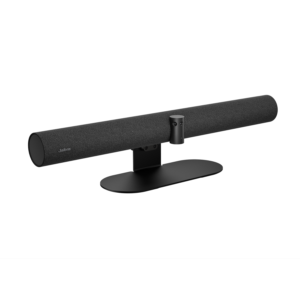
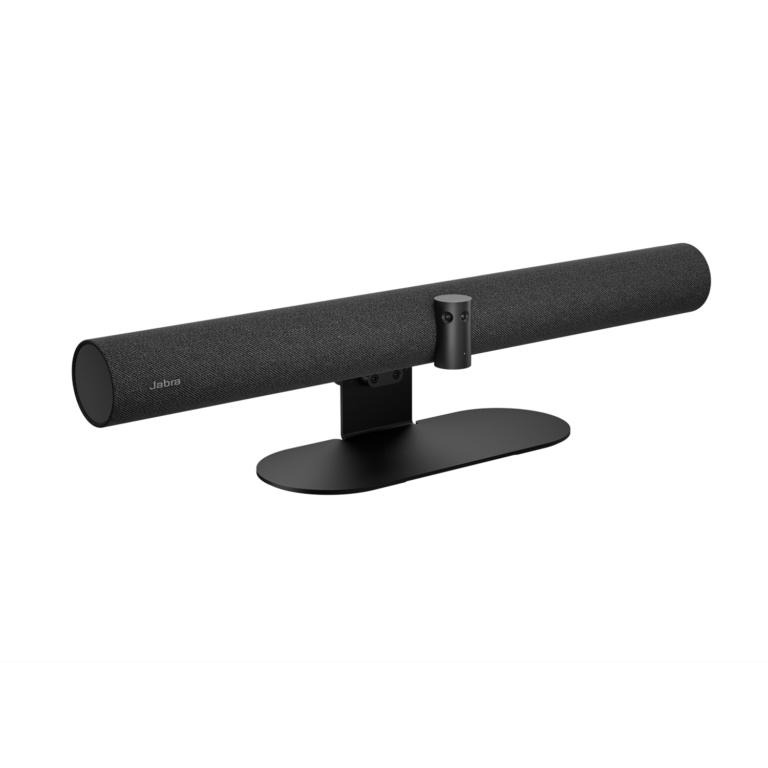
Meeting in a medium room where people sit close to the screen or along the sides? The Jabra PanaCast 50 uses three 13 MP cameras stitched into a 180° panoramic-4K view. That lets you push the table up to the wall and still see everyone.
- Best For
- Medium rooms
- Launch Price
- —
- Resolution
- Panoramic-4K 3840 x 1080 @ 30 fps
- Zoom
- Up to 6x lossless digital
- Field of View
- 180°
- Auto Framing
- Yes (Intelligent Zoom, Dynamic Composition, Virtual Director)
- Camera
- 3 x 13 MP camera array, panoramic 4K
- Connection
- USB-A, USB-C, Ethernet (RJ45), Wi-Fi
- Teams Rooms
- USB: Microsoft Teams, Zoom and others; Teams Rooms and Zoom Rooms
Review Scores Compared
Expert Score
Optics & Room Coverage
AI Speaker Tracking & Framing
Room Audio Pickup & Output
OS Platform & Ecosystem
Deployment & I/O
Editorial Reviews Comparison
Optics & Room Coverage
- AVer CAM5508.5/10Leader
- Jabra PanaCast 508.3/10
AVer CAM550
Both lenses use Sony 4K Exmor sensors, and the camera outputs up to 4K at 30 fps. The PTZ lens frames participants, while the wide AI lens provides the room overview. Image quality is sharp and colour-accurate in typical office lighting, keeping facial features clear for people seated around 6 m away.
Jabra PanaCast 50
Three 13 MP sensors stitch a 180° panoramic 4K image at 3840 x 1080. Virtual Director picks the active speaker, and Intelligent Zoom keeps the whole group framed as people come and go. A 120° bar like the Logitech Rally Bar Mini would have cut off those end seats. Jabra targets medium rooms, matching Microsoft's medium-room category.
AI Speaker Tracking & Framing
- AVer CAM5509.5/10Leader
- Jabra PanaCast 509.3/10
AVer CAM550
The PTZ lens has 12x optical zoom, extended to 24x total with digital zoom. That reach suits medium and large rooms where some participants sit far from the screen. Optical zoom keeps faces sharp when the camera frames someone at the back, unlike fixed-lens video bars that crop and lose detail.
Jabra PanaCast 50
The PanaCast 50 has speaker tracking: Automatic Speaker Detection. Auto framing is included (Intelligent Zoom, Dynamic Composition, Virtual Director). Official AI features include Virtual Director, Intelligent Zoom, Dynamic Composition, Intelligent Meeting Space, PeopleCount, Vivid HDR, dual-stream whiteboard. Multi-stream or gallery options are listed as Single-stream and multi-stream Dynamic Composition (multi-stream on Microsoft Teams Rooms).
Room Audio Pickup & Output
- AVer CAM550—
- Jabra PanaCast 509.8/10
Jabra PanaCast 50
Eight beamforming mics remove echo and static noise and work in full duplex. Jabra sizes it for rooms up to about 4.5 x 6 m. Because the PanaCast 50 doesn't support expansion mics, longer rooms are better served by a Logitech Rally Bar with Mic Pods. Eight beamforming mics with full duplex suit a medium table where people interrupt each other.
OS Platform & Ecosystem
- AVer CAM55010.0/10Leader
- Jabra PanaCast 508.8/10
AVer CAM550
AVer's PTZApp 2 enables Smart Gallery, gesture control and framing settings. Gesture control lets you trigger functions by holding up a finger beside your face. Gesture control is switched off by default, which is sensible for formal meetings where accidental gestures would be distracting. Smart Gallery requires PTZApp 2 to run on the room PC.
Jabra PanaCast 50
It's certified for Microsoft Teams, Teams Rooms, Zoom and Zoom Rooms. As a USB device, it works with any meeting app on the host PC. For Teams Rooms on Windows, pair it with a certified compute. Our Teams Rooms equipment guide lists the parts you'll need. Teams Rooms and Zoom Rooms certification covers the two appliance paths most offices care about.
Deployment & I/O
- AVer CAM5509.2/10Leader
- Jabra PanaCast 508.5/10
AVer CAM550
The camera ships with a power adapter, remote, wall mount, 3 m USB 3.1 cable, HDMI cable and an RS-232 adapter. It also supports PoE+ with an optional injector. USB plug-and-play works with Teams, Zoom and other platforms, while HDMI can feed a second display. IP streaming runs at the same time, which is useful for recording or overflow rooms.
Jabra PanaCast 50
A wall mount, 2 m USB-C to USB-A cable and power supply are in the box. Jabra Direct, Xpress and Sound+ handle configuration, and a Bluetooth LE remote controls manual PTZ. Run firmware updates before the first meeting, because Virtual Director has improved with updates.
Why AVer CAM550 Beats Jabra PanaCast 50 (and Vice Versa)
Why AVer CAM550 beats Jabra PanaCast 50
- Better os platform & ecosystem: 10.0 vs 8.8 out of 10
- Better deployment & i/o: 9.2 vs 8.5 out of 10
- Ideal Room Size: Medium to large rooms vs Up to 4.5 x 6 m (15 x 20 ft), Microsoft "medium room"
- Camera Resolution: 4K at 30 fps vs Panoramic-4K 3840 x 1080 @ 30 fps
- Zoom: 24x total vs Up to 6x lossless digital
- Camera: Sony 4K Exmor (dual lens) vs 3 x 13 MP camera array, panoramic 4K
Why Jabra PanaCast 50 beats AVer CAM550
- Field of View: 180° vs 95° (AI lens)
- Horizontal FOV: 180° vs 76°
- Vertical FOV: 54° vs 46°
- Digital Zoom: Up to 6x lossless digital vs 2x
- Connection: USB-A, USB-C, Ethernet (RJ45), Wi-Fi vs USB 3.1, HDMI, IP
- Teams Rooms: USB: Microsoft Teams, Zoom and others; Teams Rooms and Zoom… vs Compatible with Zoom, Microsoft Teams, Skype, Google Meet an…
Review-score leads of 0.5+ points out of 10 first, then specs where only one comes out ahead.
Full Specifications
General
| AVer CAM550 | Jabra PanaCast 50 | |
|---|---|---|
| Release Year | 2022 | — |
| Launch Price | $1,699 | — |
| Weight | 2100 g Better | 2.2 kg |
| Privacy Cover | — | Yes |
| Dimensions | 170.8 x 190.5 x 173 mm | 650 x 80 x 125 mm |
| Colors | — | Black, Grey |
| In the Box | Camera, power adapter, remote, wall mount, USB cable, HDMI cable, RS-232 adapter | PanaCast 50, power supply, wall mount, USB-C to USB-A cable 2 m (USB 3.0), privacy cover |
| Warranty | 3-year camera, 1-year accessories | 2 years |
| Model Number | COMCAM550 | 8200-232 (Black), 8201-232 (Grey) |
Optics & Room Coverage
| AVer CAM5508.5/10 Better | Jabra PanaCast 508.3/10 | |
|---|---|---|
| Optical Zoom | 12x | — |
| Zoom | 24x total Better | Up to 6x lossless digital |
| Field of View | 95° (AI lens) | 180° Better |
| Ideal Room Size | Medium to large rooms Better | Up to 4.5 x 6 m (15 x 20 ft), Microsoft "medium room" |
| Pan / Tilt | Yes | Yes (manual PTZ) |
| Megapixels | — | 13 MP |
| Sensor | Sony 4K Exmor (dual lens) | Panoramic three-camera array, up to 3 x 13 MP / 3 x 4K |
| Vertical FOV | 46° | 54° Better |
| Digital Zoom | 2x | Up to 6x lossless digital Better |
| HDR | WDR | Yes (Vivid HDR) |
| Low-Light Performance | Sony 4K Exmor CMOS, crystal clear in any lighting | — |
| Focus | Minimum focus distance 1.5 m; auto/manual AE and white balance via PTZApp 2 | — |
| Pan Range | ±170° | — |
| Tilt Range | +90° to -30° | — |
| Max Frame Rate | 30 fps | 30 fps |
| Best For | Medium to large rooms that want automatic framing over USB | Medium rooms |
| Camera Resolution | 4K at 30 fps Better | Panoramic-4K 3840 x 1080 @ 30 fps |
| Horizontal FOV | 76° | 180° Better |
| Camera | Sony 4K Exmor (dual lens) Better | 3 x 13 MP camera array, panoramic 4K |
AI Speaker Tracking & Framing
| AVer CAM5509.5/10 Better | Jabra PanaCast 509.3/10 | |
|---|---|---|
| Speaker Tracking | Yes (preset framing tracks a preset area and the speaker) | Yes (Automatic Speaker Detection) |
| Auto Framing | Dynamic framing, Smart Gallery | Yes (Intelligent Zoom, Dynamic Composition, Virtual Director) |
| Multi-Stream / Gallery | Smart Gallery (via PTZApp 2) | Single-stream and multi-stream Dynamic Composition (multi-stream on Microsoft Teams Rooms) |
| AI Features | — | Virtual Director, Intelligent Zoom, Dynamic Composition, Intelligent Meeting Space, PeopleCount, Vivid HDR, dual-stream whiteboard |
| People Counting | Yes | Yes (PeopleCount) |
| Cameras | — | 3 |
| Whiteboard Camera | — | Yes (whiteboard sharing) |
| Camera Presets | 10 | — |
Room Audio Pickup & Output
| AVer CAM550 | Jabra PanaCast 509.8/10 | |
|---|---|---|
| Built-in Mics | — | 8 |
| Beamforming | — | Yes |
| Speakers | — | 4 speakers: 2 x 50 mm woofers, 2 x 20 mm tweeters, 80 Hz-20 kHz |
| Mic Array | — | 8-mic beamforming array |
| Audio Processing | — | Beamforming, full duplex, echo and static-noise removal |
| Mic Frequency Range | — | 100 Hz - 8 kHz |
| Speaker Frequency Range | — | 80 Hz - 20 kHz |
| Audio Output | — | Aux-Out Yes |
| Audio Out | — | Aux-out for assistive listening |
OS Platform & Ecosystem
| AVer CAM55010.0/10 Better | Jabra PanaCast 508.8/10 | |
|---|---|---|
| USB / BYOD Mode | — | Yes (USB) |
| Remote Management | Yes (EZManager 2, PTZApp 2) Better | Jabra Direct, Jabra Xpress, Jabra Sound+ |
| Teams Rooms | Compatible with Zoom, Microsoft Teams, Skype, Google Meet and others listed on the datasheet | USB: Microsoft Teams, Zoom and others; Teams Rooms and Zoom Rooms Better |
| Microsoft Teams | Microsoft Teams (compatible applications list) | Microsoft Teams Rooms (separate MTR certification for the integrated content camera) |
| Zoom | Zoom (compatible applications list) | Zoom Rooms, Zoom |
| Zoom Rooms | — | Certified |
| Software | AVer PTZApp 2 | Jabra+, Jabra Direct, Jabra Sound+, Jabra Xpress |
| OS Compatibility | Windows 7/10, macOS 10.7 or later, Google Chromebook | Windows 11, Windows 10, macOS 10.15 and later (including macOS 11.x) |
| Firmware Updates | — | Jabra Direct / Jabra Xpress |
| Certifications | Compatible with Zoom, Microsoft Teams, Skype, Google Meet and others listed on the datasheet | Microsoft Teams Rooms, Zoom Rooms, Zoom, Google Meet, Tencent, Feishu, DingTalk |
Deployment & I/O
| AVer CAM5509.2/10 Better | Jabra PanaCast 508.5/10 | |
|---|---|---|
| Mounting | Wall mount included; ceiling via AVer bracket only | Wall mount included; table stand and other mounts available |
| HDMI | Yes | — |
| Power over Ethernet | PoE+ (optional injector) | — |
| Connection | USB 3.1, HDMI, IP | USB-A, USB-C, Ethernet (RJ45), Wi-Fi Better |
| USB | USB 3.1 Type-B Better | USB-A, USB-C (USB 2.0/3.0) |
| Network | VISCA over IP, web UI via Chrome, IP (RJ45) | Ethernet (RJ45) |
| Ethernet | — | RJ-45 |
| Bluetooth | — | Bluetooth LE (remote, Sound+) |
| Wireless | — | Bluetooth LE (remote control, Sound+) |
| IP Streaming | Yes | — |
| Video Codecs | YUV, YUY2, MJPEG | — |
| Control Protocols | RS-232 adapter, IP, remote | — |
| Ports | — | Ethernet (RJ45), Aux-out for assistive listening |
| Power | AC 100–240 V, 12 V 2 A adapter; PoE+ 802.3at | External power supply (included) |
| Power Consumption | 12 V, 2 A | — |
| Remote Control | Yes | Optional (Jabra PanaCast 50 Remote, sold separately) |
| Operating Temperature | 0 to 40 °C | 5 to 35 °C |
| Optional Accessories | Optional Mini DIN8 to D-Sub9 cable, ceiling mount, foldable TV mount | Table stand and other mounts |
| Video Outputs | USB, HDMI and IP simultaneously | — |
Takeaways
- Our pick: AVer CAM550, with the highest spec-based rating (4.6/5).
- Choose AVer CAM550 for medium to large rooms that want automatic framing over USB.
- Choose Jabra PanaCast 50 for medium rooms.
Pros and Cons
AVer CAM550
PROS
- Second AI lens watches the whole room
- 12x optical zoom on the PTZ lens
- USB, HDMI and IP outputs at once
- Smart Gallery for individual frames
CONS
- Cannot be mounted upside down
- Smart Gallery needs PTZApp 2 running
- Larger than single-lens cameras
Jabra PanaCast 50
PROS
- 180° panoramic-4K view
- Eight beamforming mics
- Four speakers (2 woofers, 2 tweeters)
- 2-year warranty
CONS
- Needs a room PC or laptop (USB)
- 6x zoom is digital
Similar Comparisons
 AVer CAM5509.2/10
 Yealink UVC869.4/10AVer CAM550 vs Yealink UVC86
- AVer CAM5509.2/10
 Owl Labs Meeting Owl 4+9.2/10AVer CAM550 vs Owl Labs Meeting Owl 4+
- AVer CAM5509.2/10
 Yealink MeetingBar A409.2/10AVer CAM550 vs Yealink MeetingBar A40
 Jabra PanaCast 508.9/10Yealink UVC869.4/10Jabra PanaCast 50 vs Yealink UVC86
Quick Verdict
- AVer CAM550 9.2Best overallLeads in Optics & Room Coverage, AI Speaker Tracking & Framing, OS Platform & Ecosystem
- Jabra PanaCast 50 8.9No outright category lead