
Huddly L1 vs Yealink UVC86 Comparison
Compare Huddly L1 vs Yealink UVC86 side by side: specs, ratings, pros and cons, and which one fits your room best.
On this page


At a Glance
The Huddly L1 is an AI conference camera with a 1 inch 20.3 MP 6K sensor, a 103 degree diagonal field of view, Genius Framing, Dynamic Light Optimization and a single-cable PoE connection for medium and large rooms.
- Best For
- Medium and large Teams Rooms
- Resolution
- 1080p
- Zoom
- Up to 5x digital
- Field of View
- 103° diagonal
- Auto Framing
- Genius Framing
- Camera
- 1 inch CMOS, 20.3 MP, 6K
- Connection
- RJ45 PoE to USB 3.0 adapter
- Teams Rooms
- Microsoft Teams Rooms
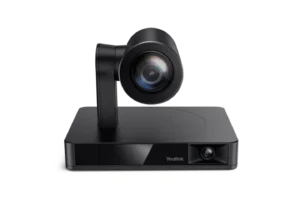
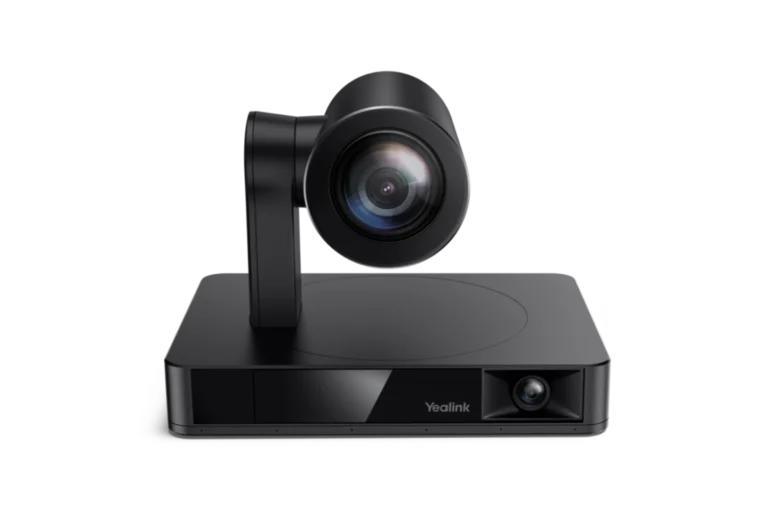
The Yealink UVC86 is a dual-eye 4K conference camera that pairs a 12x optical PTZ camera with a 120° panoramic camera, using the second lens to detect people for auto framing, speaker tracking and presenter tracking.
- Best For
- Medium and large meeting rooms
- Resolution
- 4K
- Zoom
- 20.4 x
- Field of View
- 90°
- Auto Framing
- Yes
- Camera
- Two 8 MP Sony sensors (PTZ and panoramic)
- Connection
- USB 3.0
- Teams Rooms
- Microsoft Teams, Zoom
Review Scores Compared
Expert Score
Optics & Room Coverage
AI Speaker Tracking & Framing
Room Audio Pickup & Output
OS Platform & Ecosystem
Deployment & I/O
Editorial Reviews Comparison
Optics & Room Coverage
- Huddly L17.7/10
- Yealink UVC868.8/10Leader
Huddly L1
The L1 uses a 1 inch 20.3 MP CMOS sensor with 6K resolution and outputs 1080p or 720p at 30 fps. Dynamic Light Optimization balances exposure across bright windows and darker corners. The large sensor is the standout, giving clean faces with low noise in rooms that are dim or backlit.
Yealink UVC86
Both cameras use 8 MP Sony sensors, and the system outputs 4K at 30 fps. The PTZ camera autofocuses from about 1 m to infinity. Image quality is crisp with natural colour under typical office lighting. Faces at the far end of a long table remain sharp when the camera zooms in, which is where a 4K sensor earns its place.
AI Speaker Tracking & Framing
- Huddly L19.4/10
- Yealink UVC869.5/10Leader
Huddly L1
Zoom is digital, up to 5x, using the 6K sensor to crop without heavy quality loss. There are no moving parts or optical lens changes. In medium rooms, 5x digital zoom frames people at the far end with good clarity. In very deep rooms, faces at the back become softer than with an optical PTZ camera.
Yealink UVC86
The PTZ camera has 12x optical zoom, extended to 20.4x HD zoom with 1.7x digital. Nine presets store favourite positions. Optical zoom means close-ups keep full detail, so a presenter at a whiteboard 8 metres away can fill the frame cleanly. Zoom movements are smooth enough to happen live during a meeting.
Room Audio Pickup & Output
- Huddly L14.0/10
- Yealink UVC86—
Huddly L1
The Huddly L1 has no built-in conferencing microphone. Official notes say video-only camera; official page says L1 pairs with the room audio solution you choose. It is specified for Medium to large rooms. When I commission a bar, I walk the table first and check whether the built-in array can cover the seats you actually have.
OS Platform & Ecosystem
- Huddly L18.5/10
- Yealink UVC8610.0/10Leader
Huddly L1
The L1 is certified for Microsoft Teams Rooms and works with Zoom and other UVC platforms. The Huddly app and Huddly Insights handle settings, updates and analytics. Huddly Insights can provide anonymous people count data, helping facilities teams understand how rooms are used. That supports space planning across an office.
Yealink UVC86
The camera is UVC compliant and works with Teams, Zoom and other platforms over USB. Yealink's camera control plug-in and device management handle settings and firmware. Yealink targets the UVC86 at Teams Rooms and Zoom Rooms deployments, often bundled into MVC room kits with a mini PC and touch console.
Deployment & I/O
- Huddly L110.0/10
- Yealink UVC8610.0/10
Huddly L1
The camera connects over a single RJ45 Ethernet cable with PoE to a Huddly USB to PoE adapter, which links to the room computer over USB 3.0. One cable to the camera simplifies installation, especially for wall mounts far from the PC. The adapter needs mains power and sits near the computer.
Yealink UVC86
Connections include USB 3.0 Type-B, USB 2.0 Type-A, a Yealink VCH port for audio devices, a 3.5 mm line-in and HDMI out for compatible Yealink systems. A 7 m USB cable, a wall bracket and a remote are in the box. Mounting options include a table, on top of a TV, a wall, a ceiling or a tripod.
Why Huddly L1 Beats Yealink UVC86 (and Vice Versa)
Why Huddly L1 beats Yealink UVC86
- Camera Resolution: 1080p vs 4K
- Field of View: 103° diagonal vs 90°
- Megapixels: 20.3 MP vs 8 MP
- Horizontal FOV: 92° vs 81°
- Vertical FOV: 65° vs 50°
- Digital Zoom: 5x vs 1.7x
Why Yealink UVC86 beats Huddly L1
- Better os platform & ecosystem: 10.0 vs 8.5 out of 10
- Better optics & room coverage: 8.8 vs 7.7 out of 10
- Zoom: 20.4 x vs Up to 5x digital
- Camera: Two 8 MP Sony sensors (PTZ and panoramic) vs 1 inch CMOS, 20.3 MP, 6K
Review-score leads of 0.5+ points out of 10 first, then specs where only one comes out ahead.
Full Specifications
General
| Huddly L1 | Yealink UVC86 | |
|---|---|---|
| Release Year | 2021 | 2022 |
| Max Frame Rate | 30 fps | 30 fps |
| Sensor | 1 inch CMOS, 20.3 MP, 6K | Two 8 MP Sony sensors (PTZ and panoramic) |
| Camera Presets | — | 9 |
| Megapixels | 20.3 MP Better | 8 MP |
| Sensor Size | 1 inch | — |
| Vertical FOV | 65° Better | 50° |
| Digital Zoom | 5x Better | 1.7x |
| HDR | Dynamic Light Optimization | — |
| Pan Range | — | ±100° |
| Tilt Range | — | +40° / −90° |
| Focus | — | Autofocus (1 m to infinity) |
| People Counting | Yes (Huddly Insights) | — |
| Connection | RJ45 PoE to USB 3.0 adapter Better | USB 3.0 |
| USB | USB 3.0 (via adapter) | USB 3.0 Type-B, USB 2.0 Type-A |
| SDI | No | — |
| Network | RJ45 | Yealink VCH port (RJ45) for audio devices |
| Microsoft Teams | Yes | Microsoft Teams (already certified on the live product; official Yealink UVC86 family is a Teams/Zoom USB camera) |
| Software | Huddly app, Huddly Insights | Yealink camera control plug-in, Yealink device management |
| OS Compatibility | — | Windows, macOS (UVC) |
| Remote Control | — | VCR20 IR remote |
| Weight | — | 3270 g |
| Privacy Cover | — | Yes (electric lens cap, flip-down PTZ) |
| Dimensions | — | 210 x 156 x 156 mm (working) |
| Power | — | DC 48 V adapter |
| Operating Temperature | — | 0 to 40 °C |
| In the Box | Camera, mount, USB to PoE adapter | UVC86, VCR20 remote, power adapter, wall bracket and accessories, 7 m USB cable |
| Model Number | L1 | UVC86 |
| Audio Input | — | 3.5 mm line-in, VCH port |
Optics & Room Coverage
| Huddly L17.7/10 | Yealink UVC868.8/10 Better | |
|---|---|---|
| Optical Zoom | — | 12 x |
| Zoom | Up to 5x digital | 20.4 x Better |
| Field of View | 103° diagonal Better | 90° |
| Ideal Room Size | Medium to large rooms | Medium to large |
| Pan / Tilt | No mechanical pan or tilt (digital framing only) | Yes (mechanical) |
| Best For | Medium and large Teams Rooms | Medium and large meeting rooms |
| Camera Resolution | 1080p Better | 4K |
| Horizontal FOV | 92° Better | 81° |
| Camera | 1 inch CMOS, 20.3 MP, 6K | Two 8 MP Sony sensors (PTZ and panoramic) Better |
AI Speaker Tracking & Framing
| Huddly L19.4/10 | Yealink UVC869.5/10 Better | |
|---|---|---|
| Speaker Tracking | Yes (Speaker Mode; also Collaboration Mode, Gallery View and Group Framing) | Yes |
| Auto Framing | Genius Framing | Yes |
| Multi-Stream / Gallery | — | PIP and Multi Focus |
Room Audio Pickup & Output
| Huddly L14.0/10 | Yealink UVC86 | |
|---|---|---|
| Built-in Mics | No (video-only camera; official page says L1 pairs with the room audio solution you choose) | — |
OS Platform & Ecosystem
| Huddly L18.5/10 | Yealink UVC8610.0/10 Better | |
|---|---|---|
| Teams Rooms | Microsoft Teams Rooms Better | Microsoft Teams, Zoom |
| Certifications | Microsoft Teams Rooms | Microsoft Teams, Zoom |
Deployment & I/O
| Huddly L110.0/10 | Yealink UVC8610.0/10 | |
|---|---|---|
| Mounting | — | Table, TV top, wall, ceiling, TV stand or tripod |
| HDMI | No (Ethernet to the camera; USB via the Huddly USB Adapter) | Yes (compatible Yealink systems only) |
| Power over Ethernet | Yes (via Huddly adapter) | — |
| Video Outputs | Ethernet; USB plug-and-play via the Huddly USB Adapter | USB, HDMI (Yealink VCS only) |
Takeaways
- Our pick: Yealink UVC86, with the highest spec-based rating (4.7/5).
- Choose Huddly L1 for medium and large Teams Rooms.
- Choose Yealink UVC86 for medium and large meeting rooms.
Pros and Cons
Huddly L1
PROS
- Large 1 inch sensor handles difficult light
- Genius Framing adapts to the room
- Single Ethernet cable to the camera
- Certified for Microsoft Teams Rooms
CONS
- Video output tops out at 1080p30
- Digital zoom only
- No built-in microphones
Yealink UVC86
PROS
- 12x optical zoom with 20.4x HD zoom
- Panoramic lens keeps tracking smooth
- Speaker and presenter tracking built in
- Electric lens cap and flip-down privacy
CONS
- Heavy at 3.27 kg
- HDMI output only works with some Yealink systems
- Best features need Yealink audio
Similar Comparisons
 Yealink UVC869.4/10
 Yealink MeetingBar A409.2/10Yealink UVC86 vs Yealink MeetingBar A40
- Yealink UVC869.4/10
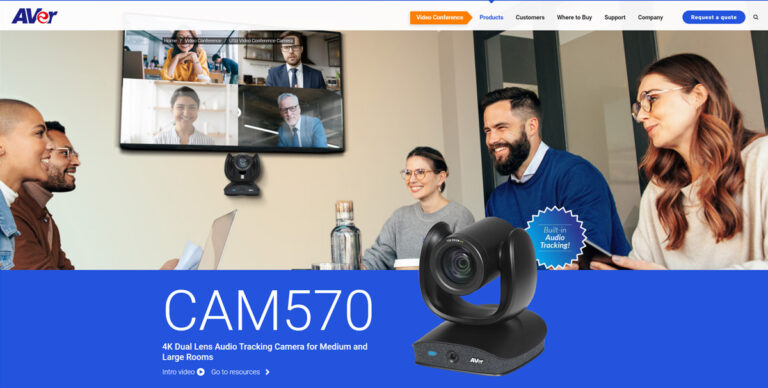 AVer CAM5709.0/10Yealink UVC86 vs AVer CAM570
- Yealink UVC869.4/10
 Poly Studio E609.0/10Yealink UVC86 vs Poly Studio E60
- Yealink UVC869.4/10
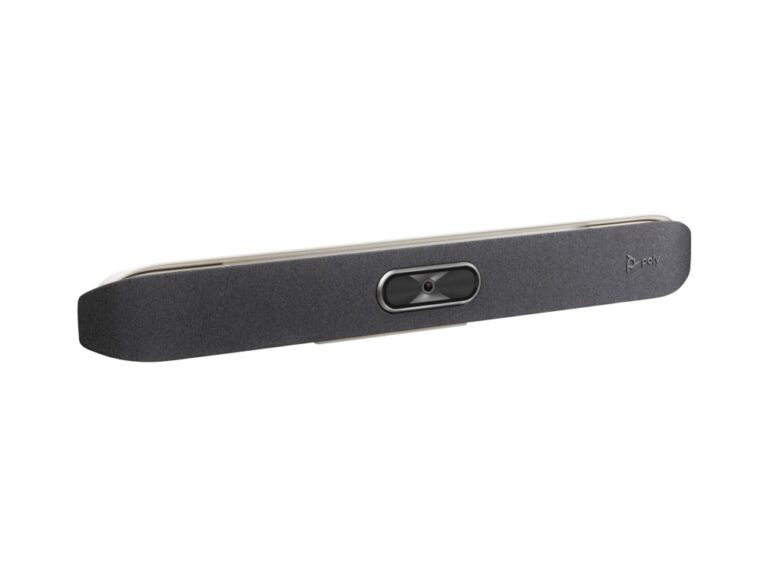 Poly Studio X509.0/10Yealink UVC86 vs Poly Studio X50
Quick Verdict
- Huddly L1 7.7No outright category lead
- Yealink UVC86 9.4Best overallLeads in Optics & Room Coverage, AI Speaker Tracking & Framing, OS Platform & Ecosystem