
Poly Studio E60 vs Poly Studio X52 Comparison
Compare Poly Studio E60 vs Poly Studio X52 side by side: specs, ratings, pros and cons, and which one fits your room best.
On this page

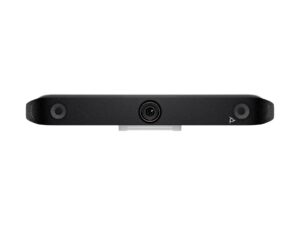

At a Glance
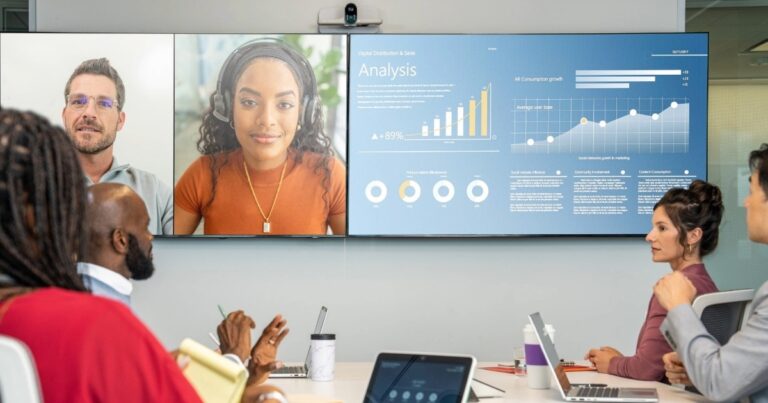
The Poly Studio E60 is a smart PTZ conference camera with two 8 MP sensors, 4K video at 30 fps, 12x optical zoom, DirectorAI framing, and a single-cable PoE+ installation option for medium and large rooms.
- Best For
- Medium to large meeting rooms
- Launch Price
- $2,150
- Resolution
- 4K
- Zoom
- 12x optical
- Field of View
- 107° (panoramic lens)
- Auto Framing
- DirectorAI group, speaker, presenter and people framing
- Camera
- 2 x 8 MP sensors
- Connection
- USB-B, RJ45
- Teams Rooms
- Microsoft Teams, Zoom, Google Meet
The Poly Studio X52 is an all-in-one video bar for medium rooms (about 6-9 people). It has a 4K 20 MP camera with a 110° view and 5x digital zoom, and Poly DirectorAI for people, group and speaker framing.
- Best For
- Medium rooms
- Launch Price
- —
- Resolution
- 2160p 4K UHD (3840 x 2160), 30 fps
- Zoom
- 5x digital
- Field of View
- 110°
- Auto Framing
- Poly DirectorAI: people, group and speaker framing, DirectorAI perimeter; NoiseBlockAI; Acoustic Fence
- Camera
- 4K 20 MP single lens
- Connection
- USB-C, USB-A, HDMI in/out, Ethernet, Wi-Fi, Bluetooth
- Teams Rooms
- Microsoft Teams Rooms, Zoom Rooms, Google Meet, Poly Video mode, USB device mode
Review Scores Compared
Expert Score
Optics & Room Coverage
AI Speaker Tracking & Framing
Room Audio Pickup & Output
OS Platform & Ecosystem
Deployment & I/O
Editorial Reviews Comparison
Optics & Room Coverage
- Poly Studio E608.5/10Leader
- Poly Studio X527.7/10
Poly Studio E60
Both lenses use 8 MP sensors, and the camera outputs 4K at 30 fps over USB or as an IP stream. The image is processed on board, so the room PC only receives the framed view. Faces look sharp at the back of a long boardroom, and skin tones stay natural under typical office LED panels.
Poly Studio X52
A 20 MP 4K lens with a 110° view, 5x digital zoom and up to 60 fps drives DirectorAI people, group and speaker framing. DirectorAI perimeter ignores people outside the room. However, behind glass walls on my own install, perimeter framing ignored people walking past outside in a moment. That's a real advantage over bars that reframe every time someone walks by.
AI Speaker Tracking & Framing
- Poly Studio E609.4/10Leader
- Poly Studio X528.4/10
Poly Studio E60
The PTZ lens has 12x optical zoom and Poly rates speaker pickup to about 10 m. It covers a 71 degree horizontal field at its widest, while the panoramic lens sees 107 degrees. In practice, optical zoom keeps a presenter at the far end of a training room sharp, rather than the soft crop a fixed-lens bar produces.
Poly Studio X52
The Studio X52's official AI features include Poly DirectorAI: people, group and speaker framing, DirectorAI perimeter; NoiseBlockAI; Acoustic Fence. Zoom is listed as 5x digital. Whiteboard handling is listed as Digital whiteboarding. In rooms I've set up, I care whether tracking stays with the speaker without hunting around the table.
Room Audio Pickup & Output
- Poly Studio E60—
- Poly Studio X528.7/10
Poly Studio X52
Four mics, two MEMS and two second-order, reach about 6.09 m, and an optional expansion mic plugs into the line input. I'd expect clear pickup across a typical medium room, enough for most medium rooms of six to nine people without extra mics. Mixing MEMS and second-order mics at about 6.09 m is why the X52 covers medium tables better than the X32.
OS Platform & Ecosystem
- Poly Studio E6010.0/10Leader
- Poly Studio X529.9/10
Poly Studio E60
The camera is certified for Microsoft Teams Rooms, Zoom Rooms and Google Meet. Poly Lens handles firmware updates, settings and fleet monitoring. For IT teams, Lens lets you push framing modes and updates across many rooms from one console. That consistency matters more than any single feature once you manage dozens of spaces.
Poly Studio X52
Teams Rooms, Zoom Rooms and Google Meet run in appliance mode. For legacy endpoints there's Poly Video mode with SIP and H.323, plus a USB mode for guests. It's certified for Microsoft Teams, Zoom and Google Meet, and a TC8 or TC10 touch controller sits on the table. Enroll in Poly Lens on day one so monitoring isn't a later project.
Deployment & I/O
- Poly Studio E607.8/10
- Poly Studio X529.2/10Leader
Poly Studio E60
The E60 connects by USB-B to a room PC, or over RJ45 with PoE+ power and data on one cable. A 12 V DC input is available, and Poly includes a 5 m Ethernet cable and a wall mount. PoE+ means a single cable run from the switch, which installers appreciate on ceiling or wall mounts.
Poly Studio X52
Poly Lens manages firmware and settings remotely. The box includes a monitor clamp, power adapter and cables. I'd allow a short while for mounting, cabling and pairing the TC10. Monitor clamp and power accessories in the box get a pilot room live quickly; production rooms still need planned cable paths.
Why Poly Studio E60 Beats Poly Studio X52 (and Vice Versa)
Why Poly Studio E60 beats Poly Studio X52
- Better ai speaker tracking & framing: 9.4 vs 8.4 out of 10
- Better optics & room coverage: 8.5 vs 7.7 out of 10
- Ideal Room Size: Medium to large rooms vs Medium (6-9 people)
- Zoom: 12x optical vs 5x digital
- Weight: 1.79 g vs 2.54 kg
Why Poly Studio X52 beats Poly Studio E60
- Better deployment & i/o: 9.2 vs 7.8 out of 10
- Camera Resolution: 2160p 4K UHD (3840 x 2160), 30 fps vs 4K
- Max Frame Rate: 60 fps vs 30 fps
- Field of View: 110° vs 107° (panoramic lens)
- Megapixels: 20 MP vs 8 MP
- Horizontal FOV: 95° vs 71° (PTZ), 107° (panoramic)
Review-score leads of 0.5+ points out of 10 first, then specs where only one comes out ahead.
Full Specifications
General
| Poly Studio E60 | Poly Studio X52 | |
|---|---|---|
| Best For | Medium to large meeting rooms | Medium rooms |
| Ideal Room Size | Medium to large rooms Better | Medium (6-9 people) |
| Release Year | 2024 | — |
| Launch Price | $2,150 | — |
Camera
| Poly Studio E60 | Poly Studio X52 | |
|---|---|---|
| Camera Resolution | 4K | 2160p 4K UHD (3840 x 2160), 30 fps Better |
| Max Frame Rate | 30 fps | 60 fps Better |
| Sensor | 2 x 8 MP sensors | — |
| Zoom | 12x optical Better | 5x digital |
| Optical Zoom | 12x | — |
| Field of View | 107° (panoramic lens) | 110° Better |
| Pan / Tilt | Yes | Digital (electronic framing) |
| Auto Framing | DirectorAI group, speaker, presenter and people framing | Poly DirectorAI: people, group and speaker framing, DirectorAI perimeter; NoiseBlockAI; Acoustic Fence |
| Speaker Tracking | Yes | — |
| Megapixels | 8 MP | 20 MP Better |
| Horizontal FOV | 71° (PTZ), 107° (panoramic) | 95° Better |
| Pan Range | ±170° | — |
| Tilt Range | ±30° | — |
| Camera | 2 x 8 MP sensors | 4K 20 MP single lens Better |
| AI Features | — | Poly DirectorAI: people, group and speaker framing, DirectorAI perimeter; NoiseBlockAI; Acoustic Fence |
| Cameras | — | 1 |
| Whiteboard Camera | — | Digital whiteboarding |
Connectivity
| Poly Studio E60 | Poly Studio X52 | |
|---|---|---|
| Connection | USB-B, RJ45 | USB-C, USB-A, HDMI in/out, Ethernet, Wi-Fi, Bluetooth |
| Power over Ethernet | Yes (PoE+) | — |
| USB | USB-B | 1 x USB-C 5 Gbps, 2 x USB-A 5 Gbps |
| HDMI | — | 1 in (2.0, video+audio), 2 out (2.0) |
| IP Streaming | Yes | — |
| Network | RJ45 Ethernet | 10/100/1G Ethernet, IPv4/IPv6, H.323/SIP up to 6 Mbps |
| Wireless | — | Wi-Fi 6 (802.11ax) and Bluetooth 5.0 (not on no-radio versions) |
| Displays Supported | — | 2 |
| Ports | — | RJ-45, line in (optional mic) |
| Content Sharing | — | HDMI input, Apple AirPlay, Miracast |
| HDMI In | — | 1 x HDMI 2.0 (video + audio) |
| HDMI Out | — | 2 x HDMI 2.0 |
| Ethernet | — | 1 x RJ-45 10/100/1G |
| Wi-Fi | — | Wi-Fi 6 (802.11ax) MIMO |
| Bluetooth | — | Bluetooth 5.0 |
| USB Host Ports | — | 2 x USB-A 5 Gbps |
| Line In / Out | — | 1 x line in (optional mic) |
Platforms
| Poly Studio E60 | Poly Studio X52 | |
|---|---|---|
| Certifications | Microsoft Teams, Zoom, Google Meet | Microsoft Teams, Zoom, Google Meet |
| Remote Management | Poly Lens | Poly Lens |
| Microsoft Teams | Yes | — |
| Zoom | Yes | — |
| Software | Poly Lens | — |
| Teams Rooms | Microsoft Teams, Zoom, Google Meet | Microsoft Teams Rooms, Zoom Rooms, Google Meet, Poly Video mode, USB device mode Better |
| Operating System | — | Poly Video OS |
| USB / BYOD Mode | — | Yes (USB Device mode) |
| Touch Controller | — | Poly TC8 or TC10 |
| Zoom Rooms | — | Certified |
| Google Meet | — | Certified |
| SIP / H.323 | — | Yes (H.323 / SIP up to 6 Mbps in Poly Video mode) |
| Appliance Mode | — | Yes |
Design
| Poly Studio E60 | Poly Studio X52 | |
|---|---|---|
| Remote Control | — | Poly Bluetooth remote (optional) |
| Mounting | Shelf, wall mount (included) | Wall and display mounts |
| Weight | 1.79 g Better | 2.54 kg |
| Privacy Cover | — | Attachable lens cover |
| Dimensions | 20 x 15 x 16.5 cm | 769.5 x 115.2 x 103 mm |
| Power | PoE+ or 12 V DC | External auto-sensing; 25 W heavily loaded, 8 W idle |
| Power Consumption | — | 25 W heavily loaded, 8 W idle |
| Colors | — | Black |
| Operating Temperature | — | 0 to 40 °C |
In the Box
| Poly Studio E60 | Poly Studio X52 | |
|---|---|---|
| In the Box | Camera, 5 m Ethernet cable, wall mount | Studio X52, Ethernet cable, monitor clamp, AC power adapter, HDMI cable, power cable |
| Warranty | 1-year limited | Poly standard 1-year limited |
| Optional Accessories | — | VESA mount kit, wall mount, table stand, TC8, TC10, Bluetooth remote, Studio Table Microphone |
Identifiers
| Poly Studio E60 | Poly Studio X52 | |
|---|---|---|
| Model Number | Studio E60 | 8D8K2AA |
Audio
| Poly Studio E60 | Poly Studio X52 | |
|---|---|---|
| Built-in Mics | Two-element beamforming array | 4 |
| Mic Pickup Range | — | 6.09 m |
| Speakers | — | Stereo, 2 x 20 W RMS (40 W max), 79 dB sensitivity |
| Audio Processing | — | Full duplex, AEC, NoiseBlockAI, Acoustic Fence, AGC |
| Expansion Mics | — | Optional expansion microphone (line in) |
| Mic Array | — | 2 MEMS + 2 second-order mics |
| Speaker Output | — | 2 x 20 W RMS (40 W max) |
| AI Noise Suppression | — | Yes (NoiseBlockAI) |
| Audio Fence / Zones | — | Acoustic Fence |
Design & Setup
| Poly Studio E60 | Poly Studio X52 | |
|---|---|---|
| Security | — | AES-128/256 encryption, H.235.6, security profiles, Kensington slot |
| Security Slot | — | Yes |
| Cooling | — | 65 BTU/h heat dissipation |
Takeaways
- It's a tie on our rating (4.5/5) between Poly Studio E60 and Poly Studio X52, so choose on the rows that matter most to you.
- Choose Poly Studio E60 for medium to large meeting rooms.
- Choose Poly Studio X52 for medium rooms.
Pros and Cons
Poly Studio E60
PROS
- Dual sensors for wide and zoomed views
- 12x optical zoom with 10 m pickup range
- PoE+ single-cable install
- Teams, Zoom and Meet certified
CONS
- Pricey for small rooms
- Needs a separate audio system
- Heavy at 1.79 kg
Poly Studio X52
PROS
- Mic pickup up to 6.09 m
- 2 x 20 W RMS speakers
- NoiseBlockAI and Acoustic Fence
- Teams Rooms, Zoom Rooms, Google Meet
CONS
- Digital zoom only
- 1-year warranty
Similar Comparisons
 Poly Studio E609.0/10
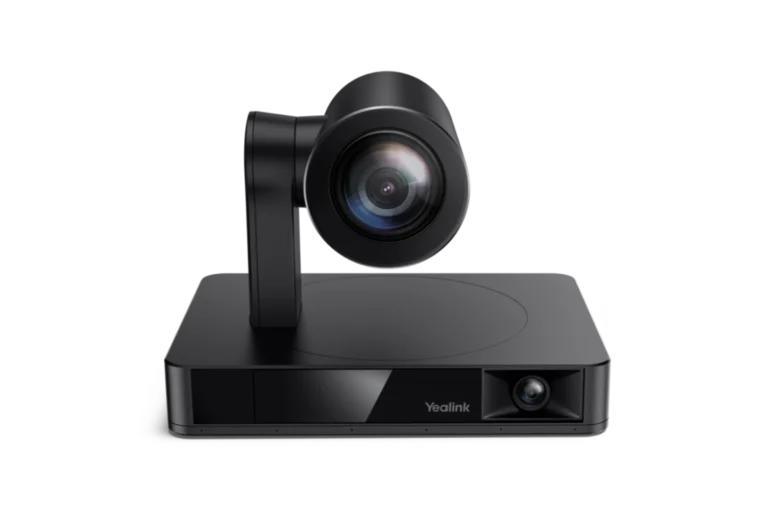 Yealink UVC869.4/10Poly Studio E60 vs Yealink UVC86
- Poly Studio E609.0/10
 Yealink MeetingBar A409.2/10Poly Studio E60 vs Yealink MeetingBar A40
- Poly Studio E609.0/10
 Poly Studio X509.0/10Poly Studio E60 vs Poly Studio X50
 Poly Studio X528.6/10Yealink UVC869.4/10Poly Studio X52 vs Yealink UVC86
Quick Verdict
- Poly Studio E60 9.0Best overallLeads in Optics & Room Coverage, AI Speaker Tracking & Framing, OS Platform & Ecosystem
- Poly Studio X52 8.6Leads in Deployment & I/O