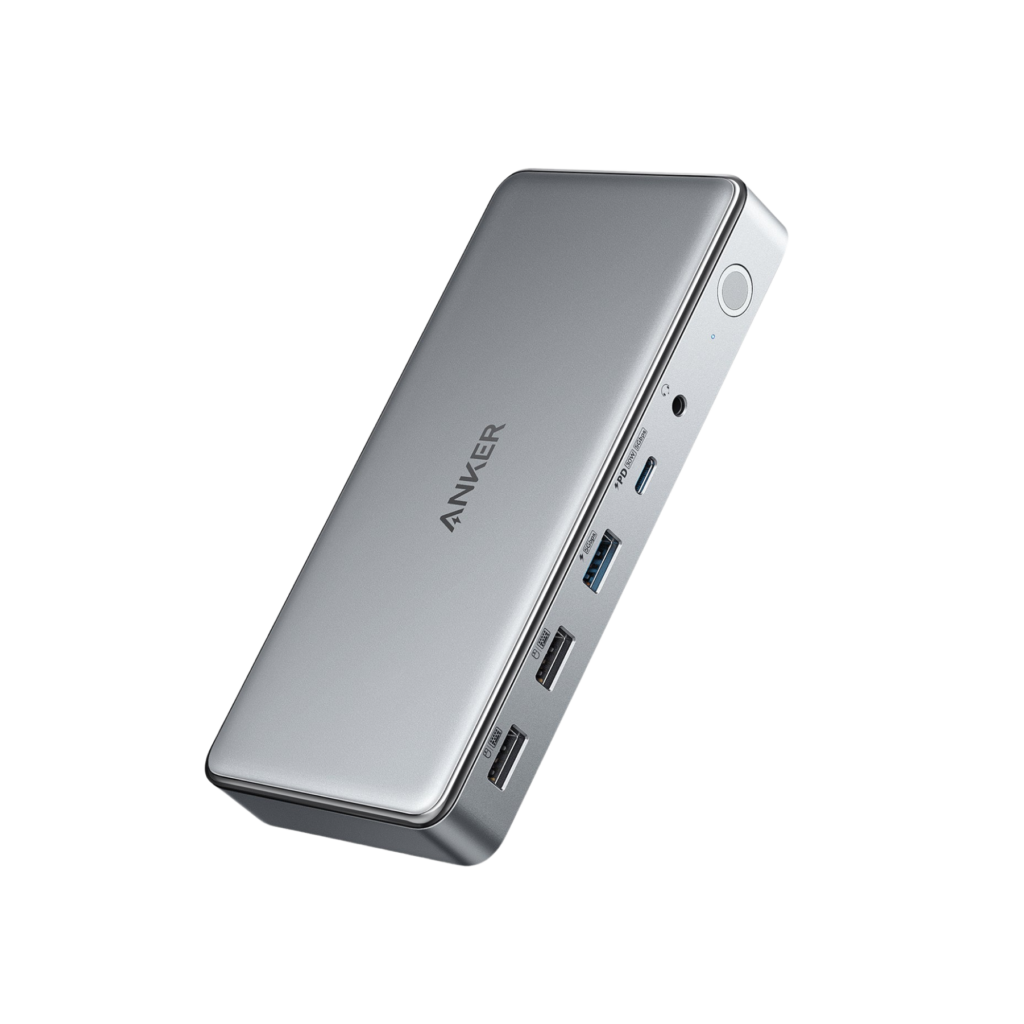
At a glance
| Type | USB-C docking station |
|---|---|
| Connect | USB-C |
- Model 563 USB-C Docking Station (10-in-1)
- Released 2021
AnkerLast updated on November 2026
Anker 563 USB-C Docking Station (10-in-1) Review
Prices, shipping and returns are handled by the retailer.
On this page
Overview
The Anker 563 USB-C Docking Station is a 10-in-1 desktop dock with 100 W laptop charging, two HDMI ports and a DisplayPort, Gigabit Ethernet, four USB ports and a 3.5 mm audio jack, using DisplayLink for triple displays.
- Up to three external monitors
- 100 W laptop charging
- Gigabit Ethernet and audio jack
- Works with base M1 and M2 MacBooks
Key Takeaways
- DisplayLink enables triple displays on Macs
- 30 W USB-C port for a phone
- One cable to the laptop
Best For
- Hybrid desks
- MacBook Air users
- Multi-monitor workers
Avoid If
- You need 4K at 60 Hz
- You want Thunderbolt bandwidth
Pros & Cons
The Anker 563 is a practical way to run three monitors from a single cable. Charging and ports cover a typical desk, but 4K at 30 Hz and DisplayLink software are clear compromises.
PROS
- Up to three external monitors
- 100 W laptop charging
- Gigabit Ethernet and audio jack
- Works with base M1 and M2 MacBooks
CONS
- 4K limited to 30 Hz
- Data limited to 5 Gbps
- DisplayLink driver required for extra screens
Review Scores
Score Breakdown
8.0/10 Expert Score
- Primary Output Performance7.7/10
- Software Suite & Automation6.0/10
- Universal Compatibility9.3/10
- Setup & Installation10.0/10
How this score is calculated
Each criterion is the weighted average of its available spec scores (0–10) from our Accessories scoring matrix. Empty specs are skipped, not scored as 0. The Expert Score is the weighted average of the scored criteria, shown out of 10; stars = Expert Score / 20, rounded to the nearest half star. Not scored for this product (it doesn't apply, or the published specs don't cover it): Build & Desk Ergonomics. Its weight is shared by the other criteria.
| Criterion | Weight | From specs | Score |
|---|---|---|---|
| Primary Output PerformanceAccessory Type (Lighting, Mounts & Stands, Docks & Hubs, Capture, Backdrops, Other): USB-C docking station → 7.0; Power Delivery: 100 W to laptop, 30 W USB-C → 9.5; Video Output: HDMI 4K30, HDMI 2K50, DisplayPort 2K60 → 8.0; Data Speed: 5 Gbps → 5.0; Key Features: DisplayLink triple display → 6.5 | 50% | 7.7 | 7.7 |
| Build & Desk ErgonomicsDimensions: 170.1 x 80.1 x 24.5 mm → 6.5 | — | required inputs missing | — |
| Software Suite & AutomationKey Features: DisplayLink triple display → 6.0 | 19% | 6.0 | 6.0 |
| Universal CompatibilityOS Support: Windows, macOS, ChromeOS → 10.0; Connection: USB-C → 9.0; Compatible Devices: USB-C laptops → 7.0 | 19% | 9.3 | 9.3 |
| Setup & InstallationOS Support: Windows, macOS, ChromeOS → 10.0 | 13% | 10.0 | 10.0 |
| Expert Score | 8.0/10 | ||
Anker 563 Dock Review
Anker launched the 563 as one of the first affordable docks aimed at base Apple silicon MacBooks, which support only one external display natively. It uses DisplayLink compression to add more screens.
Primary Output Performance 7.7/10
Ports include two HDMI, one DisplayPort, Gigabit Ethernet, a 3.5 mm audio jack, a USB-C port with 30 W charging, one 5 Gbps USB-A and two USB-A 2.0.
Wired Ethernet improves video call stability compared with Wi-Fi in busy offices. The audio jack is handy for a wired headset without adding a separate adapter.
Data speeds are limited to 5 Gbps, so large external drives transfer slower than on Thunderbolt docks. For webcams, keyboards, mice and a USB speakerphone, that bandwidth is more than enough.
- Type USB-C docking station
- PD 100 W to laptop, 30 W USB-C
- Video Out HDMI 4K30
- Data 5 Gbps
Software Suite & Automation 6.0/10
The Anker 563 Dock is a USB-C docking station. Official features include DisplayLink triple display, 100 W laptop charging.
It is listed for Windows, macOS, ChromeOS. The official connection is USB-C. Port layout is listed as 2 x HDMI, 1 x DisplayPort, 1 x USB-C (30 W), 1 x USB-A 5 Gbps, 2 x USB-A 2.0, Gigabit Ethernet, 3.5 mm audio. When I troubleshoot a setup like this, I always run a quick test after changing the app or controller settings.
Universal Compatibility 9.3/10
The dock works with USB-C laptops including Windows, macOS and ChromeOS devices. Anker markets it for triple displays on M1 MacBooks, which normally drive one external screen.
Display modes vary. One monitor gets 4K at 30 Hz on HDMI 1, 2K at 50 Hz on HDMI 2, or 2K at 60 Hz on DisplayPort. Two or three monitors share bandwidth.
Because DisplayLink compresses video, it suits documents and calls rather than gaming or colour-critical work. Some protected video streams may not play on DisplayLink screens.
- OS Windows, macOS, ChromeOS
- Connect USB-C
Setup & Installation 10.0/10
A single USB-C cable connects the laptop, providing power, data and video. Triple displays on macOS require the DisplayLink Manager app.
Windows laptops work with native display output on the first HDMI port and DisplayLink for others. On a Mac, install DisplayLink before connecting the extra monitors, and allow screen recording permission when asked.
Once set up, reconnecting is quick each morning. The main friction is keeping the DisplayLink driver up to date after major OS updates, since a stale version can leave the extra screens blank.
- OS Windows, macOS, ChromeOS
Software Suite & Automation
The Anker 563 Dock is a USB-C docking station. Official features include DisplayLink triple display, 100 W laptop charging.
It is listed for Windows, macOS, ChromeOS. The official connection is USB-C. Port layout is listed as 2 x HDMI, 1 x DisplayPort, 1 x USB-C (30 W), 1 x USB-A 5 Gbps, 2 x USB-A 2.0, Gigabit Ethernet, 3.5 mm audio. When I troubleshoot a setup like this, I always run a quick test after changing the app or controller settings.
Value
At around 260 dollars, the 563 costs less than most Thunderbolt docks while adding triple-display support for basic MacBooks.
For hybrid desks with document work and video calls, it is good value. Users who need 4K at 60 Hz or fast storage should look at Thunderbolt docks instead, which cost more but avoid compression.
If you only need one or two monitors, a simpler USB-C hub is cheaper. The 563 earns its price when three screens matter, such as a call on one display, notes on another and email on the third.
Full Specifications
General
| Best For | Laptop users who need multiple monitors |
|---|---|
| Accessory Type (Lighting, Mounts & Stands, Docks & Hubs, Capture, Backdrops, Other) | USB-C docking station |
| Release Year | 2021 |
| Launch Price | $259.99 |
| Use Case | Multi-monitor laptop desk |
Compatibility
| Connection | USB-C |
|---|---|
| OS Support | Windows, macOS, ChromeOS |
| Compatible Devices | USB-C laptops |
| Ports | 2 x HDMI, 1 x DisplayPort, 1 x USB-C (30 W), 1 x USB-A 5 Gbps, 2 x USB-A 2.0, Gigabit Ethernet, 3.5 mm audio |
Features
| Key Features | DisplayLink triple display, 100 W laptop charging |
|---|---|
| Power Delivery | 100 W to laptop, 30 W USB-C |
| Video Output | HDMI 4K30, HDMI 2K50, DisplayPort 2K60 |
| Data Speed | 5 Gbps |
Design & Build
| Dimensions | 170.1 x 80.1 x 24.5 mm |
|---|
Identifiers
| Model Number | A8395 |
|---|
Product Details
| Brand | Anker |
|---|---|
| Model | 563 USB-C Docking Station (10-in-1) |
| Model number | 563 USB-C Docking Station (10-in-1) |
| Release year | 2021 |
Price Comparison
| Store | Price | Deal |
|---|---|---|
| Anker.comOfficial Anker store | Launch price $259.99 | View deal (opens in a new tab) |
The Verdict
I’d choose the Anker 563 to run three monitors from a basic MacBook. For fast storage and 4K at 60 Hz, the CalDigit TS4 is worth the extra cost.
FAQs
How many monitors does the Anker 563 support?
Up to three external monitors.
Does it work with M1 MacBooks?
Yes, with DisplayLink software for extra screens.
What is the maximum resolution?
4K at 30 Hz on the first HDMI port.
How much power does it deliver to a laptop?
Up to 100 W.
Does it have Ethernet?
Yes, Gigabit Ethernet.
What is the data speed?
Up to 5 Gbps.
Does it need drivers?
DisplayLink Manager is needed for additional displays.
Is there an audio jack?
Yes, a 3.5 mm combo jack.