

Do you really need both ears covered to sound good on a call?
For a lot of jobs, the answer is no. Drivers, store staff and people who share an office often need one ear free to hear what’s happening around them.
A mono Bluetooth headset features a functional microphone on one side, while the other ear remains open. Most of these connect to your phone via standard Bluetooth technology; in many cases, they also come with a USB dongle for lag-free latency to use with applications like Zoom, Teams, or Google Meet on a laptop. Furthermore, you can use them with various compatible devices via standard Bluetooth or a cable connection.
When I help people set up a new headset, the question I hear most is whether a tiny earpiece can match a boom mic. Sometimes it can, and sometimes it really can’t.
In this guide, I will introduce you to the 9 best single-ear (mono) Bluetooth headsets, from which you can choose one that best suits the nature of your work!
So, let’s get started!
What Is a Mono Bluetooth Headset?
A mono Bluetooth headset has one speaker that sits on or in one ear, plus a microphone. It connects wirelessly to a phone, laptop or desk phone, and the other ear stays uncovered.
Mono headsets come in three main shapes. Small earpieces hook behind the ear, office models use a light headband with a boom mic, and road headsets use a padded over-the-head band for long shifts.
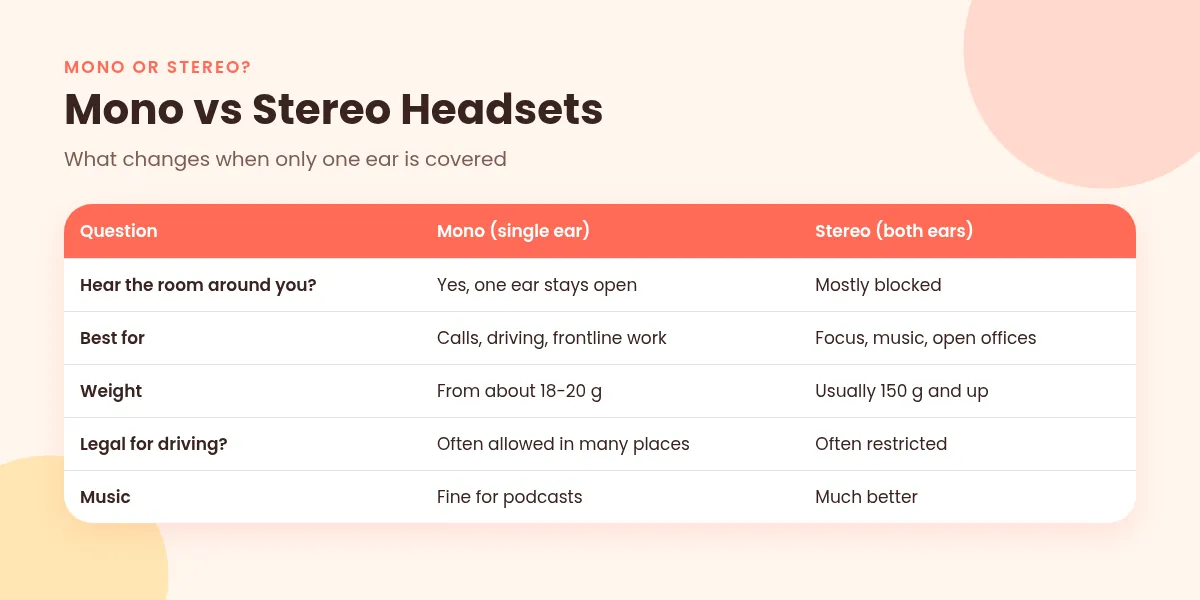
People choose mono headsets because they:
- Stay aware: you hear coworkers, customers and traffic.
- Weigh less: earpieces start at about 18 to 20 g.
- Focus on voice: mics and speakers are tuned for calls.
- Suit driving: one-ear use is often allowed where two-ear headsets aren’t, so check your local rules.
- Protect hearing: lower volumes are easier when one ear is open; the World Health Organization recommends safe listening habits.
Which Type of Mono Headset Fits Your Job?
The right mono headset depends far more on where you work than on brand. Office users need a dongle and certification, drivers need noise cancelling and battery, and frontline staff need push-to-talk and durability.
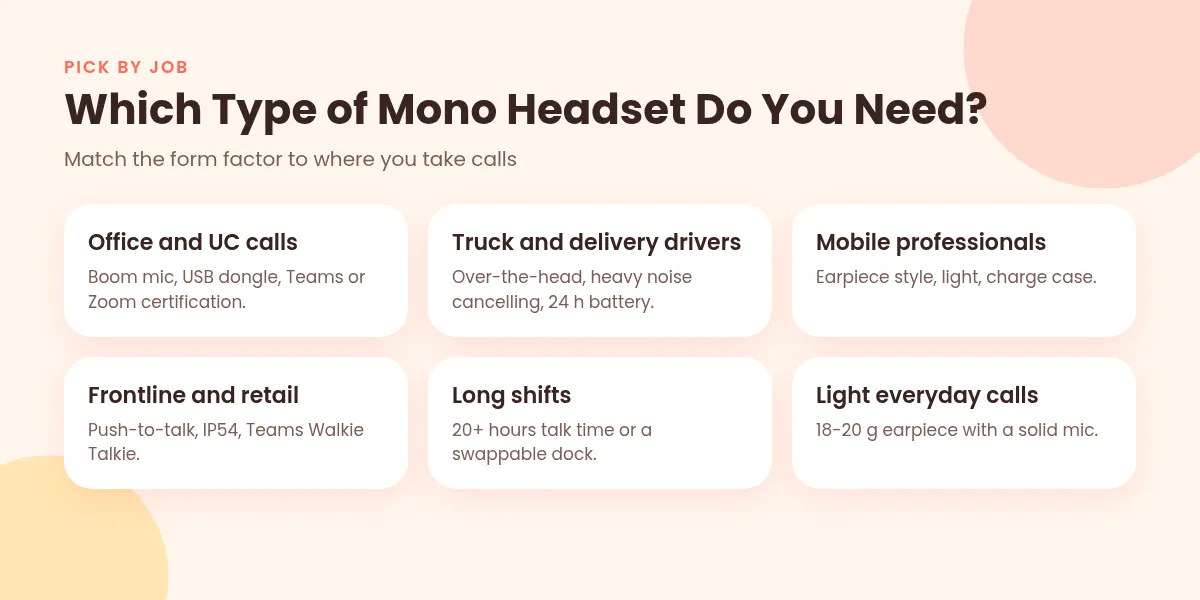
| Job | Form factor | Must-have feature | Example |
|---|---|---|---|
| Office and contact center | Boom headset | USB dongle, Teams or Zoom support | Jabra Evolve2 65 Mono |
| Mobile professional | Earpiece | Multi-mic wind control | Poly Voyager 5200 UC |
| Truck driver | Over-the-head boom | 90%+ noise cancelling, 24 h | BlueParrott B550-XT |
| Retail and warehouse | Light earpiece | Push-to-talk, IP54 | Jabra Perform 45 |
Essential Features of a Good Mono Bluetooth Headset
Microphone and Noise Cancelling
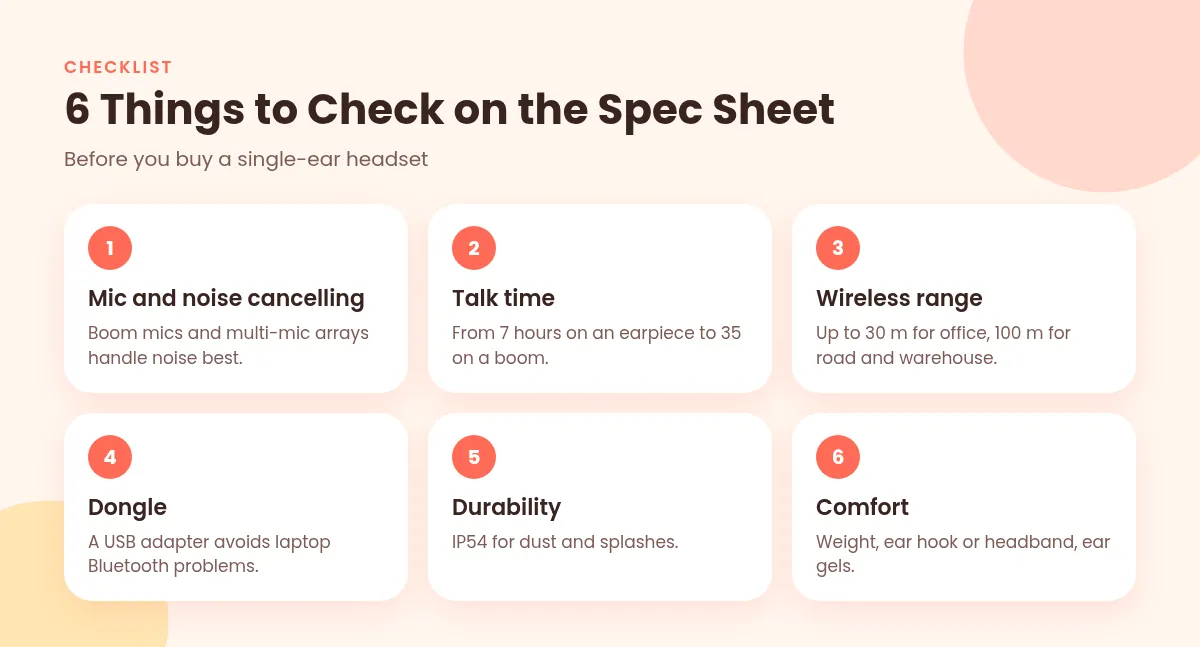
Boom mics sit closest to your mouth, so they reject noise best. Earpieces rely on multiple mics and processing instead. BlueParrott’s road headsets are rated to block up to 96% of background noise.
Talk Time
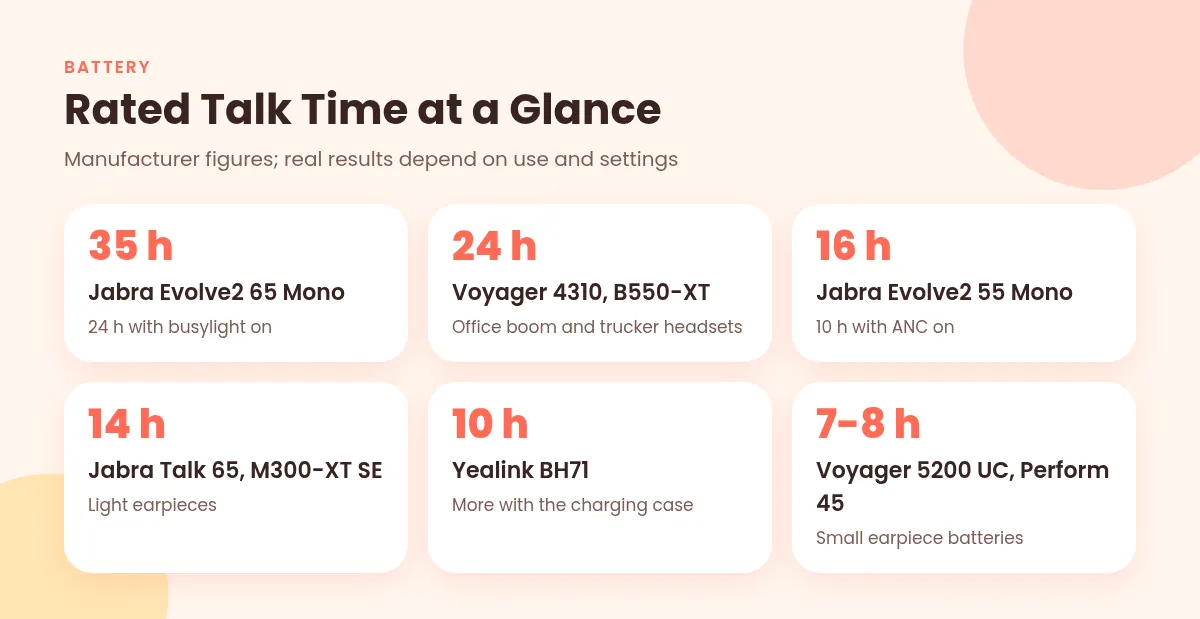
Small earpieces typically run 7 to 14 hours. Boom headsets reach 24 to 35 hours. If yours has a charge case or stand, count that in.
Wireless Range
Office headsets usually reach 30 to 50 m with their dongle. Road and warehouse models are rated up to 100 m, depending on the phone.
USB Dongle and Laptop Use
A dedicated dongle like Jabra Link 390 or Poly BT700 keeps call audio in high quality on a laptop. Built-in laptop Bluetooth can switch to a low-quality headset mode.
Multipoint
Most models here connect to two devices at once, such as a laptop and a phone. That way you can take either call without re-pairing.
Durability and Comfort
IP54 means protection from dust and splashes. For comfort, check the weight, the ear hook or band and the ear gel sizes included.
Best Single-Ear Mono Bluetooth Headsets for 2026
These nine cover office, mobile, driving and frontline use, and each one comes with the job it suits best, so you can jump straight to yours.
Jabra Evolve2 65 Mono
Specifications
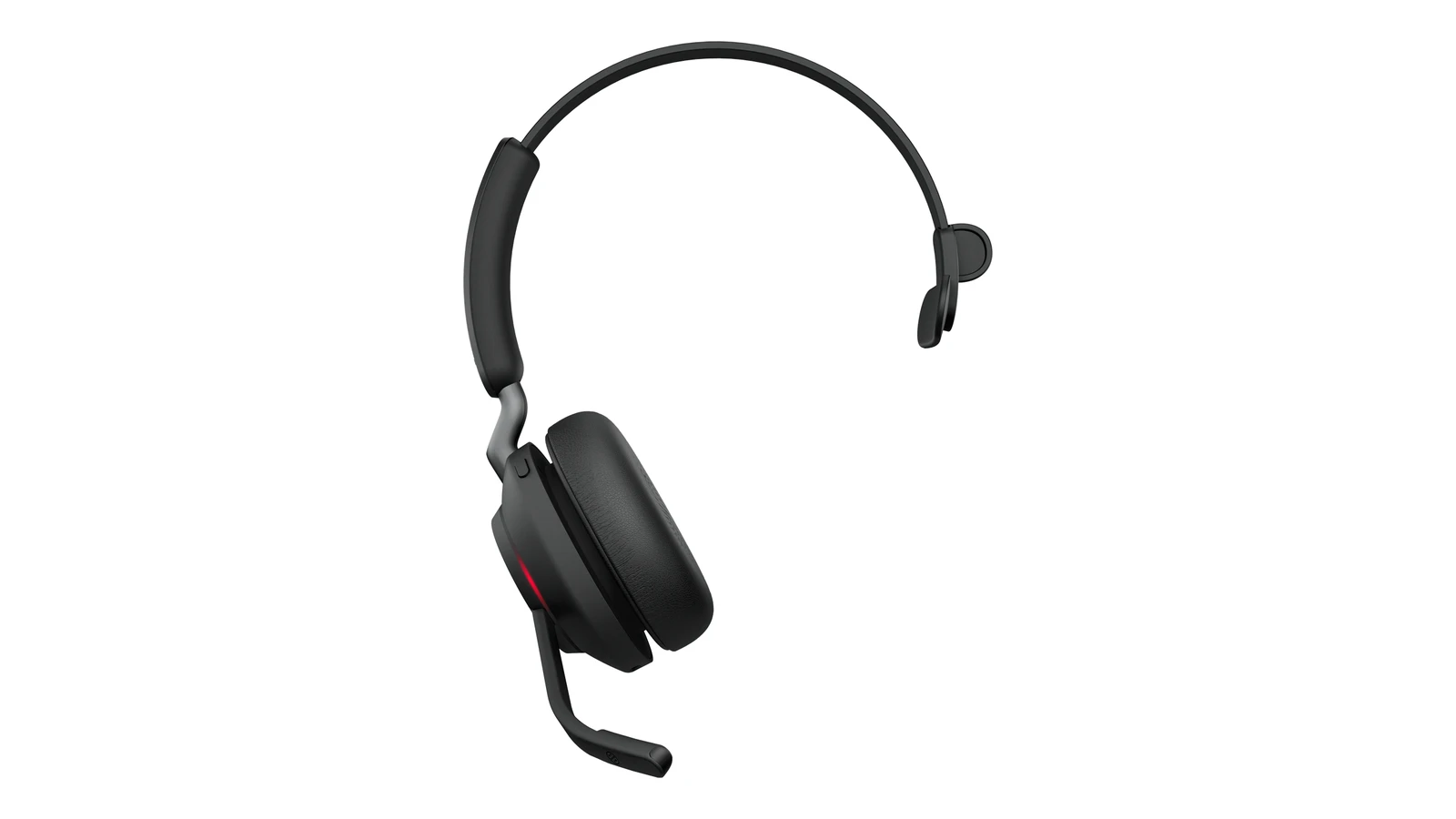
Brand: Jabra | Style: On-ear, single ear, boom mic | Mics: 3 | Talk Time: 35 h (24 h with busylight) | Bluetooth: 5.0, up to 30 m | Adapter: Jabra Link 390 | Weight: 99.2 g | Certified: Microsoft Teams variant available
Why I Picked the Jabra Evolve2 65 Mono?
When I help people pick their first work headset, this is the one I point to most often. It has a boom mic with three microphones, a busylight that tells coworkers you’re on a call, and a rated 35 hours of talk time.
The Link 390 dongle is the quiet hero. It keeps the laptop connection stable and avoids the low-quality Bluetooth mode that built-in laptop radios often switch to during calls.
Teams-certified versions add a Teams button. If you prefer a lighter stereo model, our Jabra Evolve2 55 review covers the wider Evolve2 range.
Who It’s For?
It suits office and hybrid workers on calls most of the day who still want one ear open to the room.
- Up to 35 h talk time
- Boom mic with three mics
- Busylight for coworkers
- Link 390 dongle
- Bluetooth 5.0
- On-ear design is bulkier than an earpiece
Poly Voyager 5200 UC
Specifications
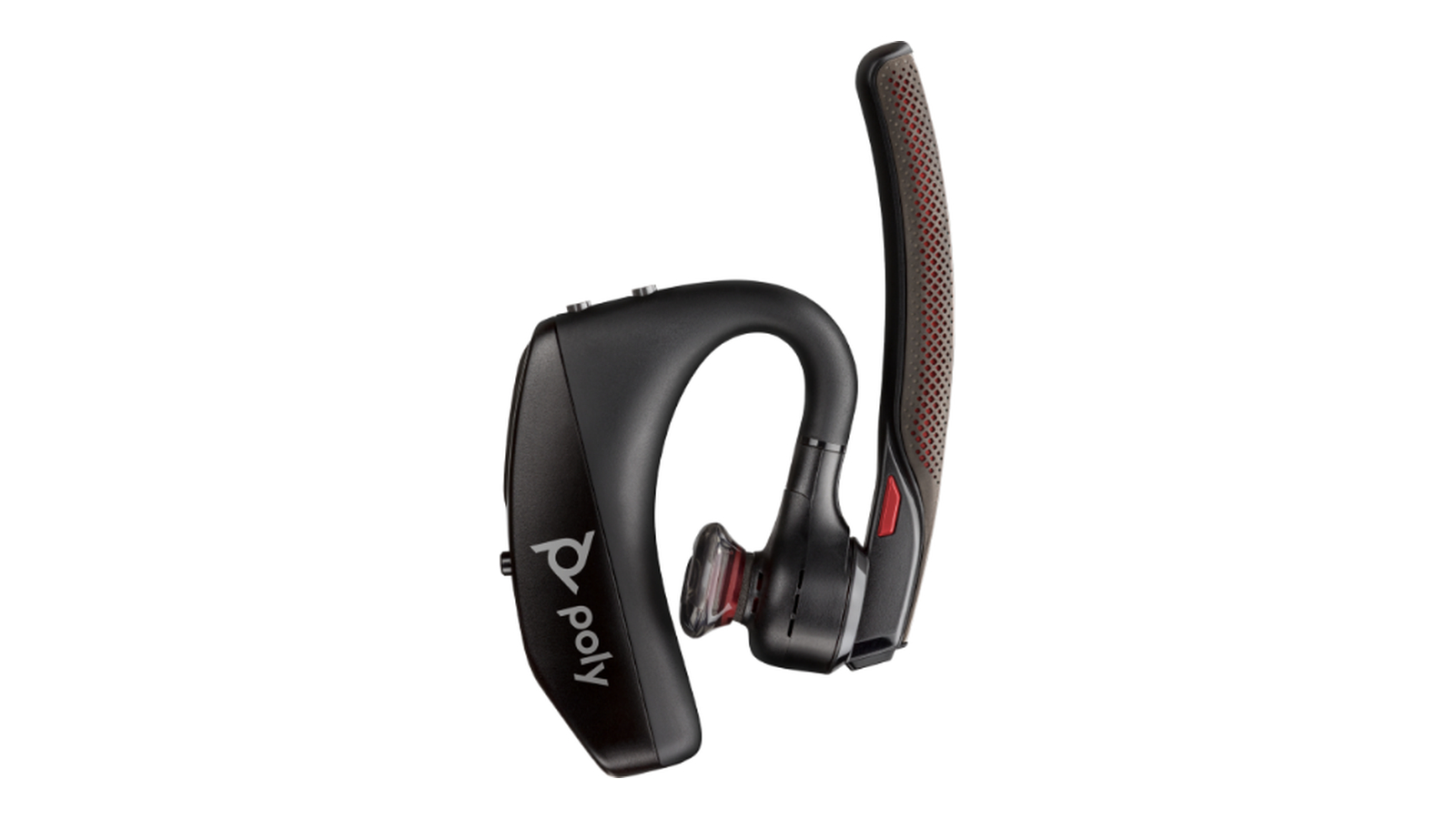
Brand: Poly (HP) | Style: Behind-the-ear earpiece | Mics: 4 with WindSmart | Talk Time: 7 h (more with charge case) | Standby: Up to 9 days | Bluetooth: 5.0, up to 30 m | Adapter: BT600 | Weight: 20 g | Warranty: 2 years
Why I Picked the Poly Voyager 5200 UC?
The 5200 UC is the earpiece I’d pick for people who take calls on the move. Its four mics with WindSmart technology are tuned for wind and street noise, which is where most small earpieces fail.
It weighs 20 g and ships with a charge case and the BT600 USB adapter, so it works with a laptop as well as a phone. It also works with Zoom and Google Meet.
The trade-off is a short 7 hour talk time on the earpiece alone, so the case matters on long days.
Who It’s For?
It’s for sales staff, consultants and managers who switch between a laptop and a phone and take calls outdoors.
- Four mics with WindSmart
- Charge case included
- BT600 USB adapter
- Light 20 g
- 7 h talk time on the earpiece
- No boom mic
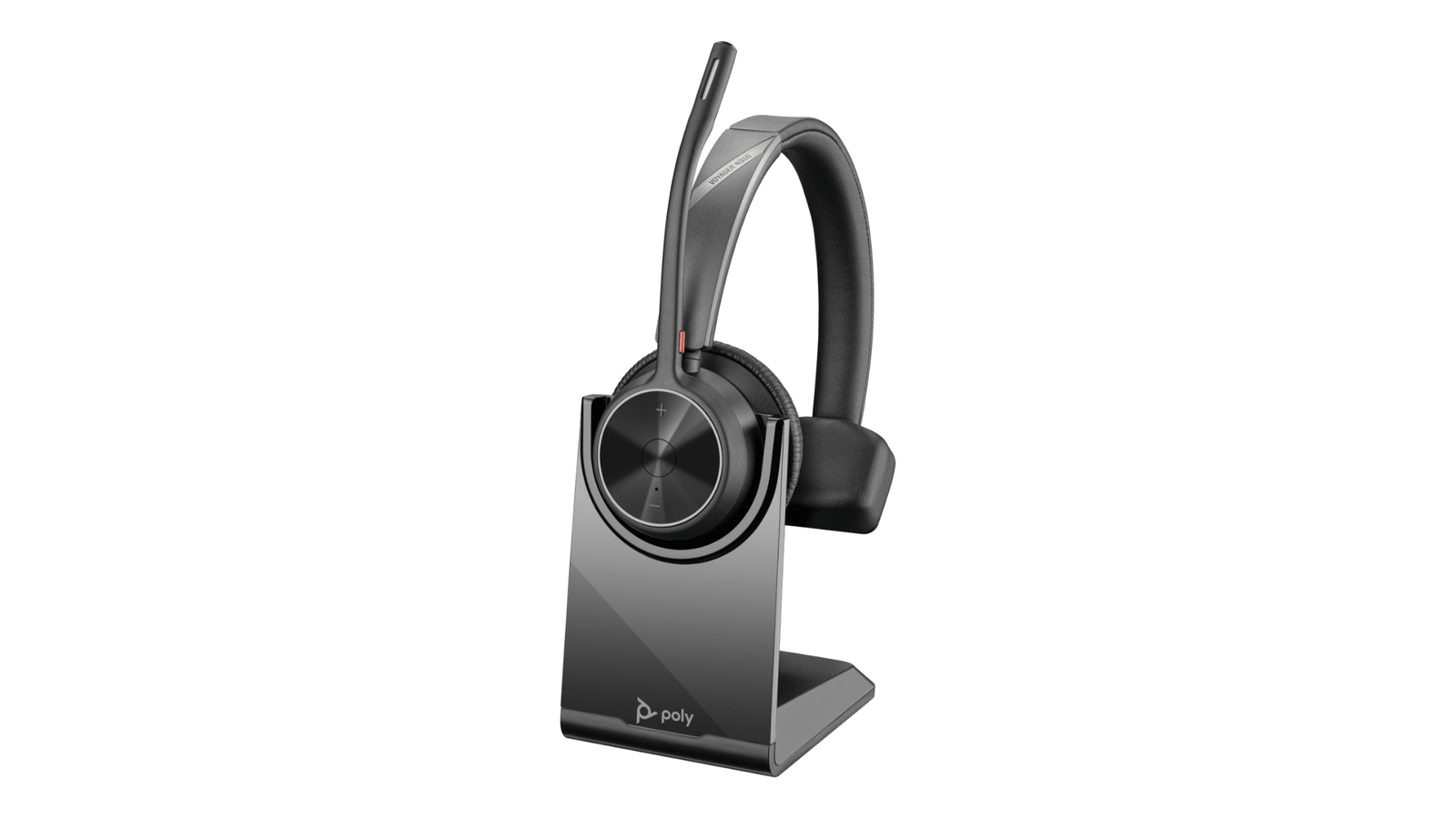
Poly Voyager 4310 UC
Specifications
Brand: Poly (HP) | Style: Single-ear headband, boom mic | Mics: Dual-mic Acoustic Fence | Talk Time: 24 h | Bluetooth: 5.2, up to 50 m with BT700 | Adapter: BT700 USB-A or USB-C | Weight: 122 g | Certified: Teams variant; Zoom
Why I Picked the Poly Voyager 4310 UC?
The Voyager 4310 UC gives you a proper boom mic and up to 50 m of range with the BT700 adapter, so you can walk to the printer without dropping the call.
Poly rates it at 24 hours of talk time, and it can also run as a corded USB headset if the battery runs low. A dynamic mute alert tells you when you’re speaking while muted.
It’s a more affordable step down from the Poly Voyager Focus 2, without active noise cancelling but with the same easy Poly Lens management.
Who It’s For?
It’s for contact center agents and office staff who want a long battery and a boom mic in a lighter single-ear design.
- 24 h talk time
- Up to 50 m range
- Corded mode backup
- Mute alert
- No ANC
- 122 g headband style
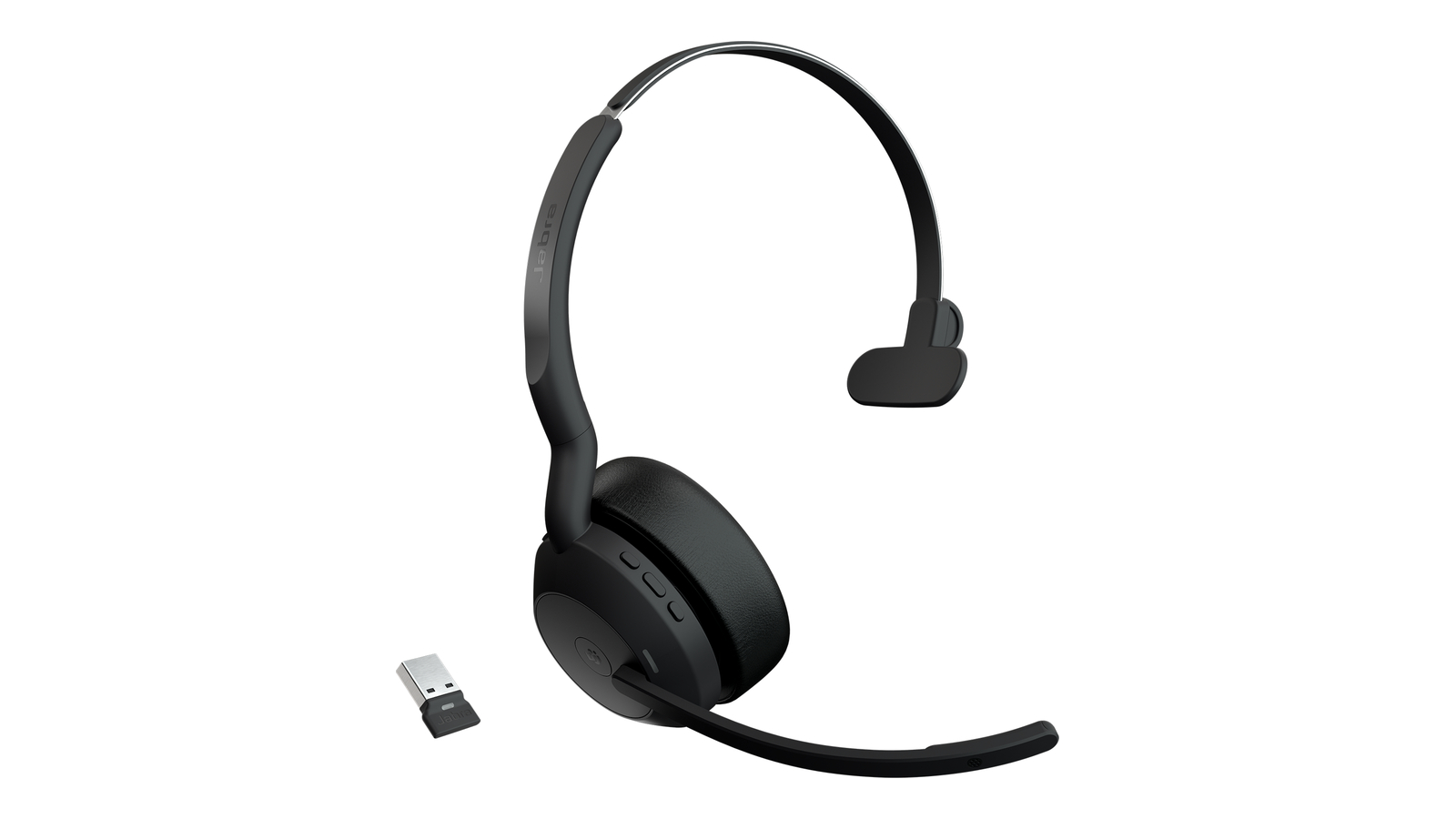
Jabra Evolve2 55 Mono
Specifications
Brand: Jabra | Style: On-ear single ear, boom mic | ANC: Yes | Talk Time: 16 h (10 h with ANC) | Bluetooth: 5.2, up to 30 m | Adapter: Jabra Link 390 | Weight: 79 g | Certified: Microsoft Teams variant available
Why I Picked the Jabra Evolve2 55 Mono?
The Evolve2 55 Mono is the rare single-ear headset with active noise cancellation. That sounds odd at first, but it quiets the covered ear so you can focus while the other ear stays aware.
At 79 g with Jabra’s AirComfort design, it’s lighter than the Evolve2 65. Talk time is rated at 16 hours, or 10 with ANC on.
It ships with the Link 390 adapter and comes in Teams and UC versions.
Who It’s For?
It suits people in busy open offices who want some noise reduction without losing awareness of the room.
- ANC in a mono design
- Light 79 g
- Bluetooth 5.2 with Link 390
- Teams version available
- Shorter talk time with ANC
- Costs more than non-ANC mono models
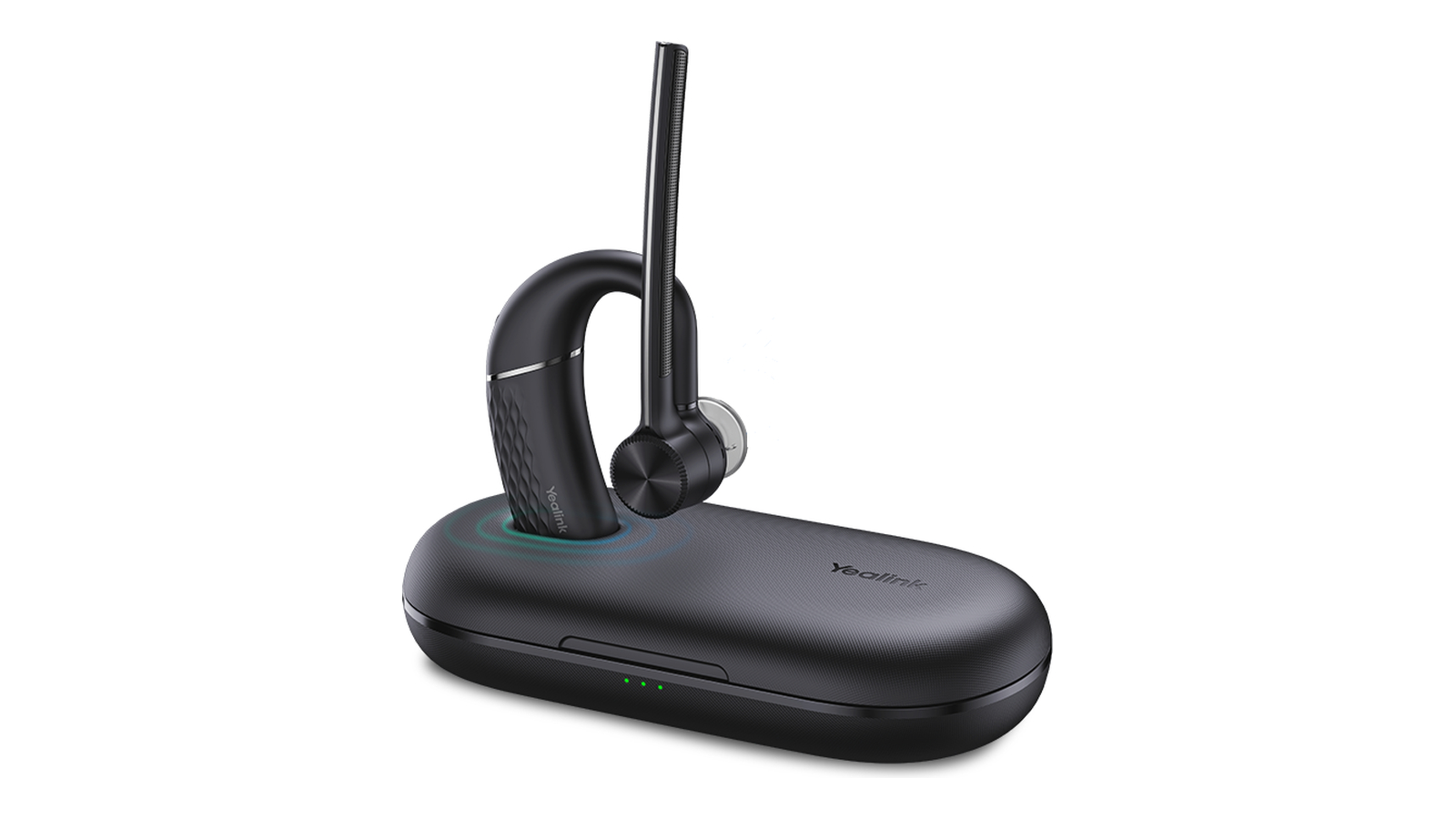
Yealink BH71
Specifications
Brand: Yealink | Style: Earpiece with adjustable ear hook | Mics: 4-mic beamforming | Talk Time: 10 h (20 h extra with Pro charging case) | Bluetooth: 5.3, 2 connections | Adapter: BT51A (Pro versions) | Range: 100 ft (headset) | Variants: Lite, Pro, Workstation
Why I Picked the Yealink BH71?
The BH71 packs four-mic beamforming into a small earpiece, which is a lot of microphone for the price. Bluetooth 5.3 lets it hold two connections at once.
Yealink sells it in several bundles. The Pro adds a BT51A dongle and a charging case with 20 hours of extra battery, and the Workstation adds a desk station with a touch screen speakerphone and USB hub.
If you want a Yealink with a fuller design, our Yealink BH76 review covers its stereo sibling.
Who It’s For?
It’s for hybrid workers who want a discreet earpiece that also works at the desk, without paying top prices.
- Four-mic beamforming
- Bluetooth 5.3 multipoint
- Pro case adds 20 h
- Desk station option
- 10 h on the earpiece alone
- Dongle only in Pro bundles
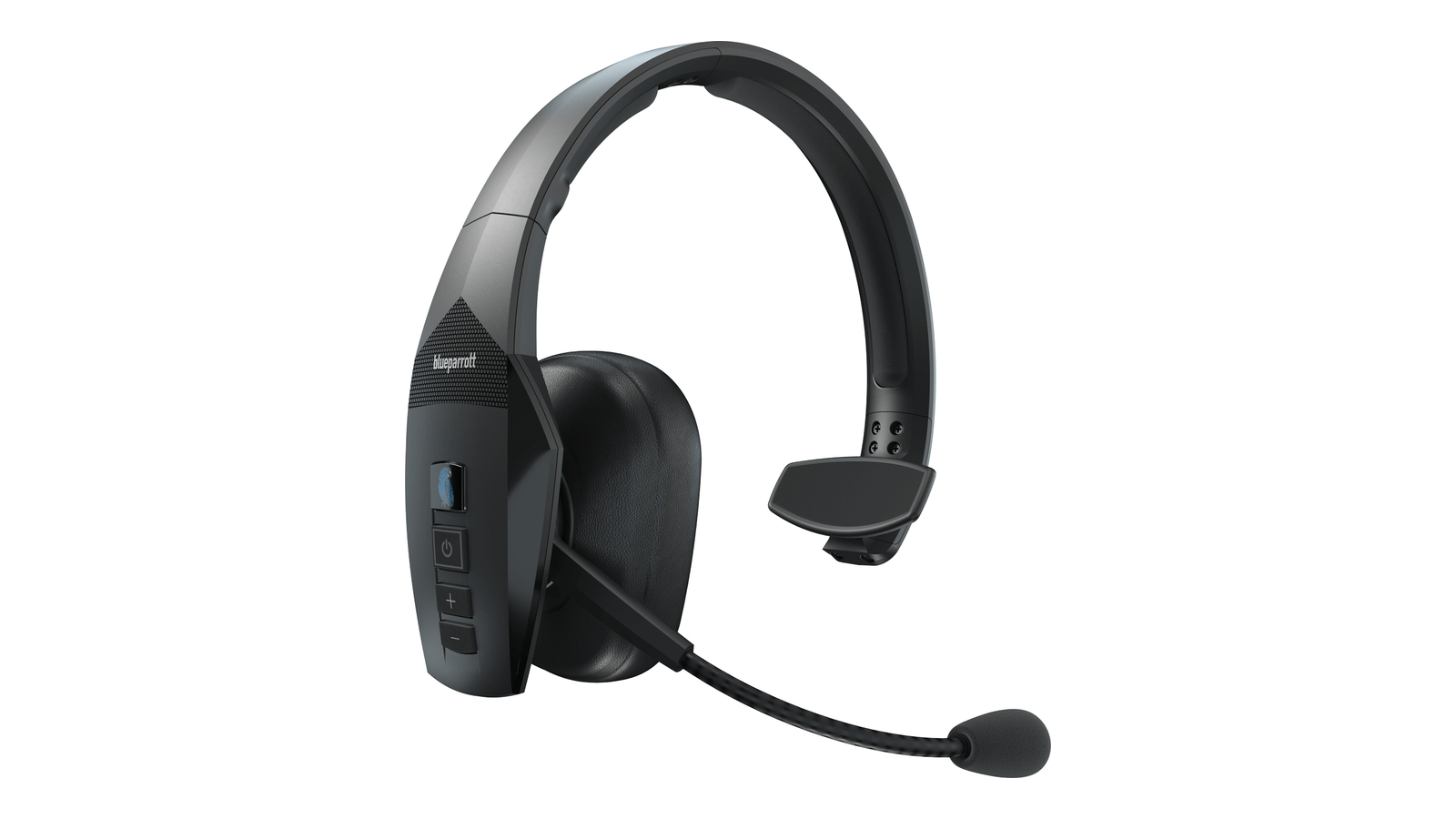
BlueParrott B550-XT
Specifications
Brand: BlueParrott (Jabra) | Style: Over-the-head, boom mic | Noise Cancelling: 96% background noise | Control: 100% voice control | Talk Time: Up to 24 h | Bluetooth: 5.0 | Rating: IP54 | Weight: 165 g | Speaker: 36 mm
Why I Picked the BlueParrott B550-XT?
The B550-XT adds VoiceControl Pro. You can answer, reject and manage calls by voice, and wake it by saying “Hello BlueParrott”, so your hands stay on the wheel.
BlueParrott says its mic blocks up to 96% of background noise. It’s rated for up to 24 hours of talk time and is IP54 rated. Note that it still charges over Micro USB.
It’s heavier than an earpiece at 165 g, but the headband spreads the weight.
Who It’s For?
It suits drivers who want to run calls entirely by voice.
- Fully voice controlled
- 96% noise cancellation
- 24 h talk time
- IP54
- Micro USB charging
- Heaviest headset here
Jabra Perform 45
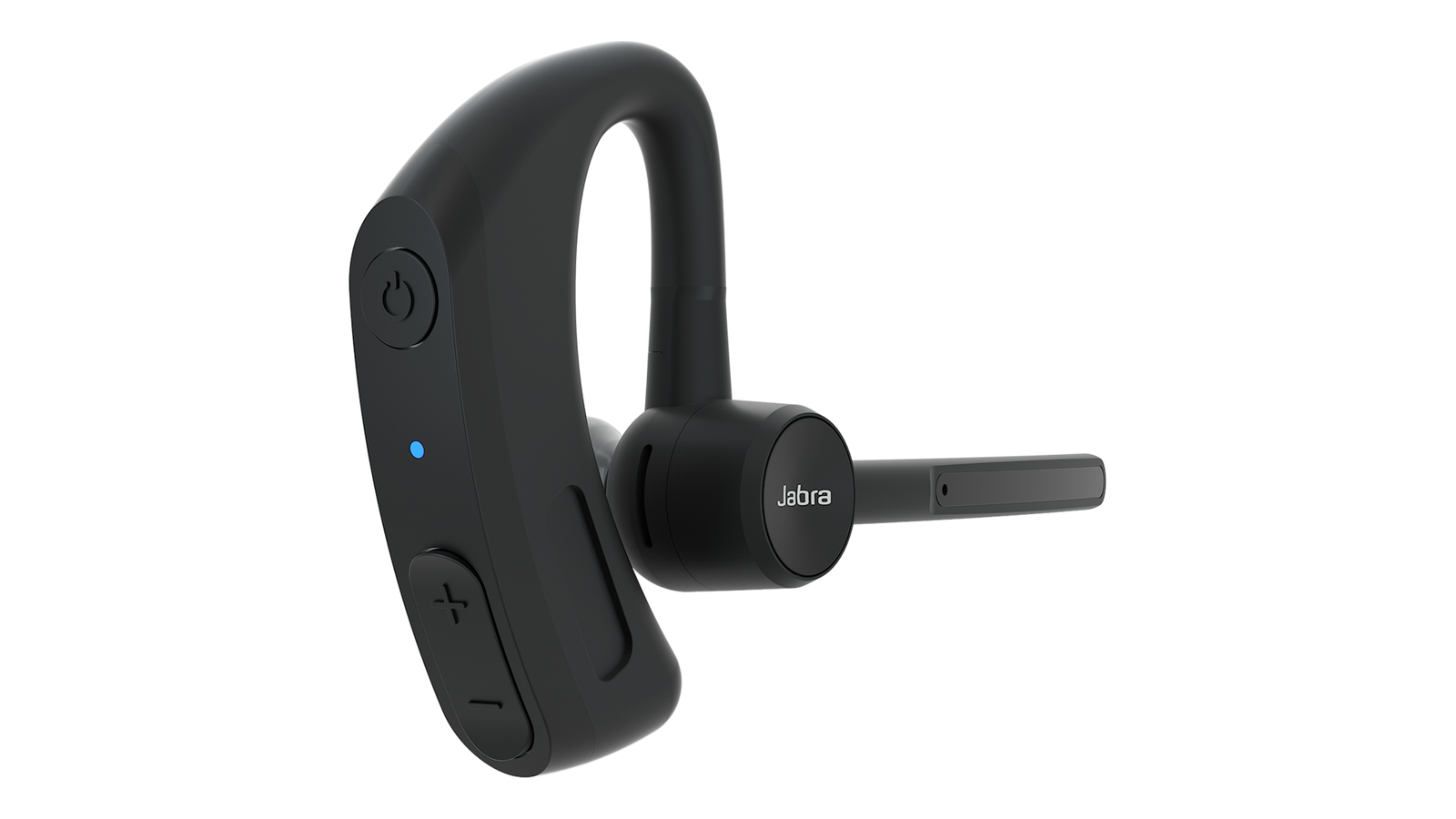
Specifications
Brand: Jabra | Style: Behind-the-ear earpiece | Mics: 2 MEMS with noise reduction | Talk Time: 8 h (20 h push-to-talk) | Bluetooth: 5.1, up to 100 m | Rating: IP54 | Weight: 18 g | Works With: Microsoft Teams Walkie Talkie, Zebra Workforce Connect
Why I Picked the Jabra Perform 45?
The Perform 45 is built for store and warehouse teams. Its dedicated push-to-talk button works with Microsoft Teams Walkie Talkie and Zebra Workforce Connect, so staff can talk across the floor without a radio.
At 18 g it’s the lightest headset in this guide. It’s IP54 rated, easy to wipe clean, and has up to 100 m of range with Bluetooth 5.1.
Push-to-talk use is rated at 20 hours, which covers a full shift.
Who It’s For?
It’s for retail, healthcare and logistics staff who need instant push-to-talk with a phone or rugged device.
- Push-to-talk button
- 18 g, very light
- IP54 and easy to clean
- 20 h PTT time
- 8 h of regular talk time
- No boom mic
Jabra Talk 65
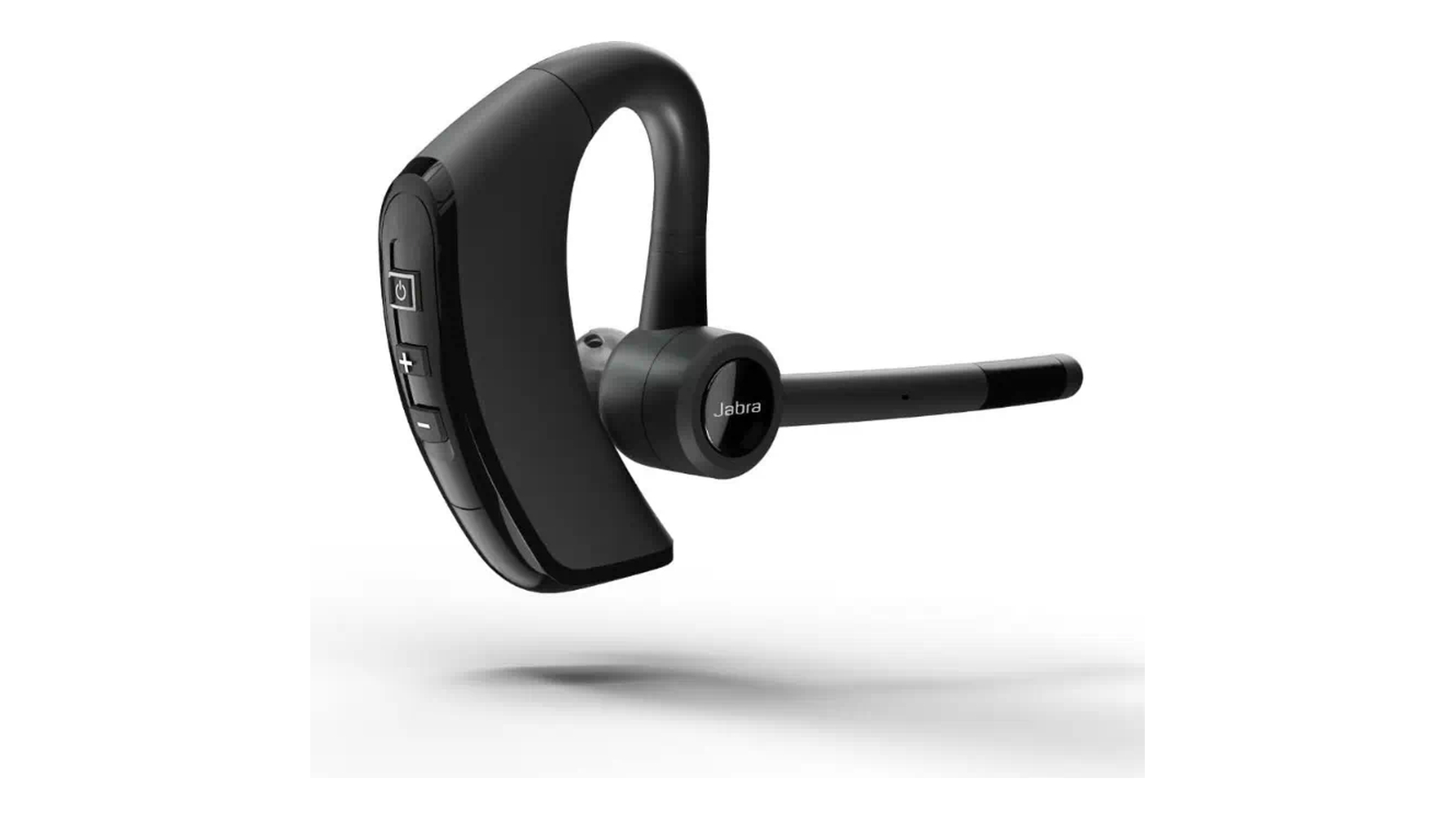
Specifications
Brand: Jabra | Style: Behind-the-ear earpiece | Noise Cancelling: 80% background noise | Talk Time: 14 h | Bluetooth: 5.1, up to 100 m | Rating: IP54 | Weight: 20 g | Warranty: 2 years
Why I Picked the Jabra Talk 65?
The Talk 65 covers the basics well: 14 hours of talk time, 80% noise cancellation and up to 100 m of range in a 20 g earpiece.
It’s IP54 rated and has a two-year warranty. It’s a phone headset at heart, so I wouldn’t make it your main laptop headset for long Teams calls.
For everyday mobile calls, though, it’s a sensible, low-cost pick.
Who It’s For?
It suits small business owners, tradespeople and anyone who mostly takes phone calls on the go.
- 14 h talk time
- IP54
- 100 m range
- 2-year warranty
- No USB dongle
- Basic call app support
BlueParrott M300-XT SE
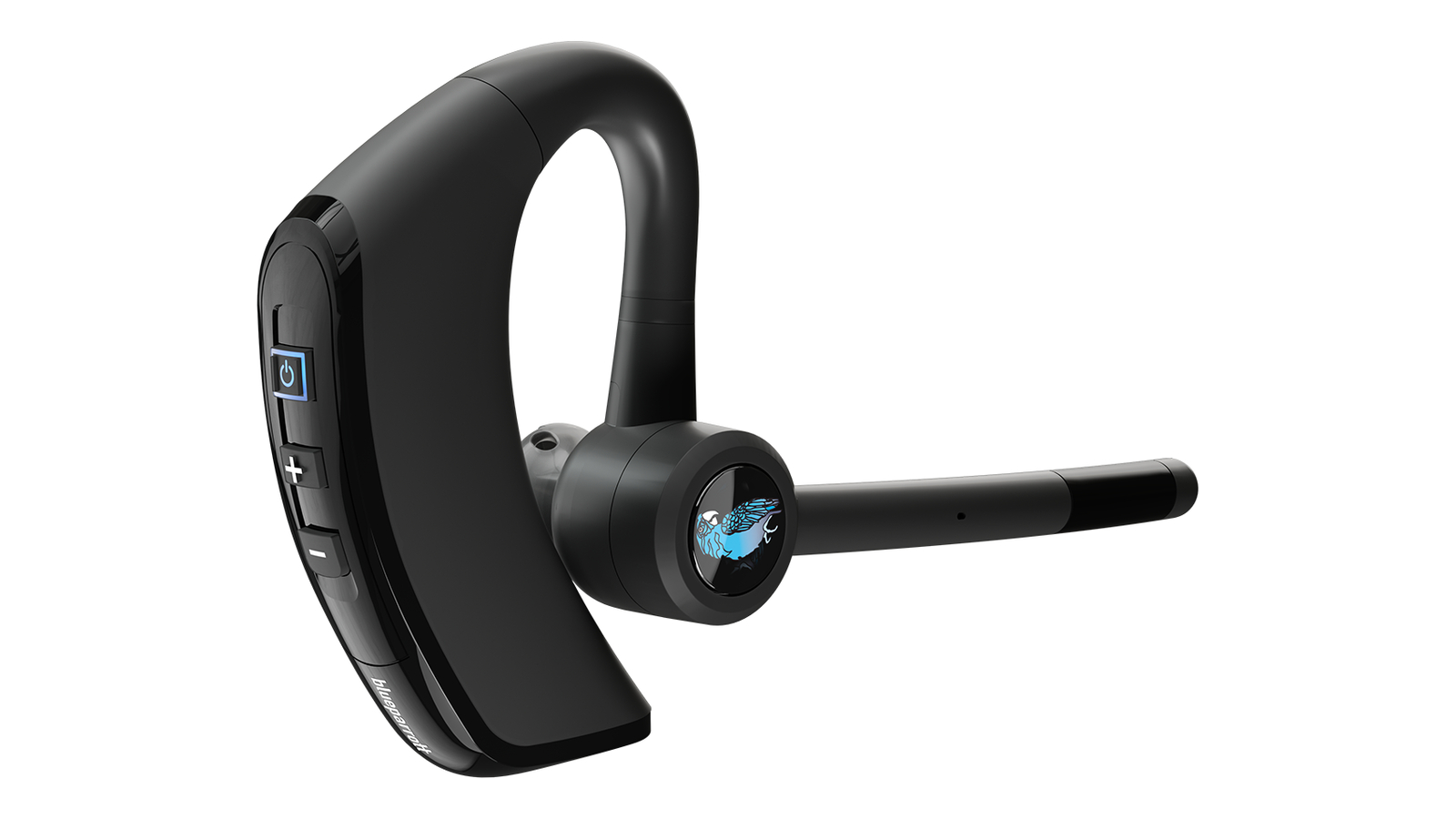
Specifications
Brand: BlueParrott (Jabra) | Style: Behind-the-ear earpiece | Mics: 2 MEMS, 80% noise cancelling | Talk Time: Up to 14 h | Bluetooth: 5.1, 2 connections | Rating: IP54 | Weight: 20 g | Charging: USB-C | Warranty: 1 year
Why I Picked the BlueParrott M300-XT SE?
The M300-XT SE is BlueParrott’s smallest headset at 20 g. It keeps the customizable BlueParrott Button and adds voice control for answering calls.
Two MEMS mics cut 80% of background noise, and talk time is rated at 14 hours with USB-C charging. It holds two Bluetooth connections at once.
It’s not as quiet as the over-the-head B-series, but it’s far easier to wear in a car all day.
Who It’s For?
It’s for delivery and rideshare drivers who want something light that still handles road noise.
- 20 g earpiece
- 80% noise cancelling
- USB-C, 14 h talk time
- Programmable button
- 1-year warranty
- Less noise rejection than B-series
Comparing Mono Bluetooth Headset Equipment
How to Set Up a Mono Bluetooth Headset?
Charge it fully first: a full first charge avoids pairing hiccups and gives you an accurate battery reading. See how you can pair your new mono headset quickly.
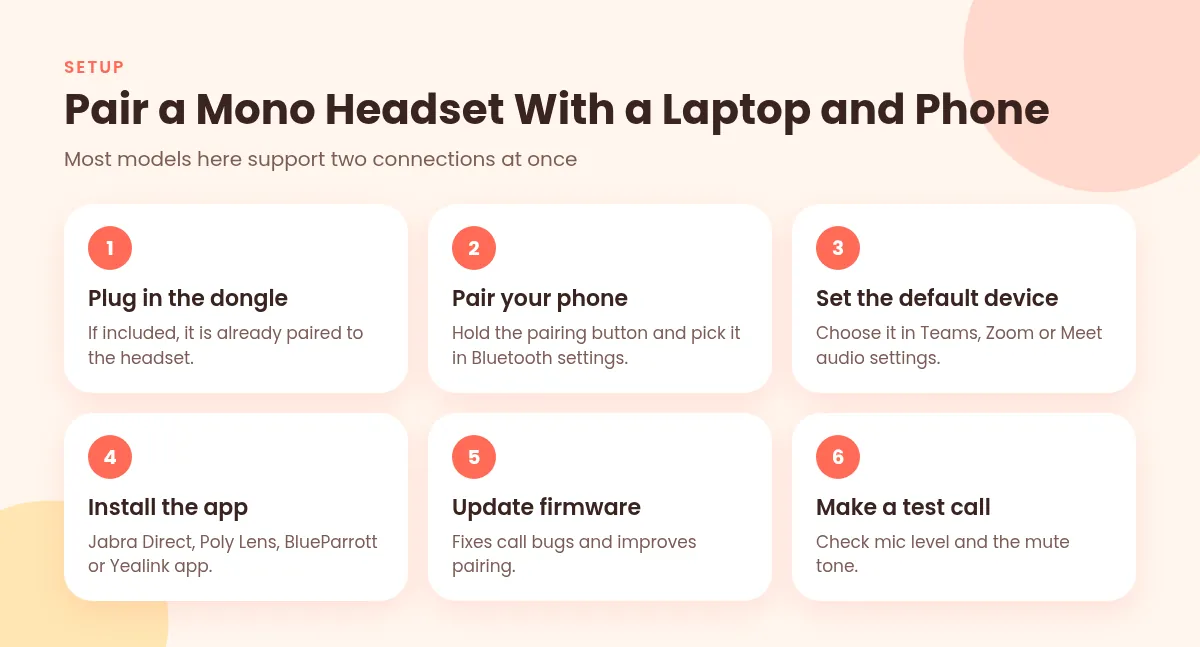
In support chats, the step people miss most is choosing the headset inside the meeting app. Our guide on how to test your camera and microphone shows where that setting lives.
Conclusion:
For office calls, the Jabra Evolve2 65 Mono is my top pick, with a boom mic and up to 35 hours of talk time. The Poly Voyager 5200 UC is the earpiece to get if you’re always on the move.
Drivers should look at the voice-controlled BlueParrott B550-XT or the lighter M300-XT SE, and frontline teams will get the most from the Jabra Perform 45’s push-to-talk button.
How do you take most of your calls: at a desk, in a vehicle or on the floor? Tell me in the comments, and rate this guide if it helped you choose.