
Elgato Key Light vs Elgato Master Mount L Comparison
Compare Elgato Key Light vs Elgato Master Mount L side by side: specs, ratings, pros and cons, and which one fits your room best.
On this page
At a Glance
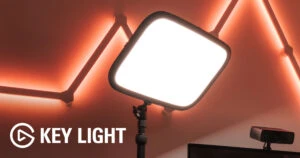
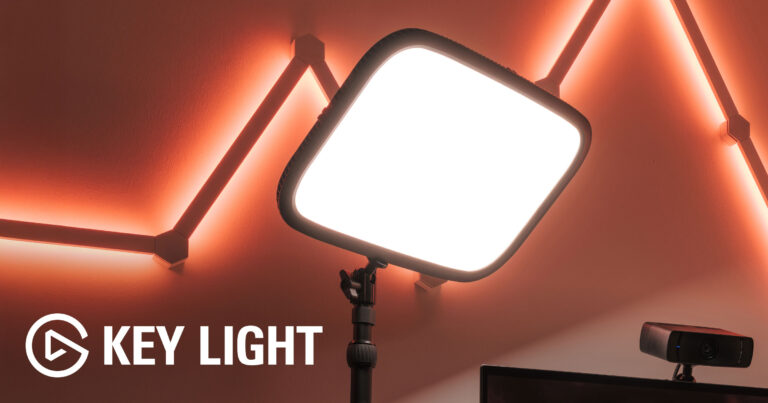
Is the Key Light Air not bright enough for your space? The Elgato Key Light is Elgato's larger desk panel: 160 LEDs rated up to 2,800 lumens, 2,900 to 7,000 K colour temperature, a clamp-mounted telescopic pole and Wi-Fi control.
- Best For
- Bright, even light for creators and presenters
- Accessory Type
- Lighting
- Launch Price
- —
- Works With
- Windows, macOS, iOS, Android, Stream Deck
- Connection
- Mains power, Wi-Fi control
- Brightness
- 2800 lm
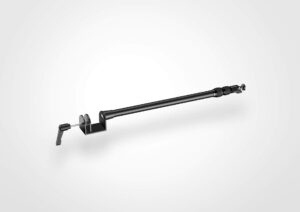
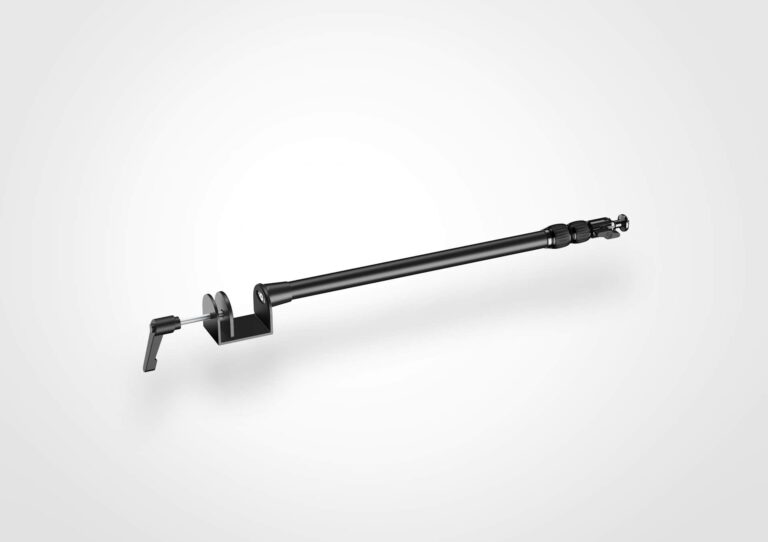
Need one desk clamp to hold a camera, light and phone? The Elgato Master Mount L is a steel pole that extends from 55 to 125 cm, carries up to 2 kg and anchors Elgato's Multi Mount system.
- Best For
- Overhead cameras, lights and modular desk rigs
- Accessory Type
- Desk clamp mounting pole
- Launch Price
- $59.99
- Works With
- Devices with a standard 1/4-inch thread; all Multi Mount components
- Connection
- —
- Brightness
- —
Review Scores Compared
Expert Score
Primary Output Performance
Build & Desk Ergonomics
Software Suite & Automation
Universal Compatibility
Setup & Installation
Editorial Reviews Comparison
Primary Output Performance
- Elgato Key Light8.8/10Leader
- Elgato Master Mount L8.5/10
Elgato Key Light
Elgato rates the panel at up to 2,800 lumens with colour temperature from 2,900 K to 7,000 K. That range runs from warm tungsten to cool daylight. Spec-based reasoning: with more output in reserve, the panel can run at a low percentage for calls and still have headroom to fill shadows in a larger room or a recording.
Elgato Master Mount L
The main feature is expandability. Accessories such as the Solid Arm and Flex Arm attach to the pole to add mounting points. That lets one clamp hold a light, camera and phone together. The ball head adjusts the angle for overhead framing. The pole moves between a webcam height above a monitor and an overhead position for demos, and cables can run along the pole with ties.
Build & Desk Ergonomics
- Elgato Key Light8.1/10
- Elgato Master Mount L8.3/10Leader
Elgato Key Light
The aluminium-framed panel uses 160 LEDs behind a frosted diffuser and sits on a telescopic pole with a desk clamp. The pole raises the light above eye level, where key lights work best. The padded clamp fits desks up to 60 mm and frees desk space compared with stand-based lights.
Elgato Master Mount L
The pole is made from steel, hard composite and tough rubber, with a padded desk clamp and a ball head with a 1/4-inch screw. It supports loads up to 2 kg. Elgato specifies a steel pole, and the rubber padding on the clamp protects wooden or laminate desks.
Software Suite & Automation
- Elgato Key Light8.9/10
- Elgato Master Mount L—
Elgato Key Light
Elgato Control Center on Windows and macOS, the mobile app and Stream Deck all set brightness and colour temperature; an Elgato Light Remote is sold separately.
Universal Compatibility
- Elgato Key Light8.1/10
- Elgato Master Mount L8.8/10Leader
Elgato Key Light
Because it works independently of the webcam, it improves whichever camera is in use. That makes it a natural partner for a premium webcam such as the Logitech MX Brio, whose sensor still depends on light reaching the face. Brightness and colour are adjusted from the app, a Stream Deck or the optional remote rather than on the panel.
Elgato Master Mount L
Elgato says Master Mount L fits most cameras, lights and microphones with a standard 1/4-inch thread, and works with every Multi Mount component. It can hold a Key Light Air, or a webcam that needs height above the monitor. Phone holders add a second camera angle. Third-party gear with a 1/4-inch thread also fits, making it a flexible base for mixed brands.
Setup & Installation
- Elgato Key Light8.6/10
- Elgato Master Mount L9.0/10Leader
Elgato Key Light
Mount the clamp to the desk edge, slide on the pole and panel, and plug in the mains adapter. Control Center then finds the light over Wi-Fi. As general lighting practice, a key light sits about 45° to one side and slightly above eye level. The light uses 2.4 GHz Wi-Fi, so networks that are 5 GHz-only or restrict new devices need checking first.
Elgato Master Mount L
Clamp it to a desk up to 6 cm thick, mount the device, and set the height between 55 and 125 cm. No tools are needed for basic setup. The tall maximum height is useful for overhead document cameras and top-down product demos in meetings. At its lowest setting, it raises a webcam above a monitor for a more natural eye line.
Why Elgato Key Light Beats Elgato Master Mount L (and Vice Versa)
Why Elgato Key Light beats Elgato Master Mount L
- Adjustable: Yes vs Height and ball head
Why Elgato Master Mount L beats Elgato Key Light
- Better universal compatibility: 8.8 vs 8.1 out of 10
Review-score leads of 0.5+ points out of 10 first, then specs where only one comes out ahead.
Full Specifications
General
| Elgato Key Light | Elgato Master Mount L | |
|---|---|---|
| Best For | Bright, even light for creators and presenters | Overhead cameras, lights and modular desk rigs |
| Release Year | 2018 | 2020 Better |
| Launch Price | — | $59.99 |
| Brand Compatibility | Any webcam | — |
| Use Case | Key light for calls and recording | Cameras, lights, microphones, phones |
| Colors | Black | — |
| Model Number | Key Light | 10AAB9901 |
Primary Output Performance
| Elgato Key Light8.8/10 Better | Elgato Master Mount L8.5/10 | |
|---|---|---|
| Accessory Type (Lighting, Mounts & Stands, Docks & Hubs, Capture, Backdrops, Other) | Lighting | Desk clamp mounting pole |
| Brightness | 2800 lm | — |
| Light Output | Up to 2,800 lumens | — |
| CRI | 92 | — |
| Color Temperature | 2900–7000 | — |
| CCT Minimum | 2900 K | — |
| CCT Maximum | 7000 K | — |
| Max Load | — | 2 kg |
| Mount Type | Desk clamp with telescopic pole | Desk clamp (up to 6 cm) |
| Height Adjustment | Yes (telescopic pole) | 55 to 125 cm |
| Tilt / Swivel | Yes (ball joint) | — |
| Key Features | 160 LEDs, up to 2,800 lumens, 2,900–7,000 K, clamp pole | — |
| Materials | Aluminium frame | Steel, hard composite, tough rubber |
Build & Desk Ergonomics
| Elgato Key Light8.1/10 | Elgato Master Mount L8.3/10 Better | |
|---|---|---|
| Dimensions | 30 x 350 x 250 mm (light panel) | — |
| Weight | 1300 g | — |
| Adjustable | Yes Better | Height and ball head |
| Cable Management | Cable clips | — |
Software Suite & Automation
| Elgato Key Light8.9/10 | Elgato Master Mount L | |
|---|---|---|
| App / Software Control | Yes | — |
| Companion App | Elgato Control Center | — |
| Software Integrations | Works with Stream Deck | — |
| Remote Control | Optional Elgato Light Remote (sold separately) | — |
| Wireless | Wi-Fi (2.4 GHz) | — |
Universal Compatibility
| Elgato Key Light8.1/10 | Elgato Master Mount L8.8/10 Better | |
|---|---|---|
| OS Support | Windows, macOS (Control Center), iOS and Android app | — |
| Connection | Mains power, Wi-Fi control | — |
| Mount Thread | 4 x 1/4-inch threads and a ball mount | 1/4-inch ball head |
| Compatible Devices | — | Devices with a standard 1/4-inch thread; all Multi Mount components |
| Works With | Windows, macOS, iOS, Android, Stream Deck | Devices with a standard 1/4-inch thread; all Multi Mount components |
Setup & Installation
| Elgato Key Light8.6/10 | Elgato Master Mount L9.0/10 Better | |
|---|---|---|
| Tool-Free Setup | Yes (padded desk clamp up to 60 mm) | Yes |
| Plug and Play | No (app setup) | — |
| In the Box | Key Light, desk clamp, pole, power adapter | Master Mount L, ball head with 1/4-inch screw, desk clamp |
| Cables Included | Power supply; cable clips | — |
| Power | Mains adapter | — |
Takeaways
- It's a tie on our rating (4.3/5) between Elgato Key Light and Elgato Master Mount L, so choose on the rows that matter most to you.
- Choose Elgato Key Light for bright, even light for creators and presenters.
- Choose Elgato Master Mount L for overhead cameras, lights and modular desk rigs.
Pros and Cons
Elgato Key Light
PROS
- Up to 2,800 lumens
- 2,900 to 7,000 K colour range
- Desk clamp keeps the desk clear
- App and Stream Deck control
CONS
- Large panel for small desks
- Mains power required
- Wi-Fi only control
Elgato Master Mount L
PROS
- Tall 125 cm reach for overhead shots
- Holds up to 2 kg
- Expands with Multi Mount arms
- Padded clamp protects desks
CONS
- Clamp limited to 6 cm desks
- Extra arms cost more
- Pole is visible in wide shots
Similar Comparisons
 Elgato Key Light8.6/10
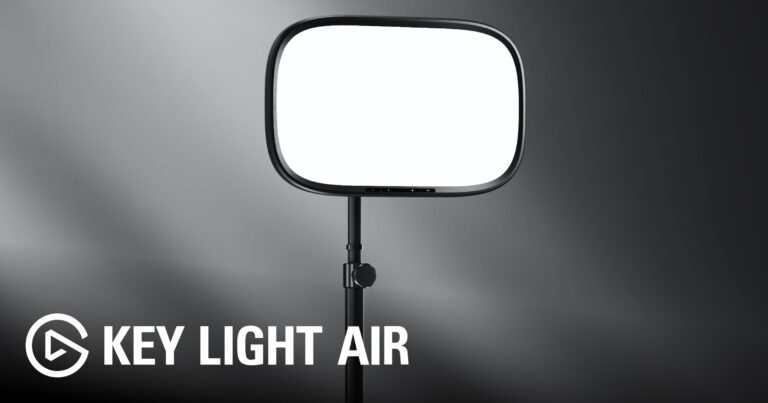 Elgato Key Light Air MK.29.0/10Elgato Key Light vs Elgato Key Light Air MK.2
 Elgato Master Mount L8.6/10Elgato Key Light Air MK.29.0/10Elgato Master Mount L vs Elgato Key Light Air MK.2
- Elgato Key Light8.6/10
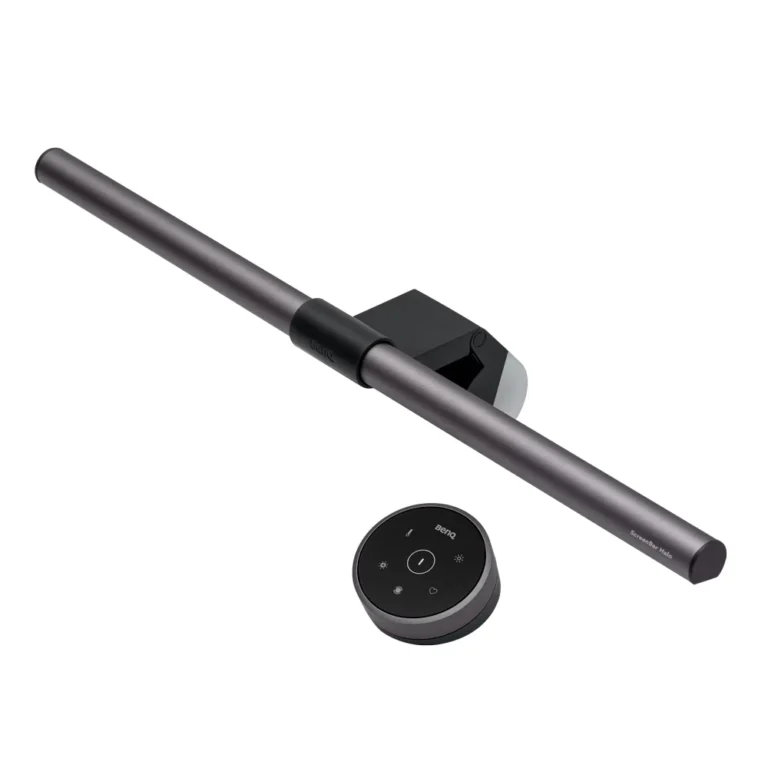 BenQ ScreenBar Halo7.9/10Elgato Key Light vs BenQ ScreenBar Halo
- Elgato Master Mount L8.6/10BenQ ScreenBar Halo7.9/10Elgato Master Mount L vs BenQ ScreenBar Halo
Quick Verdict
- Elgato Key Light 8.6Leads in Primary Output Performance
- Elgato Master Mount L 8.6Leads in Build & Desk Ergonomics, Universal Compatibility, Setup & Installation