
Jabra PanaCast 50 vs Neat Center Comparison
Compare Jabra PanaCast 50 vs Neat Center side by side: specs, ratings, pros and cons, and which one fits your room best.
On this page
At a Glance
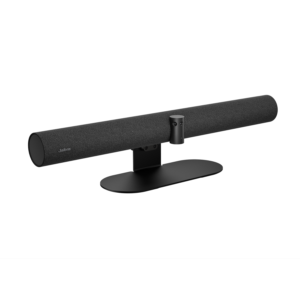
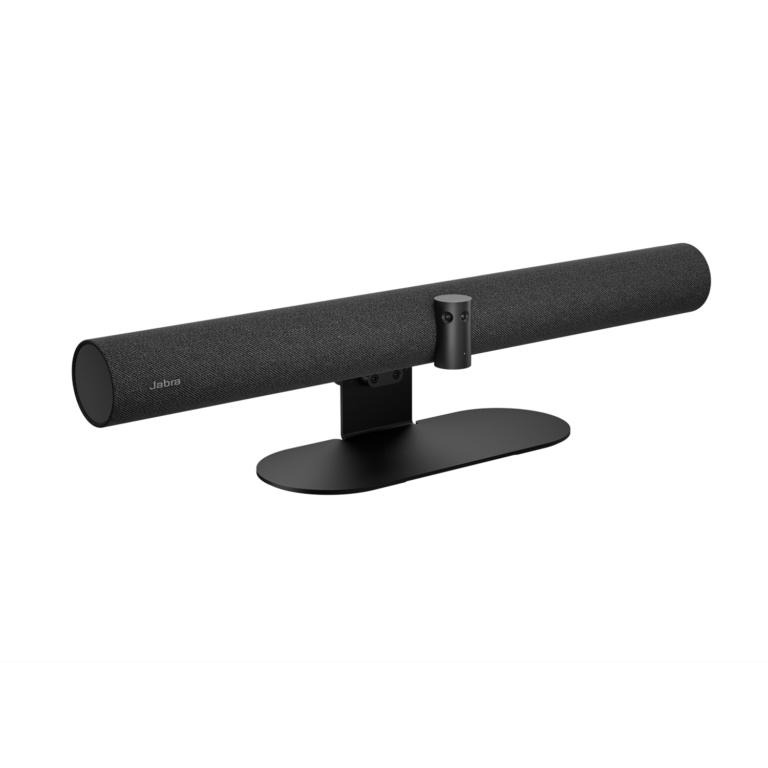
Meeting in a medium room where people sit close to the screen or along the sides? The Jabra PanaCast 50 uses three 13 MP cameras stitched into a 180° panoramic-4K view. That lets you push the table up to the wall and still see everyone.
- Best For
- Medium rooms
- Launch Price
- —
- Resolution
- Panoramic-4K 3840 x 1080 @ 30 fps
- Zoom
- Up to 6x lossless digital
- Field of View
- 180°
- Auto Framing
- Yes (Intelligent Zoom, Dynamic Composition, Virtual Director)
- Camera
- 3 x 13 MP camera array, panoramic 4K
- Connection
- USB-A, USB-C, Ethernet (RJ45), Wi-Fi
- Teams Rooms
- USB: Microsoft Teams, Zoom and others; Teams Rooms and Zoom Rooms
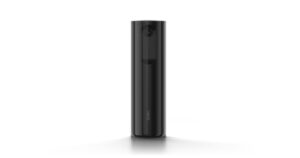
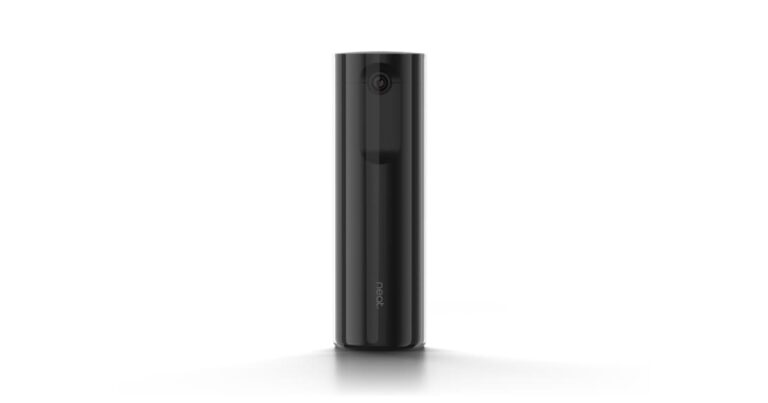
Already running Neat Bar, Bar Pro or Board devices and want a centre-of-table view? Neat Center is a 360° table or ceiling camera and microphone for Neat rooms, with three 8 MP cameras each covering 162° horizontally, a 16-microphone array with 5 m pickup, a 5 m framing range, PoE power, and individual people framing for Zoom Rooms and Microsoft Teams Rooms.
- Best For
- Neat Bar and Board rooms that want eye-level views
- Launch Price
- $2,490
- Resolution
- 1080p30 people video
- Zoom
- 4x digital
- Field of View
- 360°
- Auto Framing
- Individual people framing
- Camera
- 3 x 8 MP
- Connection
- Ethernet
- Teams Rooms
- Zoom Rooms, Microsoft Teams Rooms
Review Scores Compared
Expert Score
Optics & Room Coverage
AI Speaker Tracking & Framing
Room Audio Pickup & Output
OS Platform & Ecosystem
Deployment & I/O
Editorial Reviews Comparison
Optics & Room Coverage
- Jabra PanaCast 508.3/10
- Neat Center8.6/10Leader
Jabra PanaCast 50
Three 13 MP sensors stitch a 180° panoramic 4K image at 3840 x 1080. Virtual Director picks the active speaker, and Intelligent Zoom keeps the whole group framed as people come and go. A 120° bar like the Logitech Rally Bar Mini would have cut off those end seats. Jabra targets medium rooms, matching Microsoft's medium-room category.
Neat Center
Center uses three 8 MP cameras with f/2.4 lenses, each covering 162° horizontally and 101° vertically, to create a complete 360° view. People video is delivered at 1080p and 30 fps. The resolution is modest on paper, but each person is framed individually, so faces fill most of the tile.
AI Speaker Tracking & Framing
- Jabra PanaCast 509.3/10
- Neat Center9.4/10Leader
Jabra PanaCast 50
The PanaCast 50 has speaker tracking: Automatic Speaker Detection. Auto framing is included (Intelligent Zoom, Dynamic Composition, Virtual Director). Official AI features include Virtual Director, Intelligent Zoom, Dynamic Composition, Intelligent Meeting Space, PeopleCount, Vivid HDR, dual-stream whiteboard. Multi-stream or gallery options are listed as Single-stream and multi-stream Dynamic Composition (multi-stream on Microsoft Teams Rooms).
Neat Center
Zoom is digital, at up to 4x, and Neat lists a 5 m framing range. There is no optical zoom, which is normal for a centre-of-table design. Within the 5 m range, close-ups are clean and consistent across the three sensors. Beyond that, the front-of-room Neat camera takes over and frames people further away.
Room Audio Pickup & Output
- Jabra PanaCast 509.8/10
- Neat Center10.0/10Leader
Jabra PanaCast 50
Eight beamforming mics remove echo and static noise and work in full duplex. Jabra sizes it for rooms up to about 4.5 x 6 m. Because the PanaCast 50 doesn't support expansion mics, longer rooms are better served by a Logitech Rally Bar with Mic Pods. Eight beamforming mics with full duplex suit a medium table where people interrupt each other.
Neat Center
The Neat Center uses a 16-microphone array, 5 m pickup. Full-duplex audio is listed, so both ends can talk without the usual half-duplex clipping. It is specified for Medium rooms (5 m framing range).
OS Platform & Ecosystem
- Jabra PanaCast 508.8/10Leader
- Neat Center7.3/10
Jabra PanaCast 50
It's certified for Microsoft Teams, Teams Rooms, Zoom and Zoom Rooms. As a USB device, it works with any meeting app on the host PC. For Teams Rooms on Windows, pair it with a certified compute. Our Teams Rooms equipment guide lists the parts you'll need. Teams Rooms and Zoom Rooms certification covers the two appliance paths most offices care about.
Neat Center
Center works with Zoom Rooms and Microsoft Teams Rooms on Neat devices. A valid room licence is required, as with any certified room system. Neat Pulse provides remote management, updates and diagnostics. Features such as individual framing and audio zones are configured from the main device. Updates arrive alongside Neat's regular firmware releases, so new framing features reach Center without extra hardware.
Deployment & I/O
- Jabra PanaCast 508.5/10
- Neat Center9.2/10Leader
Jabra PanaCast 50
A wall mount, 2 m USB-C to USB-A cable and power supply are in the box. Jabra Direct, Xpress and Sound+ handle configuration, and a Bluetooth LE remote controls manual PTZ. Run firmware updates before the first meeting, because Virtual Director has improved with updates.
Neat Center
Center draws power over PoE (802.3af), using around 2 W idle and 6 to 9 W in a call. It measures 297 x 84 x 84 mm and weighs 1.47 kg. A single network cable keeps the table clean. Table and ceiling mounts come in the box, so it can hang above a table where cables or sightlines would be a problem.
Why Jabra PanaCast 50 Beats Neat Center (and Vice Versa)
Why Jabra PanaCast 50 beats Neat Center
- Better os platform & ecosystem: 8.8 vs 7.3 out of 10
- Zoom: Up to 6x lossless digital vs 4x digital
- Megapixels: 13 MP vs 8 (x3)
- Horizontal FOV: 180° vs 162° per camera
- Digital Zoom: Up to 6x lossless digital vs 4x
Why Neat Center beats Jabra PanaCast 50
- Better deployment & i/o: 9.2 vs 8.5 out of 10
- Camera Resolution: 1080p30 people video vs Panoramic-4K 3840 x 1080 @ 30 fps
- Pan / Tilt: No mechanical PTZ (three fixed wide-angle cameras for 360° c… vs Yes (manual PTZ)
- Vertical FOV: 101° per camera vs 54°
- Weight: 1.47 kg vs 2.2 kg
Review-score leads of 0.5+ points out of 10 first, then specs where only one comes out ahead.
Full Specifications
General
| Jabra PanaCast 50 | Neat Center | |
|---|---|---|
| Release Year | — | 2024 |
| Launch Price | — | $2,490 |
| Weight | 2.2 kg | 1.47 kg Better |
| Privacy Cover | Yes | — |
| Dimensions | 650 x 80 x 125 mm | 297 x 84 x 84 mm |
| Colors | Black, Grey | — |
| In the Box | PanaCast 50, power supply, wall mount, USB-C to USB-A cable 2 m (USB 3.0), privacy cover | Neat Center, 3 m Ethernet cable, ceiling mount, table mount |
| Warranty | 2 years | 1-year included (Neat Pulse Pro can extend warranty) |
| Model Number | 8200-232 (Black), 8201-232 (Grey) | Neat Center |
Optics & Room Coverage
| Jabra PanaCast 508.3/10 | Neat Center8.6/10 Better | |
|---|---|---|
| Zoom | Up to 6x lossless digital Better | 4x digital |
| Field of View | 180° | 360° |
| Ideal Room Size | Up to 4.5 x 6 m (15 x 20 ft), Microsoft "medium room" | Medium rooms (5 m framing range) |
| Pan / Tilt | Yes (manual PTZ) | No mechanical PTZ (three fixed wide-angle cameras for 360° coverage) Better |
| Megapixels | 13 MP Better | 8 (x3) |
| Sensor | Panoramic three-camera array, up to 3 x 13 MP / 3 x 4K | 3 x 8 MP |
| Aperture | — | f/2.4 |
| Vertical FOV | 54° | 101° per camera Better |
| Digital Zoom | Up to 6x lossless digital Better | 4x |
| HDR | Yes (Vivid HDR) | — |
| Focus | — | 25 cm to infinity |
| Max Frame Rate | 30 fps | 30 fps |
| Best For | Medium rooms | Neat Bar and Board rooms that want eye-level views |
| Camera Resolution | Panoramic-4K 3840 x 1080 @ 30 fps | 1080p30 people video Better |
| Horizontal FOV | 180° Better | 162° per camera |
| Camera | 3 x 13 MP camera array, panoramic 4K | 3 x 8 MP |
AI Speaker Tracking & Framing
| Jabra PanaCast 509.3/10 | Neat Center9.4/10 Better | |
|---|---|---|
| Speaker Tracking | Yes (Automatic Speaker Detection) | Yes (automatic people framing; audio switches between Neat Center and the main Neat device) |
| Auto Framing | Yes (Intelligent Zoom, Dynamic Composition, Virtual Director) | Individual people framing |
| Multi-Stream / Gallery | Single-stream and multi-stream Dynamic Composition (multi-stream on Microsoft Teams Rooms) | — |
| AI Features | Virtual Director, Intelligent Zoom, Dynamic Composition, Intelligent Meeting Space, PeopleCount, Vivid HDR, dual-stream whiteboard | — |
| People Counting | Yes (PeopleCount) | — |
| Cameras | 3 | — |
| Whiteboard Camera | Yes (whiteboard sharing) | — |
Room Audio Pickup & Output
| Jabra PanaCast 509.8/10 | Neat Center10.0/10 Better | |
|---|---|---|
| Built-in Mics | 8 | 16-microphone array, 5 m pickup |
| Full Duplex | — | Yes |
| Beamforming | Yes | — |
| Speakers | 4 speakers: 2 x 50 mm woofers, 2 x 20 mm tweeters, 80 Hz-20 kHz | — |
| Mic Array | 8-mic beamforming array | — |
| Audio Processing | Beamforming, full duplex, echo and static-noise removal | — |
| Mic Frequency Range | 100 Hz - 8 kHz | — |
| Speaker Frequency Range | 80 Hz - 20 kHz | — |
| Audio Output | Aux-Out Yes | — |
| Audio Out | Aux-out for assistive listening | — |
OS Platform & Ecosystem
| Jabra PanaCast 508.8/10 Better | Neat Center7.3/10 | |
|---|---|---|
| USB / BYOD Mode | Yes (USB) | — |
| Remote Management | Jabra Direct, Jabra Xpress, Jabra Sound+ | Neat Pulse |
| Teams Rooms | USB: Microsoft Teams, Zoom and others; Teams Rooms and Zoom Rooms | Zoom Rooms, Microsoft Teams Rooms |
| Microsoft Teams | Microsoft Teams Rooms (separate MTR certification for the integrated content camera) | Yes (with Neat device) |
| Zoom | Zoom Rooms, Zoom | Yes (with Neat device) |
| Zoom Rooms | Certified | — |
| Software | Jabra+, Jabra Direct, Jabra Sound+, Jabra Xpress | Neat Pulse (optional paid plans add extended warranty and management features) |
| OS Compatibility | Windows 11, Windows 10, macOS 10.15 and later (including macOS 11.x) | Companion to a main Neat device running Zoom Rooms or Microsoft Teams Rooms (license purchased separately) |
| Firmware Updates | Jabra Direct / Jabra Xpress | — |
| Certifications | Microsoft Teams Rooms, Zoom Rooms, Zoom, Google Meet, Tencent, Feishu, DingTalk | Zoom Rooms, Microsoft Teams Rooms |
Deployment & I/O
| Jabra PanaCast 508.5/10 | Neat Center9.2/10 Better | |
|---|---|---|
| Mounting | Wall mount included; table stand and other mounts available | Table and ceiling mounts included |
| HDMI | — | No |
| Power over Ethernet | — | PoE (IEEE 802.3af) |
| Connection | USB-A, USB-C, Ethernet (RJ45), Wi-Fi | Ethernet |
| USB | USB-A, USB-C (USB 2.0/3.0) | USB-C debug only |
| Network | Ethernet (RJ45) | Ethernet |
| Ethernet | RJ-45 | — |
| Bluetooth | Bluetooth LE (remote, Sound+) | — |
| Wireless | Bluetooth LE (remote control, Sound+) | — |
| SDI | — | No |
| Ports | Ethernet (RJ45), Aux-out for assistive listening | — |
| Power | External power supply (included) | PoE |
| Power Consumption | — | 2 W idle, 6 to 9 W in call |
| Remote Control | Optional (Jabra PanaCast 50 Remote, sold separately) | — |
| Operating Temperature | 5 to 35 °C | 0 to 35 °C |
| Optional Accessories | Table stand and other mounts | Optional PoE adapter and 5 m Ethernet cable |
| Video Outputs | — | Ethernet/PoE; USB-C is debug only |
Takeaways
- It's a tie on our rating (4.5/5) between Jabra PanaCast 50 and Neat Center, so choose on the rows that matter most to you.
- Choose Jabra PanaCast 50 for medium rooms.
- Choose Neat Center for neat Bar and Board rooms that want eye-level views.
Pros and Cons
Jabra PanaCast 50
PROS
- 180° panoramic-4K view
- Eight beamforming mics
- Four speakers (2 woofers, 2 tweeters)
- 2-year warranty
CONS
- Needs a room PC or laptop (USB)
- 6x zoom is digital
Neat Center
PROS
- Eye-level views of everyone at the table
- Slim 297 mm column
- Works with Neat front-of-room cameras
- Table and ceiling mounts included
CONS
- Needs a main Neat device
- People video is 1080p30
- Requires a Zoom Rooms or Teams Rooms licence
Similar Comparisons
 Jabra PanaCast 508.9/10
 Yealink UVC869.4/10Jabra PanaCast 50 vs Yealink UVC86
 Neat Center8.9/10Yealink UVC869.4/10Neat Center vs Yealink UVC86
- Jabra PanaCast 508.9/10
 AVer CAM5509.2/10Jabra PanaCast 50 vs AVer CAM550
- Jabra PanaCast 508.9/10
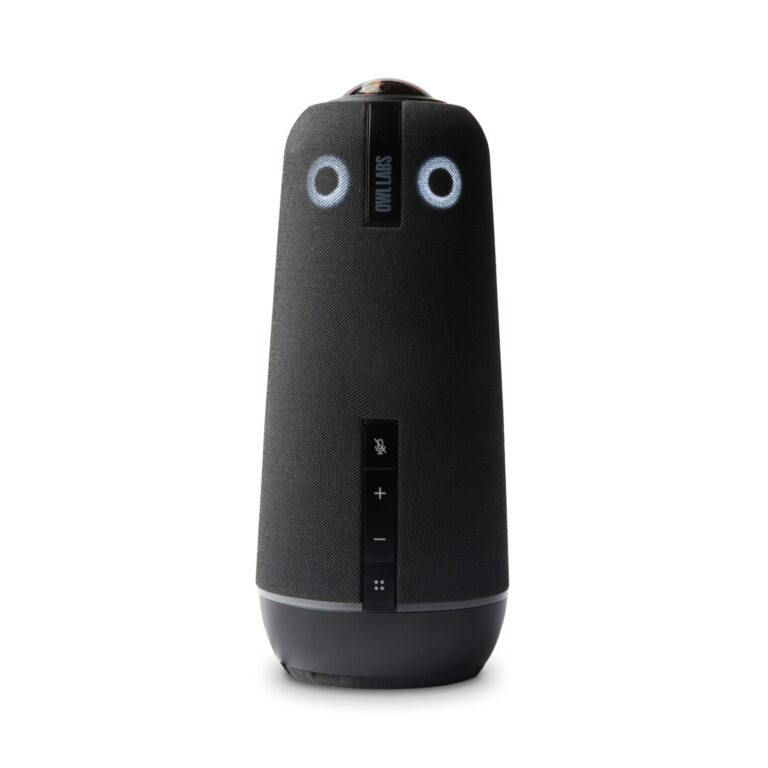 Owl Labs Meeting Owl 4+9.2/10Jabra PanaCast 50 vs Owl Labs Meeting Owl 4+
Quick Verdict
- Jabra PanaCast 50 8.9Leads in OS Platform & Ecosystem
- Neat Center 8.9Leads in Optics & Room Coverage, AI Speaker Tracking & Framing, Room Audio Pickup & Output