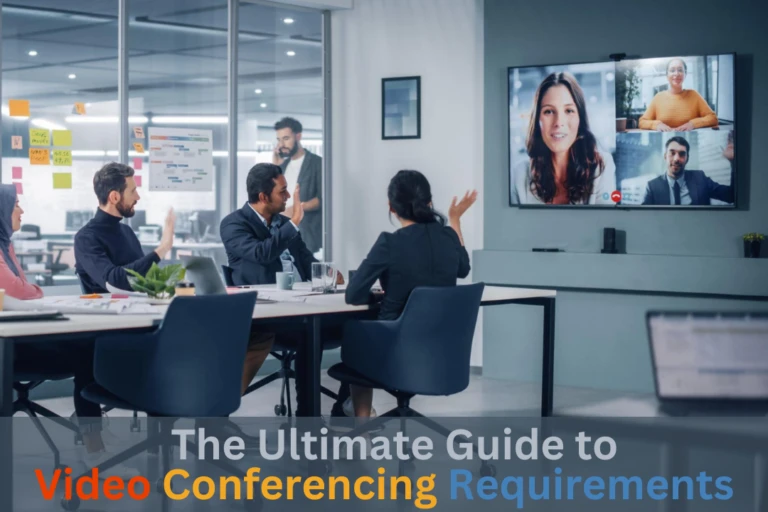

Have you ever joined a hybrid meeting where the remote people could only see the person sitting closest to the camera?
Everyone else around the table was just a voice. It’s frustrating for the remote team, and honestly, it makes the meeting worse for everyone.
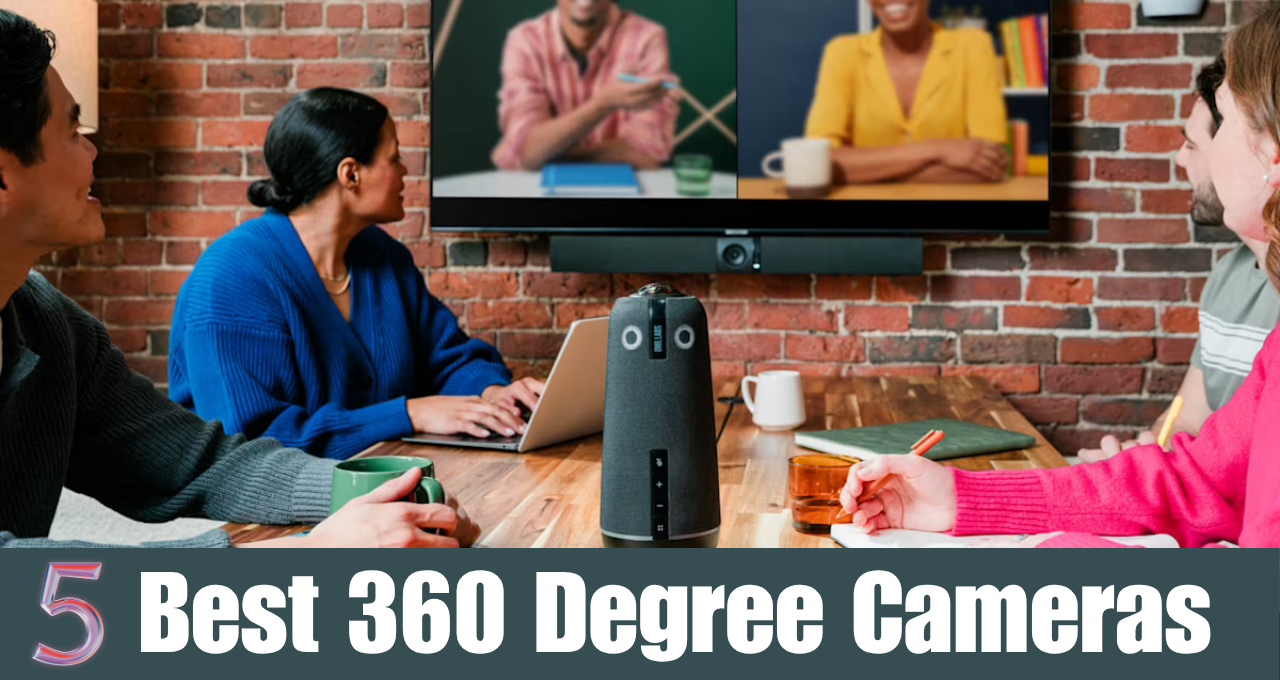
That’s exactly the problem a 360-degree video conference camera solves.
You put it in the middle of the table, and it sees and hears everyone in the room. Most models also have built-in microphones and speakers, so one device replaces your webcam, mic, and speakerphone.
Don’t worry if you’ve never used one before. In this guide, I’ll explain how these cameras work, who they’re for, and which models are worth buying in 2026, with current prices, specs, and pros cons, and many more.
So, let’s get started.
What is 360 Degree Cameras?
A 360-degree video conference camera is a camera that captures the whole room around it, not just what’s in front of it. It usually sits in the center of the meeting table and uses one or two wide fisheye lenses to see every seat.
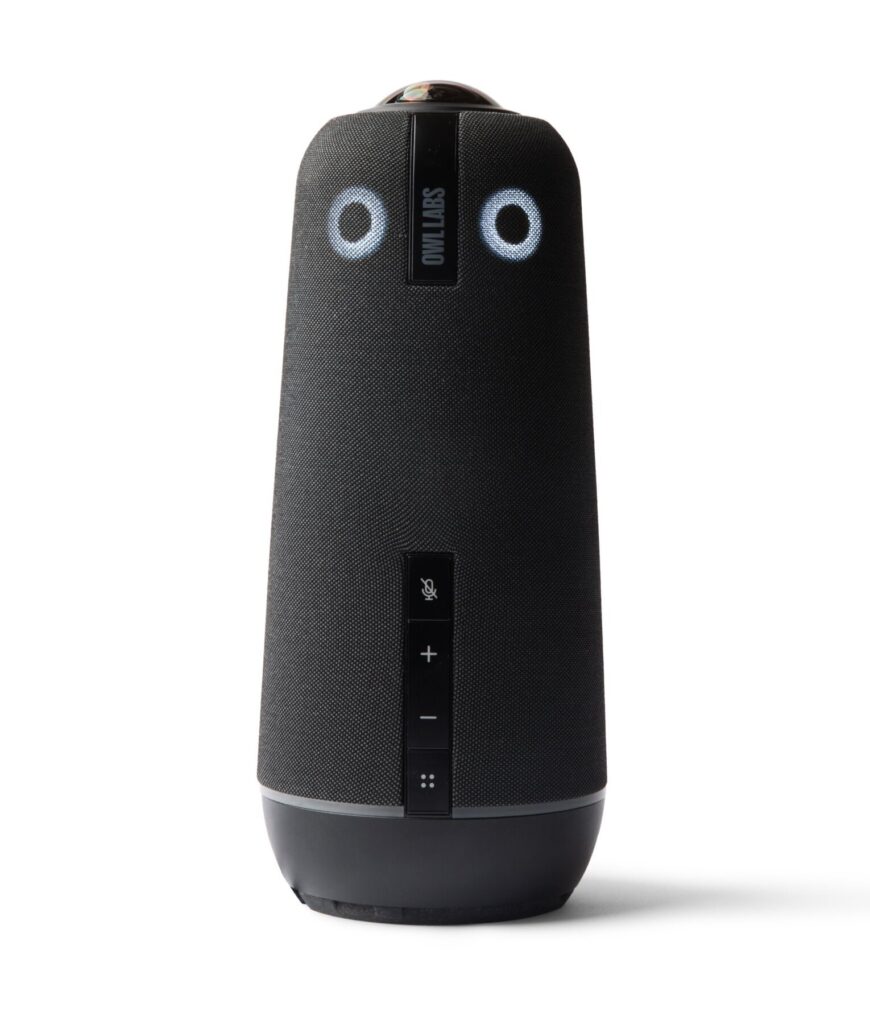
But the camera is only half of the story. These devices also use AI to find who’s talking. The camera listens with its microphone array, detects faces and voices, and then zooms in on the active speaker automatically. Most models also show a thin panoramic strip of the whole room at the top of the video, so remote people always know who’s there.
And since most of them have built-in microphones and a speaker, they work as an all-in-one meeting device. You connect one USB cable to your laptop, choose it as your camera, mic, and speaker in Zoom or Teams, and you’re ready.
Why is a 360 Camera Useful for Video Conferencing?
A regular webcam or video bar sits at the front of the room, next to the TV. That works well for a long boardroom table, but in a small huddle room or around a round table, people end up sitting with their backs or sides to the camera. A 360 camera fixes that because it’s in the middle, at eye level with everyone.
- Everyone is seen: Remote people can see faces, reactions, and body language from every seat, not just the front row.
- Automatic speaker focus: The camera switches to whoever is talking, so remote people don’t have to guess who said what.
- Better audio: The microphones are close to everyone, so quieter voices at the far end of the table are picked up too.
- One device, quick setup: Camera, mic, and speaker in one box. Most models are plug and play over USB.
- Portable: You can carry it from room to room, or take it to a client meeting. That’s much harder with a mounted video bar.
- Fairer hybrid meetings: Remote people feel like they’re sitting at the table. If you want to understand why this matters, read our guide to virtual meetings.
On the other hand, 360 cameras are not ideal for very large rooms. Most of them cover about 10 feet (3 meters) of video and 15 to 18 feet of audio. For a big boardroom, a front-of-room system like the ones in our guide to all-in-one video bar systems is usually a better fit.
So which 360-degree camera should you buy? Let’s find out!
Top 5 Best 360-Degree Video Conference Cameras
I picked these five based on video quality, audio pickup, software, price, and what’s actually available to buy right now. The prices in the spec boxes are the manufacturers’ launch prices, and street prices change often.
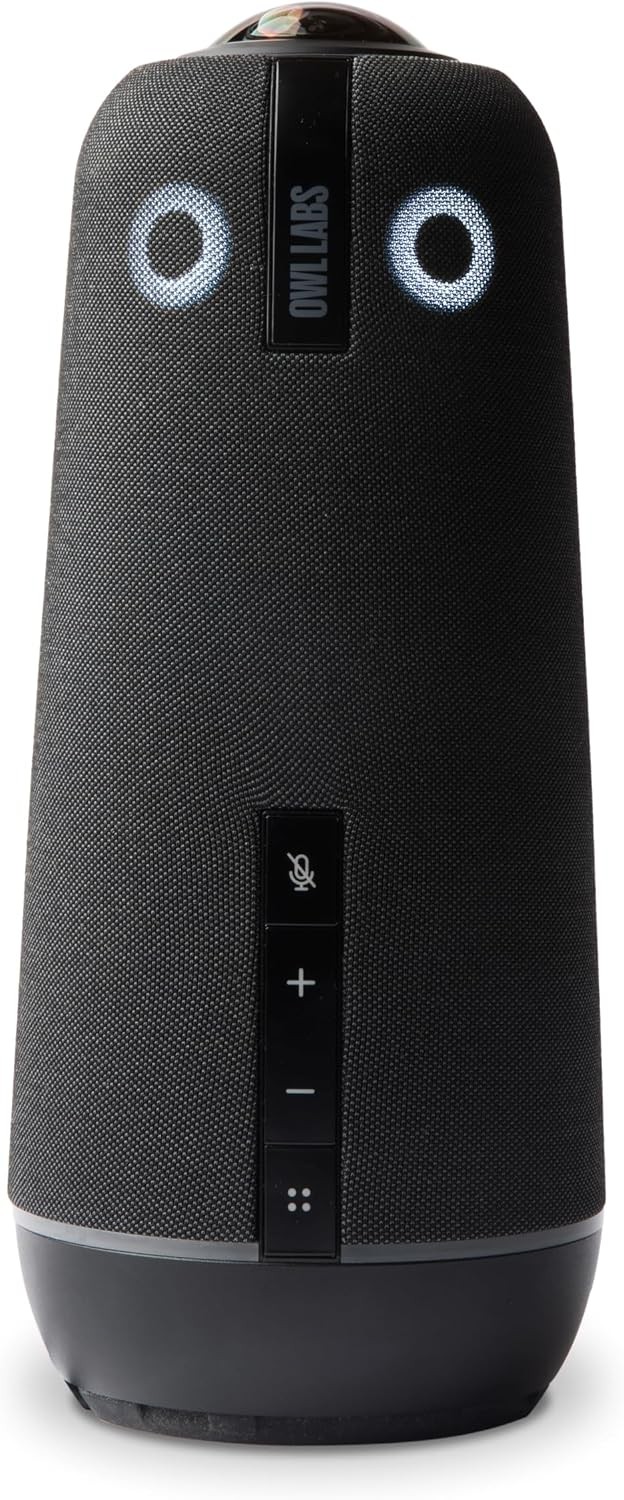
Meeting Owl 4+
Specifications
Brand: Owl Labs | Model: Meeting Owl 4+ | SKU: MTW405-1000 | UPC: 850022203862 | Certification: Certified for Microsoft Teams | Compatible With: Zoom, Google Meet, Webex, Slack | Camera: 360-degree, 4K UHD output | Sensor: 64 MP | Video Range: 10 ft (3 m) radius | AI: Owl Intelligence System | Microphones: 360-degree omnidirectional 8-mic array | Audio Pickup: 18 ft (5.5 m) radius | Audio Features: Voice equalization, echo cancellation, background noise reduction | Speaker: 360-degree dual speakers, 83 dB SPL RMS | Processor: Qualcomm Snapdragon 8250 | Connection: USB-C (6.5 ft / 2 m USB-C to USB-C cable) | Wi-Fi: Recommended for software updates | Power: 10 ft (3 m) power supply and cord | Expansion: Expansion Mic adds 8 ft (2.5 m) of pickup; pair up to 3 Owl devices | Pairs With: Meeting Owl 3, Meeting Owl 4+, Whiteboard Owl | Management: Owl Labs Nest | Limitations: No phone or tablet use, no external speakers or mics, no battery or wireless option | Dimensions: 4.6 x 4.6 x 10.8 in (11.6 x 11.6 x 27.5 cm) | Weight: 3.3 lb (1.5 kg) | In the Box: Meeting Owl 4+, USB-C to USB-C cable, power supply, cable bracket, documentation | Warranty: 2 years | Launch Price: $1,999
Why We Picked the Meeting Owl 4+?
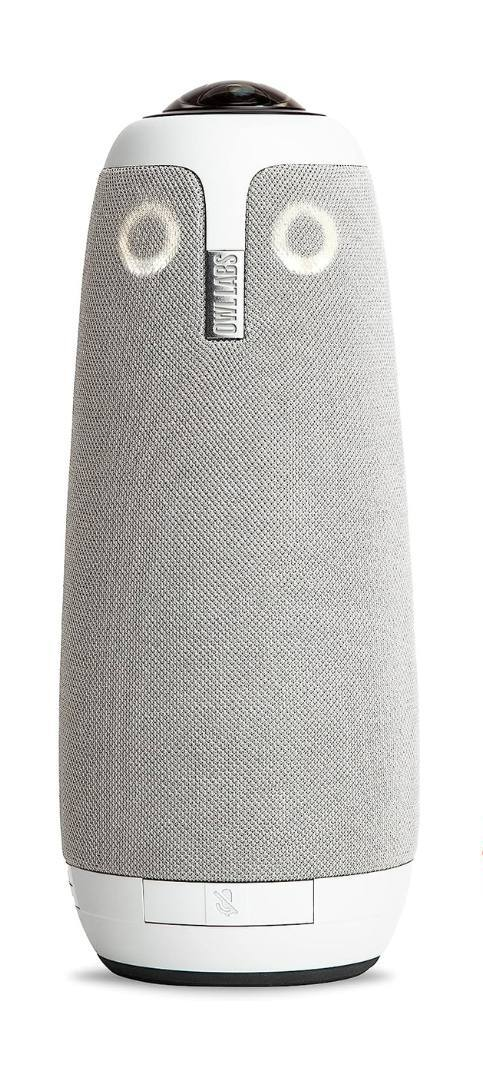
The Meeting Owl 4+ is Owl Labs’ newest and best 360 camera. It looks a lot like the Meeting Owl 3, but inside, it has a 4K camera and a more powerful processor, so faces stay sharper when it zooms in on a speaker.
Like every Owl, it uses the Owl Intelligence System to find the person talking and give them the main spot on screen, while a panoramic strip at the top shows the whole room. It’s certified for Microsoft Teams and works with Zoom, Google Meet, Webex, and GoTo Meeting as a normal USB camera.
Since its sharp video range is about 10 ft from the camera, it suits a round or square table better than a long boardroom. It can’t run from a phone or tablet, and Owl Labs advises against adding external speakers or mics because they confuse the speaker tracking. If you need more audio reach, add the Expansion Mic or pair a second Owl. For IT teams, it also supports enterprise Wi-Fi, a Kensington lock, and Power over Ethernet with an adapter.
Who It’s For?
We recommend the Meeting Owl 4+ if you want the best 360-degree camera for a busy huddle or small conference room that’s used every day, and sharper zoomed-in faces are worth the extra money to you.
- Sharpest 360 image
- Great speaker tracking
- Teams certified
- Expandable with Mic
- Expensive
- Needs power outlet
- Some features need app
Meeting Owl 3
Specifications
Brand: Owl Labs | Model: Meeting Owl 3 | SKU: MTW300-1000 | UPC: 850022203213 | Color: Grey | Certification: Certified for Microsoft Teams | Compatible With: Zoom, Google Meet, Webex, Slack | Camera Type: 360-degree smart AI camera | Output Resolution: 1080p HD | Webcam Resolution: 16 MP | Lens Type: 360 zoom lens | Sensor Type: CMOS | Stabilization: Hybrid | Video Range: 10 ft (3 m) radius | AI: Owl Intelligence System | Microphones: 360-degree omnidirectional 8-mic array | Audio Pickup: 18 ft (5.5 m) radius | Audio Features: Voice equalization, echo cancellation, background noise reduction | Speaker: 360-degree tri-speaker, 83 dB SPL RMS | Processor: Qualcomm Snapdragon 605 | Connection: USB-C (6 ft / 2 m USB-C to USB-C cable) | Connectivity: USB for meetings, Wi-Fi for updates | Power: 12.5 ft (3.8 m) power supply and cord | Expansion: Expansion Mic adds 8 ft (2.5 m) of pickup; pair up to 3 Owl devices | Pairs With: Meeting Owl 3, Meeting Owl 4+, Whiteboard Owl | Dimensions: 4.4 x 4.4 x 10.75 in (11.1 x 11.1 x 27.3 cm) | Weight: 2.61 lb (1.2 kg) | In the Box: Meeting Owl 3, USB-C cable, power supply, documentation | Warranty: 2 years | Launch Price: $999
Why We Picked the Meeting Owl 3?
The Meeting Owl 3 (Next Generation) is an upgraded and improved version of the Meeting Owl Pro HD smart video conferencing camera that captures 360-degree video and audio through the built-in speaker and microphone systems.
It is designed to provide a hybrid meeting experience that automatically focuses on whoever is speaking for face-to-face conversations, and it gets smarter over time with new features and updates.
It outputs 1080p, which looks fine on a laptop screen but softer when it zooms on someone near the edge of its 10 ft range. Like the 4+, it needs both power and a USB-C connection to your computer, with no battery or wireless mode. Connect it to Wi-Fi so those updates actually install, and Owl Labs says you can go from unboxing to your first meeting in under 7 minutes.
Who It’s For?
We recommend the Meeting Owl 3 if 1080p is enough for your room and you’d rather save about $700 compared with the Meeting Owl 4+. It’s a proven, Teams-certified pick for small rooms and works with any meeting app on a computer with USB-C.
- Smart auto-tracking
- Clear 360 audio
- Teams certified
- About $700 less than 4+
- No battery
- 1080p only
- Still pricey
EMEET Meeting Capsule Pro
Specifications
Brand: EMEET | Model: Meeting Capsule Pro | Type: 360-degree all-in-one AI conference camera | Camera: Dual 4K fisheye lenses with a Sony sensor | Output: 1080p | Video Range: 10 ft | Focus: AI-based focus | AI Tracking: Zooms in on up to 3 active speakers | Modes: Collaboration mode and InPrivate mode | Privacy: Physical privacy cover plus digital privacy cover | Microphones: 8 omnidirectional beamforming mics + 2 noise-canceling mics | Audio Pickup: 18 ft (5.5 m) radius, 360 degrees | Noise Reduction: VoiceIA, up to 2,969 noise types | Audio Tech: Noise and echo cancellation, full duplex | Speaker: 10W Hi-Fi, with call mode and music mode | Connection: USB-C (3 m USB-C to C cable, USB-C to A adapter) | Ports: Power, USB-C, daisy chain, Kensington lock, 1/4-inch thread | Audio Daisy Chain: EMEET M3, Luna Plus, M0 Plus | Video Cascade: With EMEET StreamCam One co-camera | Buttons: Sensitivity, InPrivate mode, mic mute | Remote Control: No | Software: EMEETLINK | Power: AC 100-240V adapter | Dimensions: 3.82 x 3.82 x 12.13 in (97 x 97 x 308 mm) | Weight: 2.30 lb (1,045 g) | In the Box: Meeting Capsule Pro, privacy cover, user manual, 3 m USB-C cable, USB-C to A adapter, power adapter | Warranty: 2 years | Launch Price: $999.99
Why We Picked the EMEET Meeting Capsule Pro?
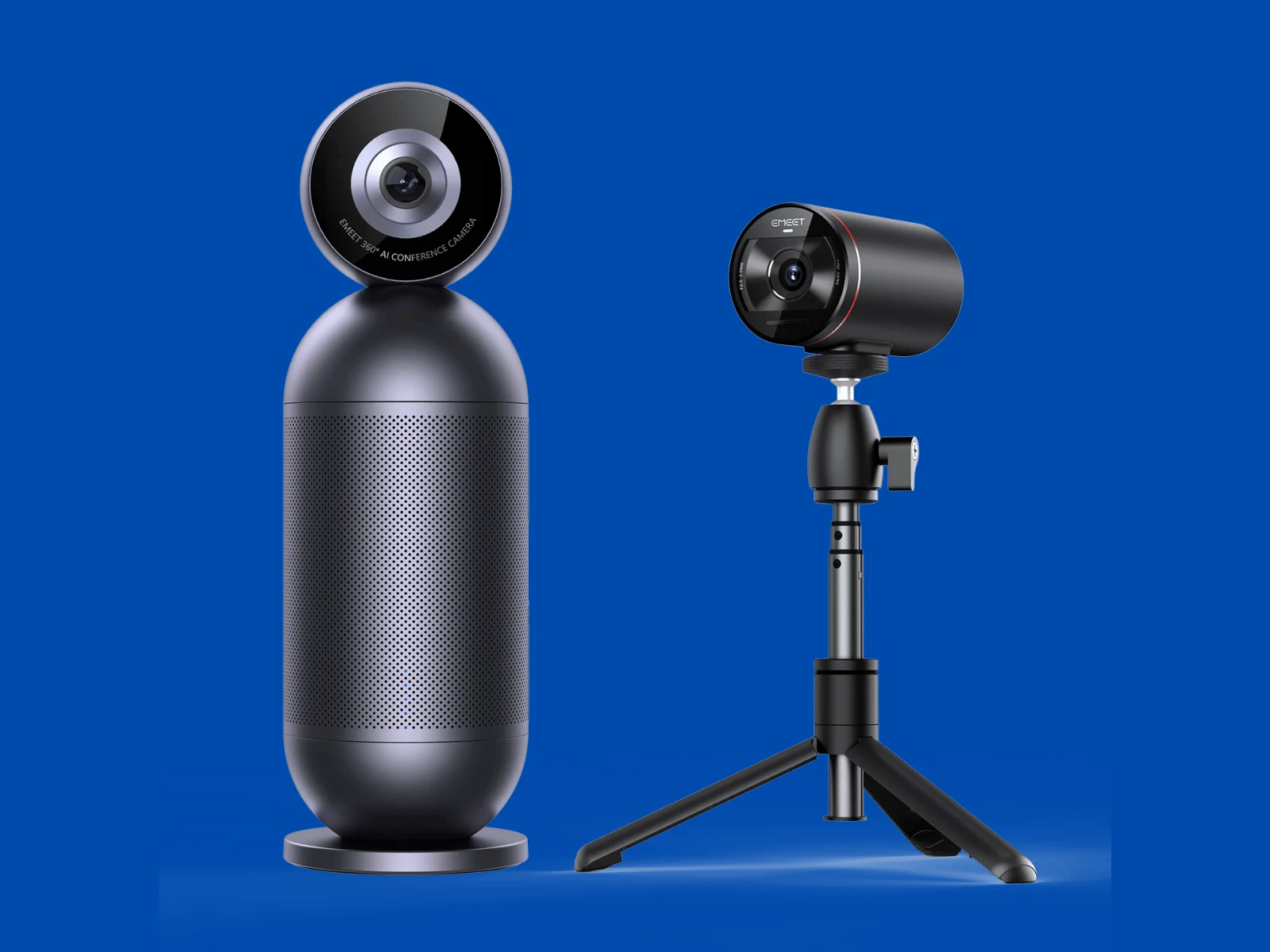
The EMEET Meeting Capsule Pro is the strongest alternative to the Meeting Owl for less money. It uses two 4K fisheye lenses to capture the full room, and its AI can zoom in on up to three speakers at the same time.
Audio is a real strength here. You get eight beamforming mics plus two noise-canceling mics, a loud 10W speaker, and EMEET’s VoiceIA noise reduction with full-duplex audio, so people can talk over each other without cutting out.
Keep in mind that the video sent to your meeting app is 1080p, even though it captures with dual 4K lenses, so the 4K mainly keeps zoomed-in faces clear. There’s no remote control, so you change modes with the buttons on the unit or in the EMEETLINK app. If you need another angle, it can work with EMEET’s StreamCam One as a co-camera.
Who It’s For?
We recommend the EMEET Meeting Capsule Pro if you want most of the Owl experience for about half the price of the Owl 4+, and strong audio matters to you. Stock has been patchy on EMEET’s U.S. store, so check availability before you plan around it.
- Cheaper than Owl 4+
- Great mics, loud speaker
- Frames up to 3 speakers
- Privacy cover included
- 1080p output
- Often sold out
- Not Teams certified
Coolpo AI Huddle Pana
Specifications
Brand: Coolpo | Model: AI Huddle Pana | Computer Requirements: Windows 10 or later, macOS 10.15.4 or later | Lens: 360-degree panoramic fisheye | Image Sensor: 1/1.7-inch CMOS | Aperture and Focal Length: F2.4, 1.56 mm | Field of View: 360 degrees horizontal, 60 degrees vertical | Resolution: Panoramic 4K, 3840 x 2160 at 30 fps | Digital Zoom: 4x | Encoding: H.265, H.264, MJPEG | Image Processing: Automatic noise reduction, backlight compensation, exposure, and white balance | Frame Modes: Single, dual, triple, and auto | AI Controls: Block areas, manual pan-tilt-zoom | Microphones: 8 smart beamforming MEMS mics with DSP | Pickup Range: 15 ft (4.5 m) | Speaker: 360-degree speaker | Audio Algorithm: Beamforming noise reduction, TDOA voice positioning | Connection: USB-A, wired only (UVC, USB 2.0) | Cable: USB-A, 2 m | Wireless: No Wi-Fi or Bluetooth | Privacy: Does not record video or audio | Power: AC/DC adapter, 12V 1.5A output | Software: Firmware updates and saved settings | Dimensions: 11 x 11 x 29 cm (4.33 x 4.33 x 11.42 in) | Operating Temperature: 0 to 40 C | Humidity: 10 to 90% (non-condensing) | In the Box: Camera, USB-A cable, power cable, warranty card | Warranty: 18 months | Launch Price: $799
Why We Picked the Coolpo AI Huddle Pana?
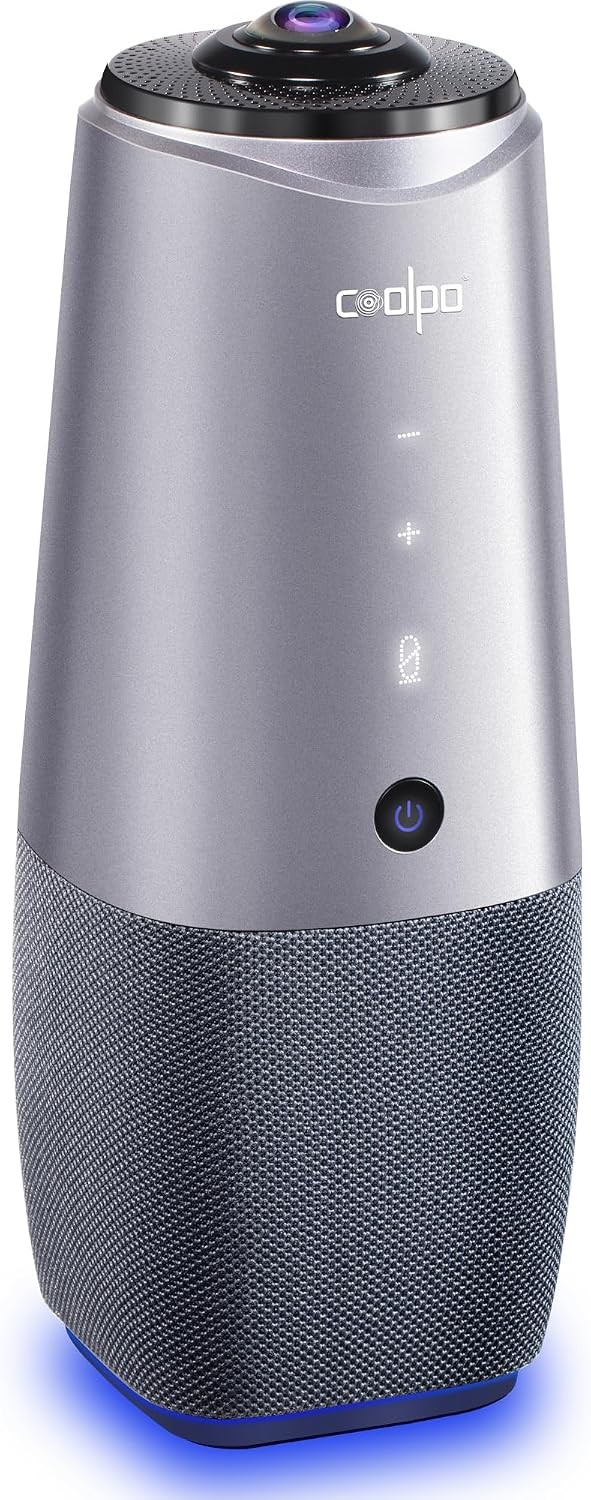
The Coolpo AI Huddle Pana is a mid-price 360 camera with a single 4K lens on top, eight microphones, and a built-in speaker. Its AI tracks the active speaker and can show several people at once, and since the processing happens inside the camera, it doesn’t need a driver or extra software on your computer.
Coolpo rates mic pickup at about 15 ft (4.5 m), a little less than the Owls, so it fits huddle rooms better than big tables. It’s wired-only with no Wi-Fi or Bluetooth, which security-minded IT teams usually like. The block-area setting is handy for stopping the AI from framing a glass wall or a busy doorway. And because it uses a single lens, there’s no stitching line in the panorama.
Who It’s For?
We recommend the Coolpo AI Huddle Pana if the Owls are over your budget and you need a 4K 360 camera for a small room with up to about six people.
- Good 4K value
- Simple USB setup
- On-device AI
- Shorter audio range
- Less software support
TOUCAN 360
Specifications
Brand: TOUCAN | Model: SC360 Video Conference System | Platforms: Zoom, Microsoft Teams, Google Meet, Cisco Webex | Operating Systems: Windows, macOS, ChromeOS | Camera: 360-degree panoramic, removable | Video: 1080p Full HD at up to 30 fps | Image Sensor: 1/2.7-inch CMOS, 2.1 MP | Display Modes: Panorama, Split, Focus, and Grid | AI: Voice tracking that focuses on the active speaker | Digital Zoom: 4x, tap to zoom in Focus, Grid, and Panorama modes | Panorama Resolution: 4992 x 928 at 30 fps | Other Resolutions: 1920 x 1080, 1280 x 720, 640 x 360 at 30 fps | Microphones: Omnidirectional with voice tracking (3 on Toucan UK spec sheet; 4 per its description and Amazon) | Audio Processing: Real-time echo and noise cancellation | Speaker: 5W conference-tuned speaker, also plays music | Speaker Response: 200 Hz to 8 kHz (voice mode), 200 Hz to 20 kHz (music mode) | Connection: USB-C on the unit to USB-A on the computer | Cable: 6.5 ft (2 m) | Bluetooth: Yes, for phones and other devices | Wi-Fi: No | Software: None needed, plug and play | Controls: Easy-touch control panel | Power: 12V DC 1A power supply | In the Box: Camera, speaker, camera cover, cables, manual | Warranty: 365-day limited warranty | Launch Price: $499.99
Why We Picked the TOUCAN 360?
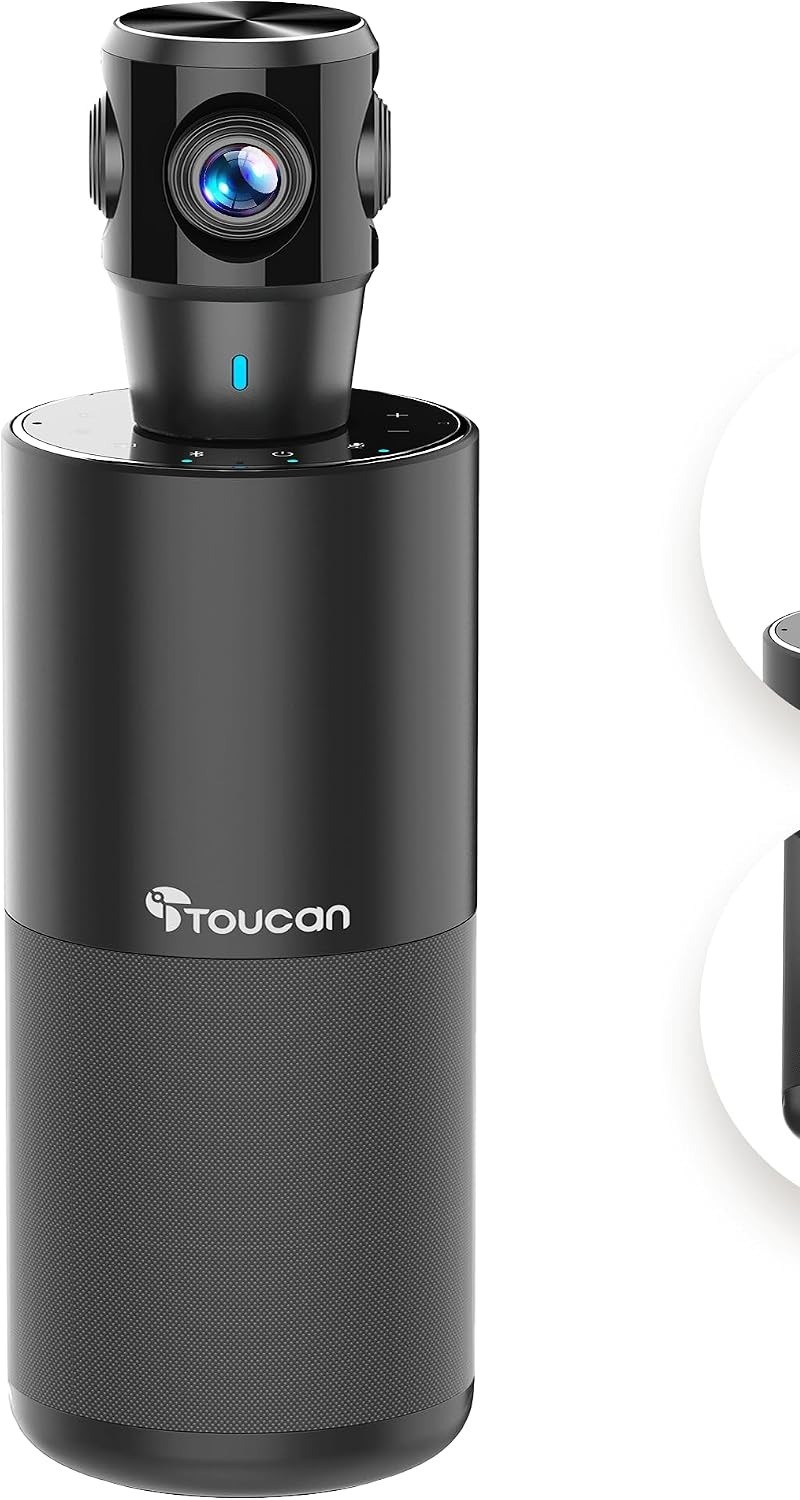
The TOUCAN 360 is the budget pick. It records 360-degree video in 1080p, uses AI to follow the speaker, and has omnidirectional noise-reduction mics and a speaker built in. It’s a good way to try a 360 camera without spending a thousand dollars.
It doubles as a Bluetooth speaker, so you can pair a phone for audio-only calls or music. You switch between Panorama, Split, Focus, and Grid from the touch panel, and you can tap to zoom in those modes. Toucan’s own spec sheets are thin and even disagree on the mic count, so don’t expect the polish of the Owls.
Who It’s For?
We recommend the TOUCAN 360 for a small team, a classroom corner, or a home office with family calls, where a basic 360 view is enough. For daily business meetings, I’d spend more on one of the models above.
- Lowest price here
- Easy to set up
- Bluetooth speaker mode
- Fewer mics
- 1080p only
- Few software updates
What to Look for in a 360-Degree Conference Camera?
Before you buy, check these points. They make a bigger difference than the spec sheet suggests:
- Room size: Most 360 cameras show faces clearly up to about 10 feet. For bigger rooms, look for an expansion mic or a second camera.
- Video quality: A 4K sensor helps even when the output is 1080p, because zoomed-in faces stay sharper.
- Microphone range: 18 feet is great for a medium table. 15 feet is fine for a small huddle room.
- Platform certification: If your company uses Teams, a Teams-certified device like the Meeting Owl will work best and get supported updates.
- Software and updates: Bigger brands improve tracking over time with firmware updates. Smaller brands may not.
- Your internet: A 4K camera won’t help much on a slow connection. Check our video conferencing requirements first.
Comparison of the Top 5 360-Degree Video Conference Cameras
Conclusion:
A 360-degree camera makes hybrid meetings fairer, because everyone around the table is seen and heard, not just the person closest to the screen. It works best in small and medium rooms with a round or square table.
For most teams, I recommend the Meeting Owl 4+ for the sharpest 360 image and Teams certification. If 1080p is enough, the Meeting Owl 3 saves you about $700. The EMEET Meeting Capsule Pro is the best Owl alternative with strong audio, the Coolpo AI Huddle Pana gives you 4K for less, and the TOUCAN 360 is a budget way to try a 360 camera.
Which 360 camera are you using or planning to buy? Please share it in the comments below and give this post a star rating. If you need help choosing, feel free to contact us.
We’ll be happy to hear your thoughts, thanks.