
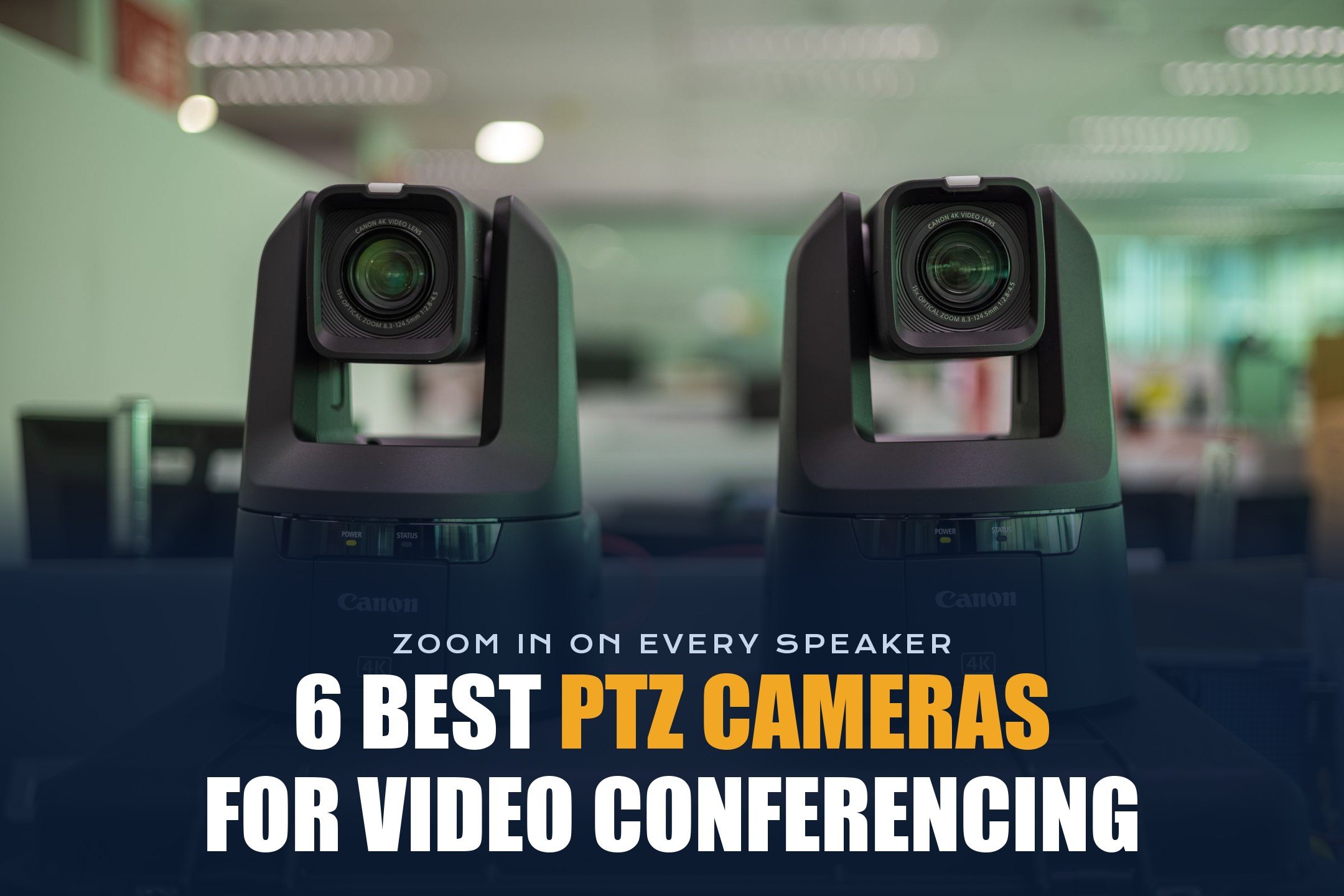
A regular webcam works great when you’re the only person on the call. But once you have a room full of people, a whiteboard, or a presenter who walks around, a fixed camera quickly shows tiny faces and empty chairs.
That’s where PTZ cameras come in. They can pan, tilt, and zoom to show exactly who’s talking, and many of them now do it automatically with AI tracking.
Don’t worry! In this guide, I’ll explain what a PTZ camera is, how to choose one, and the 6 best PTZ camera recommendations for video conferencing in 2026, from a budget NDI camera to dual-lens 4K models certified for Teams and Zoom rooms.
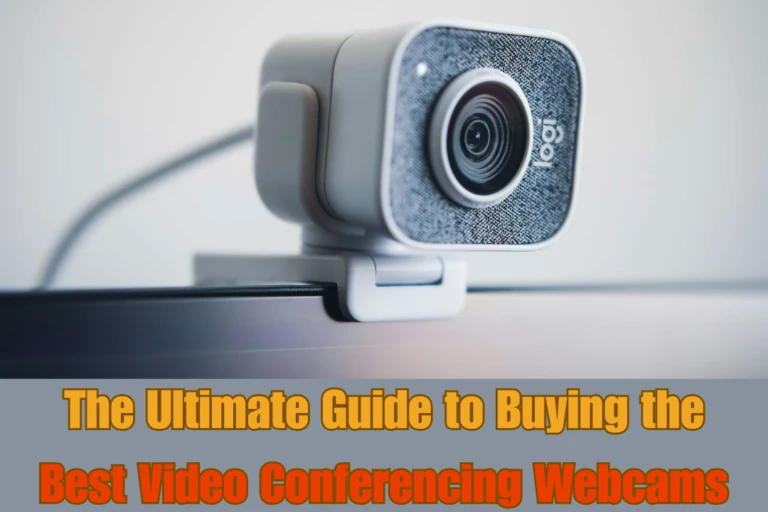
If you’re still deciding which kind of camera you need, our guide to the different types of webcams is a good starting point. And if you only need a camera for yourself, check out our list of the best webcams for video conferencing.
So, let’s get started.
What is a PTZ Camera?
PTZ stands for pan, tilt, and zoom. A PTZ camera has small motors that turn the lens left and right (pan), up and down (tilt), and a zoom lens that moves closer or farther (zoom). You can control it with a remote, software, or automatic tracking.
In meeting rooms, this means one camera can show the whole table, then zoom in on the person speaking, then follow a presenter to the screen. Most PTZ cameras for video conferencing connect over USB, so Zoom, Microsoft Teams, and Google Meet see them as a normal webcam.
Some newer models also add a second wide lens. The wide lens watches the whole room while the PTZ lens zooms in, which makes speaker tracking faster and smoother.
Advantages and Disadvantages of PTZ Cameras
Advantages
- Optical zoom: Faces stay sharp even when people sit far from the camera.
- Covers large rooms: One camera can reach the whole room, a stage, or a whiteboard.
- Presets: Save positions like “whole room”, “presenter”, or “whiteboard” and recall them with one button.
- Automatic tracking: Many models follow the speaker or presenter with no operator.
- More outputs: Higher-end models add HDMI, SDI, and NDI for hybrid events and streaming.
Disadvantages
- Higher price: Most room PTZ cameras cost far more than a standard webcam.
- Moving parts: Motors can wear out over time, and movement can distract people if tracking is too jumpy.
- Setup and mounting: They usually need a wall or shelf mount and some planning for cables and power.
- Overkill for one person: Unless you move around a lot, a good fixed webcam is enough at a desk.
How to Choose the Right PTZ Camera for Video Conferencing
Here are the things I recommend checking before you buy:
1. Optical Zoom and Room Size
Optical zoom matters more than resolution in big rooms. As a simple guide, 3x to 5x is fine for small rooms, 10x to 12x works for medium and large rooms, and 20x to 30x is for halls, classrooms, and auditoriums.
| Room size | Distance to back row | Suggested optical zoom |
|---|---|---|
| Small room or office | Up to 4 m (13 ft) | No optical zoom needed, or up to 5x |
| Medium meeting room | 4 to 8 m (13 to 26 ft) | 10x to 12x |
| Large room or boardroom | 8 to 12 m (26 to 40 ft) | 12x to 20x |
| Classroom, hall, or stage | More than 12 m (40 ft) | 20x to 30x |
2. Resolution and Frame Rate
1080p at 60 fps is still the sweet spot for most meetings because Zoom and Teams rarely send more than 1080p. 4K helps when the camera crops the picture digitally for speaker framing, which is why dual-lens 4K models look sharper when they zoom.
3. Auto-Framing and Speaker Tracking
If nobody will steer the camera, look for auto-framing (fits everyone in the shot), speaker tracking (cuts to whoever is talking), and presenter tracking (follows one person around the front of the room).
4. Connections
USB is the simplest option for video calls. HDMI and 3G-SDI are useful for displays, switchers, and lecture capture. NDI and IP streaming let you send video over a network, which is great for hybrid events. PoE lets one Ethernet cable carry power, video, and control.
5. Platform Certification
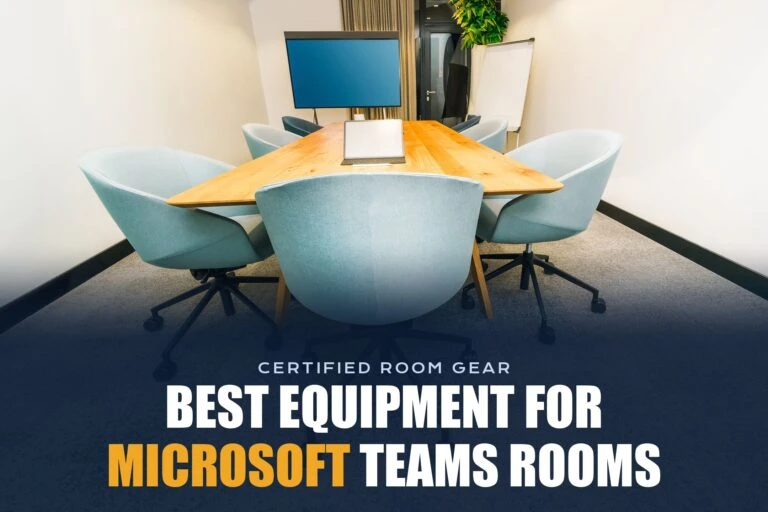
For dedicated rooms, cameras certified for Microsoft Teams Rooms or Zoom Rooms are easier to deploy and support. Our guide to the best Microsoft Teams Rooms equipment covers certified room kits.
6. Mounting, Control, and Warranty
Check what’s in the box. A wall bracket, a long USB cable, and a remote save extra purchases. Also compare warranties, because motorized cameras have more moving parts than a fixed webcam.
6 Best PTZ Cameras For Video Conferencing
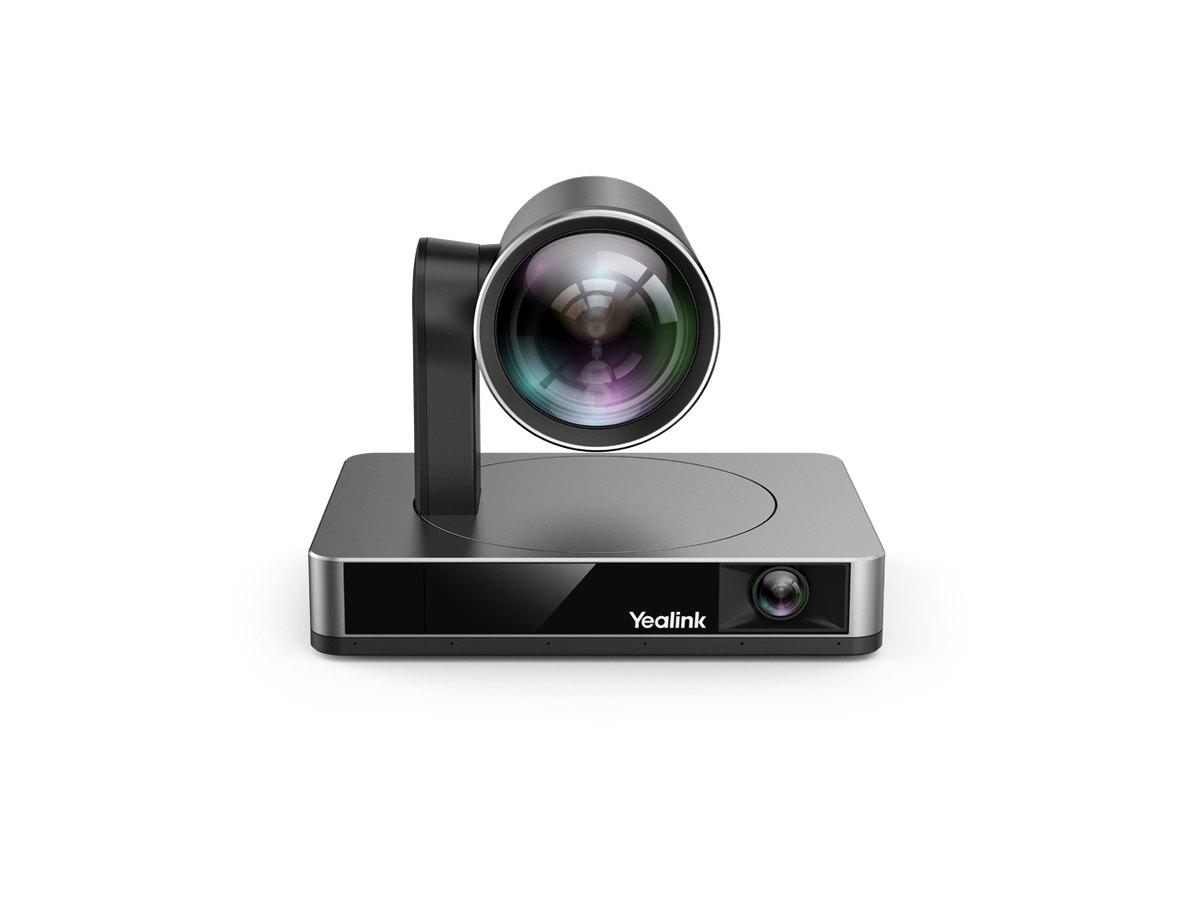
Yealink UVC86
Specifications
Brand: Yealink | Model: UVC86 | Camera Type: 4K dual-eye PTZ camera | Max Resolution: 4K at 30 fps | PTZ Lens Sensor: 8 MP Sony CMOS | PTZ Lens Field of View: 90 degrees diagonal, 81 degrees horizontal, 50 degrees vertical | Zoom: 20.4x HD zoom (12x optical + 1.7x digital) | Pan Range: +/-100 degrees | Tilt Range: +40 degrees up, -90 degrees down | Presets: 9 | Panoramic Lens: 8 MP, 120 degrees diagonal, 110 degrees horizontal, 78 degrees vertical | Panoramic Lens Tilt: Manual, +/-9 degrees | Privacy: Electric lens cap | AI Features: Auto framing, speaker tracking, presenter tracking | USB Ports: 1 x USB 3.0 Type-B, 1 x USB 2.0 Type-A | Video Output: HDMI out | Network Port: Yealink VCH port (RJ45) | Other Ports: Power port, security slot, reset slot | Power Adapter: 48V / 0.7A | Dimensions: 210 x 155.6 x 157.6 mm | Operating Temperature: 0 to 40 degrees C | Operating Humidity: 10% to 95% | Certifications: Microsoft Teams Rooms and Zoom | In the Box: VCR20 remote control, wall mount bracket, 7 m USB cable | Launch Price: $2,099
Why We Picked the Yealink UVC86?
The Yealink UVC86 solves the biggest problem with traditional PTZ cameras: they can only look at one thing at a time. It has two lenses in one body. A wide 120-degree panoramic lens watches the whole room, while the 4K PTZ lens with 12x optical zoom moves to frame whoever is talking.
Because the panoramic lens always sees the room, the camera knows where people are before it moves. That means smoother speaker tracking and presenter tracking without the lag you get when a single-lens camera has to search for the next speaker.
It’s also certified for Microsoft Teams Rooms and Zoom, connects over a single USB cable, and includes a remote, wall bracket, and a long 7 m USB cable. In other words, it’s a camera you can install once and forget about.
Who It’s For?
We recommend the Yealink UVC86 for medium and large meeting rooms that run Teams Rooms or Zoom Rooms and want automatic speaker tracking without a camera operator.
- 4K dual-lens design
- Smooth speaker tracking
- Teams and Zoom certified
- Long 7 m USB cable included
- Expensive
- No SDI or NDI outputs
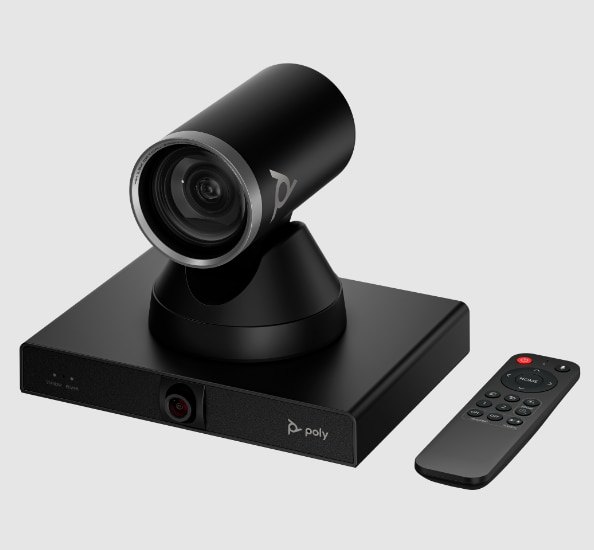
Poly Studio E60
Specifications
Brand: HP Poly | Model: Poly Studio E60 | Camera Type: 4K UHD MPTZ smart camera | Lenses: Dual 8 MP lenses | Optical Zoom: 12x | PTZ Field of View: 78.1 degrees diagonal, 71 degrees horizontal | Panoramic Field of View: 107 degrees horizontal | Focus: Autofocus | Camera Range: Up to 10 m (32.8 ft) | AI Features: Poly DirectorAI group framing and presenter tracking | Pan Range: +/-170 degrees | Tilt Range: +/-30 degrees | Microphones: Two-mic beamforming array for tracking | USB Port: 1 x USB-B | Network: RJ-45 gigabit Ethernet with PoE+ | Power: PoE+ or 12V DC adapter | Certifications: Zoom, Microsoft Teams, Tencent Meeting | Zoom Rooms: Intelligent Director support | Management: Poly Lens | Dimensions: 20 x 15 x 16.5 cm | Weight: 1.79 kg | Operating Temperature: 0 to 40 degrees C | In the Box: IR remote, wall mount kit, Ethernet cable, USB-B to USB-A cable | Warranty: 1 year | Launch Price: $1,699
Why We Picked the Poly Studio E60?
The Poly Studio E60 is HP Poly’s answer for large conference rooms and boardrooms. Like the Yealink, it uses two 8 MP lenses, one for the wide view and one for the 12x optical zoom, so it can track presenters and frame groups without constantly hunting around the room.
Poly DirectorAI is one of the more natural framing systems we’ve seen. It cuts to the active speaker, frames groups when several people talk, and follows a presenter who walks to the screen. With Zoom Rooms Intelligent Director, it can even help create individual video tiles for people in the room.
Installation is flexible too. You can power it with PoE+, connect it over USB to a room PC or video bar, and manage firmware and settings remotely with Poly Lens. It’s certified for Zoom, Microsoft Teams, and Tencent Meeting.
Who It’s For?
We recommend the Poly Studio E60 for large rooms and boardrooms where people sit far from the camera, especially if you already use Poly video bars or Poly Lens.
- Natural DirectorAI framing
- 12x optical zoom
- PoE+ powered
- Managed with Poly Lens
- Pricey
- Only 1-year warranty
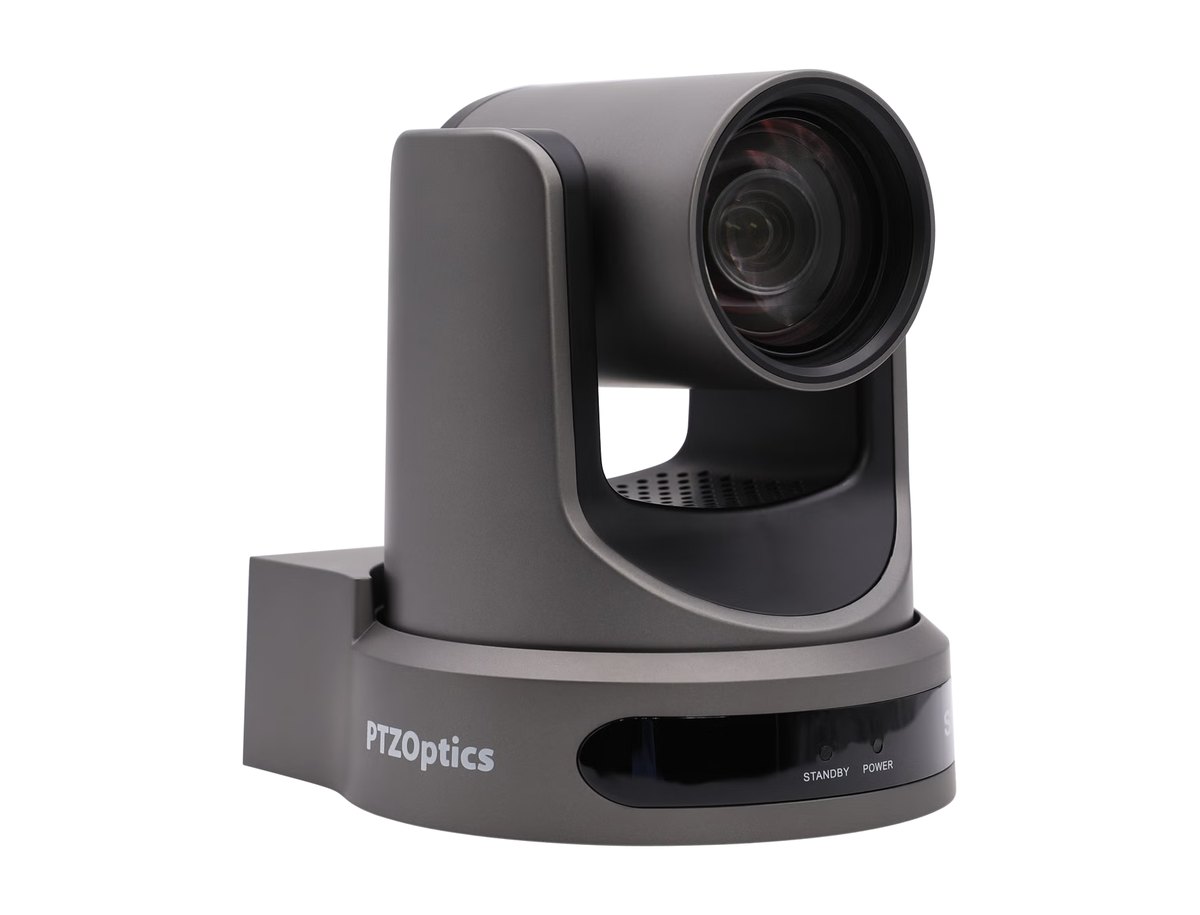
PTZOptics Move SE 30X
Specifications
Brand: PTZOptics | Model: Move SE 30X | Max Resolution: 1080p at 60 fps | Sensor: Sony 1/2.8-inch CMOS | Focal Length: 4.42 to 132.6 mm | Aperture: F1.8 to F2.8 | Zoom: 30x optical, 16x digital | Horizontal Field of View: 2.3 to 60.7 degrees | Vertical Field of View: 1.28 to 34.1 degrees | Auto Tracking: Up to 120 ft (40 m) | Minimum Illumination: 0.5 lux | Shutter Speed: 1/30 to 1/10000 s | Pan: +/-170 degrees at 0.7 to 100 degrees/s | Tilt: -30 to +90 degrees at 0.7 to 69.9 degrees/s | Presets: 255 at 0.1 degree accuracy | Video Outputs: HDMI 1.3, 3G-SDI, USB 3.0 Type-C, RJ45 gigabit | NDI: NDI HX3 | Streaming: RTMP, RTMPS, RTSP, SRT | Video Compression: H.264, H.265, MJPEG | USB Video: UVC 1.1 | Audio Input: 3.5 mm line in | Control: RS232 in/out, RS485, VISCA, Pelco-D/P, IP | Remote: IR remote, 4 camera addresses, up to 30 ft | Power: 12V DC or PoE (802.3af) | Dimensions: 142 x 169 x 189 mm | Weight: 3.0 lb (1.36 kg) | Operating Temperature: -10 to 40 degrees C | Compliance: NDAA compliant | Warranty: 5 years | Launch Price: $1,199
Why We Picked the PTZOptics Move SE 30X?
The PTZOptics Move SE 30X is the camera I’d pick when the speaker is far away. Its 30x optical zoom can fill the frame with a presenter at the back of a training room, lecture hall, or church, and its auto-tracking works up to about 120 feet.
It’s also one of the most flexible cameras for hybrid events. You get HDMI, 3G-SDI, USB, and IP with NDI HX3 from the same camera, so it can feed Zoom or Teams over USB while also sending video to a switcher or streaming platform. That makes it easy to run a hybrid meeting and a livestream at the same time.
The 1080p60 picture is sharp and smooth, presets are very accurate, and PTZOptics backs it with a 5-year warranty. The trade-off is that it’s a broadcast-style camera, so it takes more setup than a plug-and-play conference camera.
Who It’s For?
We recommend the PTZOptics Move SE 30X for large training rooms, lecture halls, houses of worship, and AV teams who run hybrid events and need long zoom and many outputs.
- 30x optical zoom
- HDMI, SDI, USB, and NDI
- Tracks up to 120 ft
- 5-year warranty
- 1080p, not 4K
- More setup than USB cams
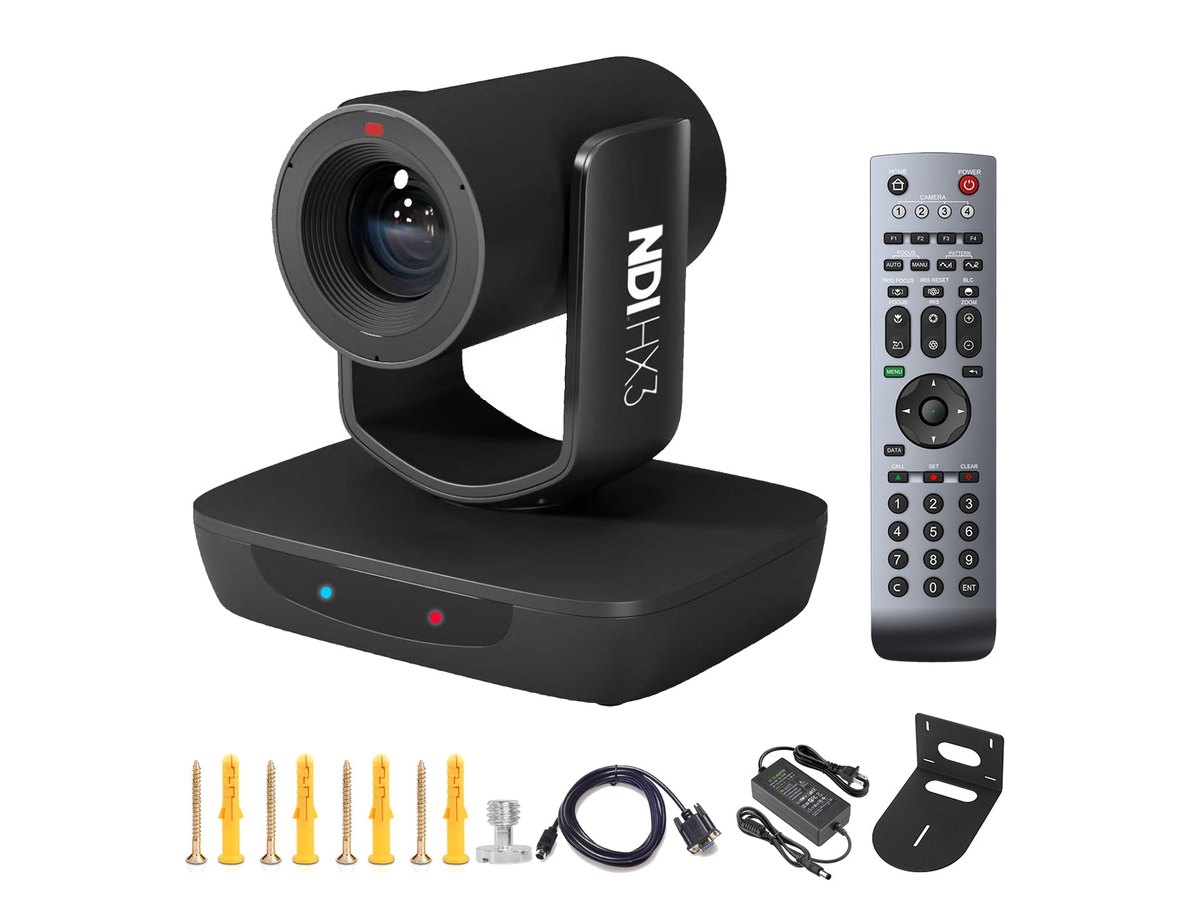
AVKANS LV20N
Specifications
Brand: AVKANS | Model: LV20N | Max Resolution: 1080p at 60 fps | Sensor: 1/2.8-inch Sony CMOS | Zoom: 20x optical, 16x digital | Focal Length: 4.7 to 94 mm | Aperture: f/1.6 to f/3.5 | Field of View: 59.5 to 2.9 degrees | Shutter Speed: 1/50 to 1/10000 s | SNR: 50 dB | Focus: Auto and manual | NDI: NDI HX3 and HX2 license included | Video Outputs: 3G-SDI, HDMI 1.4, USB 3.0, RJ45 | Streaming: RTMP, RTMPS, RTSP, SRT | Video Compression: H.264, H.265 | Control Protocols: ONVIF, VISCA | AI Tracking: One person, Presenter, Zone, and Hybrid modes | Pan: 340 degrees (+/-170) at 0.1 to 120 degrees/s | Tilt: -30 to 90 degrees at 0.1 to 90 degrees/s | Presets: 256 | Tally Light: Yes | Audio Input: 3.5 mm | Serial Control: RS-232 in/out | Power: PoE (802.3af), 15W | Dimensions: 176 x 171 x 137 mm | Weight: About 1.2 kg | Operating Temperature: 0 to 40 degrees C | Software: Free CMS software and web interface | Launch Price: $459
Why We Picked the AVKANS LV20N?
The AVKANS LV20N gives you features that used to cost three times as much. You get 20x optical zoom, 1080p60 video, AI auto-tracking, and four outputs (USB, HDMI, 3G-SDI, and IP) with an NDI HX3 license already included.
For meetings, the USB connection makes it work like a webcam in Zoom, Teams, or Google Meet. For hybrid events, NDI and SDI let you send the same camera to a switcher or OBS. The AI tracking modes are simple but useful: Presenter mode follows one person, while Zone mode keeps the camera on a stage or lectern area.
It runs on a single PoE cable, which keeps installs clean, and AVKANS includes free control software. Image quality in low light isn’t as clean as the PTZOptics, but for the price, it’s hard to beat.
Who It’s For?
We recommend the AVKANS LV20N for small businesses, schools, churches, and content creators who want a real optical-zoom PTZ camera with NDI on a tight budget.
- Very affordable
- 20x optical zoom
- NDI HX3 included
- Single-cable PoE
- Weaker in low light
- Not Teams or Zoom certified
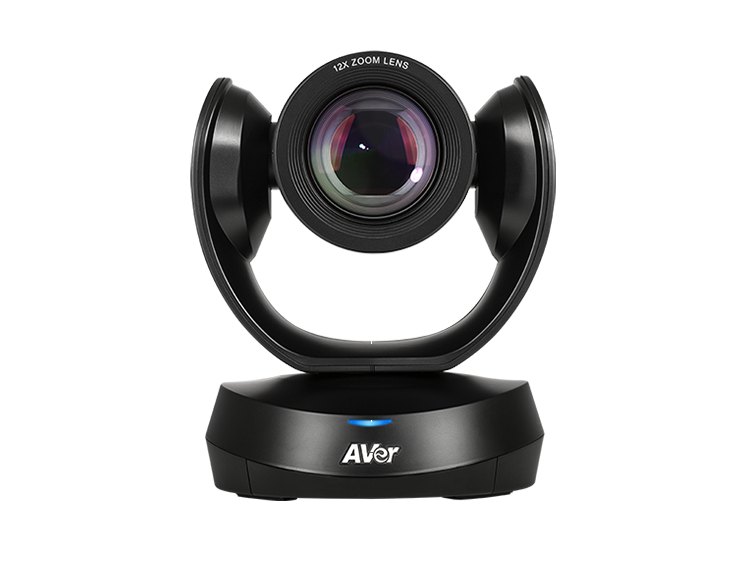
AVer CAM520 Pro3
Specifications
Brand: AVer | Model: CAM520 Pro3 | Max Resolution: 1080p at 60 fps | Other Resolution: 720p at 60 fps | Sensor: Sony 8 MP low-light WDR sensor | Zoom: 12x optical, 36x total with PTZApp 2, 24x lossless | Field of View: 80.5 degrees diagonal, 72.8 degrees horizontal, 44.1 degrees vertical | Focal Length: 3.9 to 46.8 mm | Aperture: F1.6 to F2.8 | Minimum Focus Distance: 1 m | Pan Range: +/-170 degrees | Tilt Range: +90 to -30 degrees | Presets: 10 by remote, 128 via VISCA | AI Features: SmartFrame, Smart Composition, Preset Framing, people counting API | USB: USB 3.1 Gen 1 Type-B (UVC 1.1 and 1.5) | Video Output: HDMI 1.4 | Network: RJ45 with RTSP, RTMP, and VISCA over IP | Serial Control: RS232 (mini DIN 9) | Power: PoE+ (802.3at) or 12V / 2A | Control: IR remote and web interface | Dimensions: 14.27 x 18.2 x 15.3 cm | Weight: 1.47 kg | Certifications: Zoom certified | In the Box: 5 m USB cable, wall mount bracket, remote | Warranty: 3 years | Launch Price: $1,439.99
Why We Picked the AVer CAM520 Pro3?
The AVer CAM520 Pro3 is a classic conference-room PTZ camera done right. It has a 12x optical zoom lens, a Sony low-light sensor, and smooth pan and tilt, so it handles medium and large rooms where a fixed webcam would leave people tiny and blurry.
What makes it practical is the connection list. You can use USB for Zoom or Teams, HDMI for a display or capture card, and the network port for streaming and VISCA over IP control. PoE+ means one Ethernet cable can power and control the camera.
SmartFrame automatically frames the people in the room, and AVer’s people counting API helps facilities teams see how rooms are used. Add the 3-year warranty, and it’s a solid long-term pick for IT teams.
Who It’s For?
We recommend the AVer CAM520 Pro3 for medium to large meeting rooms and classrooms that need optical zoom, simple USB setup, and IT-friendly control.
- 12x optical zoom
- USB, HDMI, and IP
- PoE+ support
- 3-year warranty
- No speaker tracking
- 1080p, not 4K
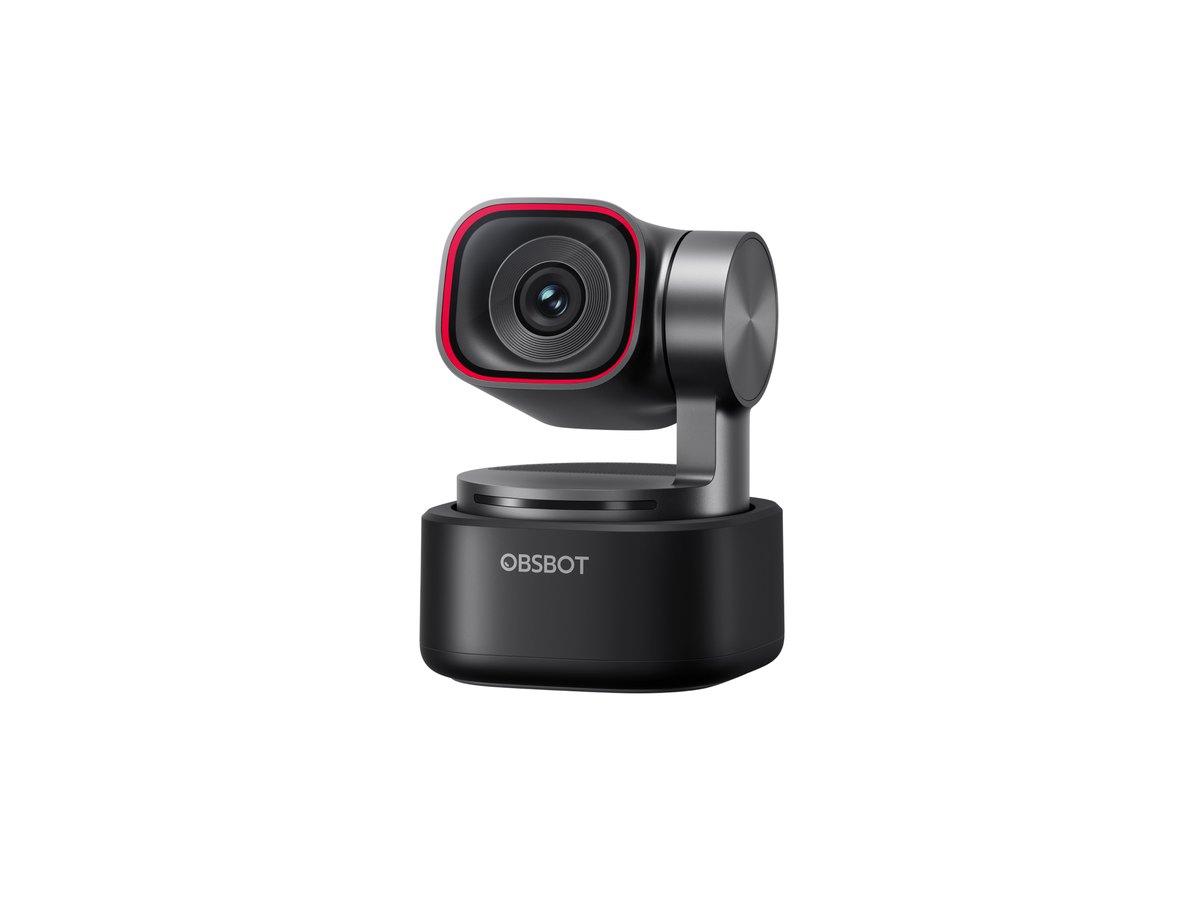
OBSBOT Tiny 3
Specifications
Brand: OBSBOT | Model: Tiny 3 | Sensor: 1/1.28-inch CMOS, 50 MP | Aperture: f/1.8 | Focal Length: 24 mm equivalent | Field of View: 82.4 degrees diagonal (4:3), 74 degrees (16:9), 70 degrees horizontal | Minimum Focus: 14 cm | ISO Range: 100 to 12800 | Max Resolution: 4K at 30 fps | High Frame Rate: 1080p and 720p at 120 fps | Video Format: MJPEG, YUV | Digital Zoom: 1x to 4x | Focus: All-pixel PDAF and manual focus | HDR: DCG HDR | Gimbal: 2-axis, pan +/-130 degrees, tilt 32 degrees down to 60 degrees up | Gimbal Speed: 120 degrees/s | Microphones: Tri-mic system (1 omni + 2 directional), 5 audio modes | Control: Gesture control 2.0, voice control | AI Features: AI Tracking 2.0, voice tracking, Whiteboard and Desk modes | Software: OBSBOT Center | Operating Systems: Windows 10 64-bit or later, macOS 11 or later | Power: 5V / 0.6A | Dimensions: 37 x 37 x 49 mm | Weight: 63 g | Operating Temperature: 0 to 40 degrees C | Launch Price: $349
Why We Picked the OBSBOT Tiny 3?
Not every PTZ camera has to sit on a wall. The OBSBOT Tiny 3 is a tiny webcam with a real motorized gimbal, so it can pan and tilt to follow you as you move around your desk, stand up to present, or walk to a whiteboard.
The Tiny 3 replaced the popular Tiny 2 in 2026 and brings a bigger 1/1.28-inch 50 MP sensor, 4K30 video, and a new tri-mic system. In practice, that means a cleaner image in dim rooms and much better audio than most webcams.
Gesture and voice control let you zoom or start tracking without touching your computer, and Whiteboard and Desk modes make it easy to show notes or products. It uses digital zoom instead of optical, so it’s not for big rooms, but for one person it’s the best PTZ webcam you can buy.
Who It’s For?
We recommend the OBSBOT Tiny 3 for remote workers, teachers, coaches, and creators who move around while they talk and want a camera that follows them.
- Follows you automatically
- Large 50 MP sensor
- 4K30 and 120 fps modes
- Good built-in mics
- Digital zoom only
- Not for group rooms
Looking for a Logitech option? Logitech has replaced the original Rally Camera with its Rally AI Camera series. The PTZ model, the Rally AI Camera Pro, is listed as coming soon on Logitech’s website, so we’ll consider it for this list once it’s shipping.
Comparing PTZ Cameras
How to Set Up a PTZ Camera for Meetings
- Mount it at eye level: Place the camera just above or below the display, centered on the room, so people look natural when they face the screen.
- Connect it: Use USB for Zoom, Teams, or Google Meet. For events, connect HDMI, SDI, or NDI to your switcher as well.
- Power it: Use the included adapter or a PoE switch if the camera supports it.
- Update the firmware: Use the brand’s app (like Poly Lens, Yealink RoomConnect, OBSBOT Center, or the camera’s web interface).
- Save presets: Set a wide shot of the room, a presenter position, and a whiteboard view.
- Turn on tracking and test: Enable auto-framing or speaker tracking, then run a test call and adjust the speed and framing.
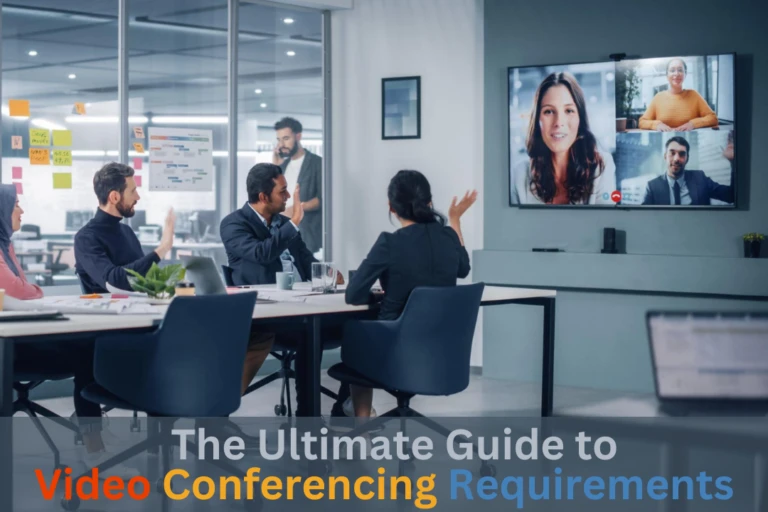
Don’t forget audio. Even the best camera can’t fix a muddy microphone, so pair it with good room mics or a speakerphone. Our video conferencing requirements guide explains the full setup.
Conclusion:
Hopefully, this guide helps you find the right PTZ camera for your meetings in 2026.
For Teams and Zoom rooms with automatic speaker tracking, the Yealink UVC86 and Poly Studio E60 are the best choices. For halls and hybrid events, the PTZOptics Move SE 30X has the longest reach.
The AVKANS LV20N is the best value with NDI, the AVer CAM520 Pro3 is a dependable pick for medium rooms, and the OBSBOT Tiny 3 is perfect if you just need a camera that follows you at your desk.
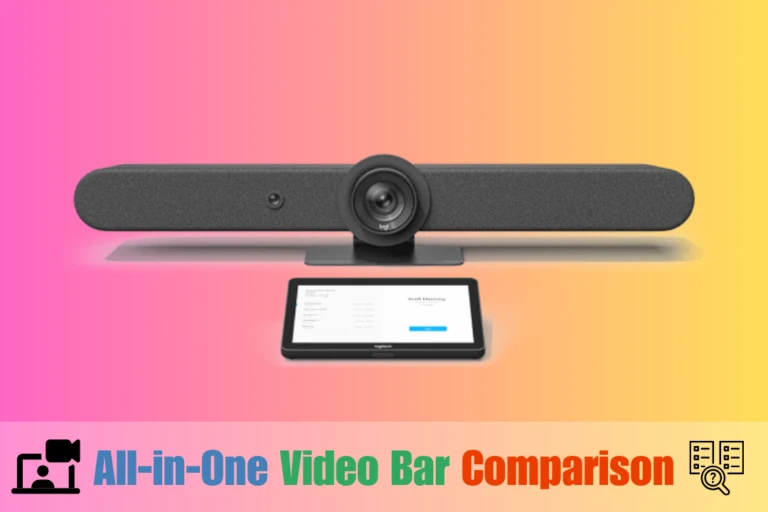
If your room is small and you’d rather see everyone at once, you might also like our list of the best all-in-one video bar systems.
So, which PTZ camera are you thinking about for your room? Please let us know by commenting below and giving us a star rating to rate this post. And, if you have any questions or suggestions, feel free to contact us. We’ll be happy to hear your thoughts, thanks.