
OBSBOT Tail 2 vs Yealink SmartVision 60 Comparison
Compare OBSBOT Tail 2 vs Yealink SmartVision 60 side by side: specs, ratings, pros and cons, and which one fits your room best.
On this page
At a Glance
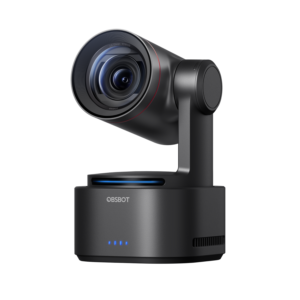
Need a camera that follows a presenter around a room over USB or HDMI? The OBSBOT Tail 2 is a 4K60 PTZR camera with a 1/1.5-inch sensor, 5x optical zoom and AI Tracking 2.0, with HDMI, USB-C, SDI and NDI outputs for presenter-led rooms and live production.
- Best For
- Presenter-led hybrid rooms
- Launch Price
- —
- Resolution
- 4K
- Zoom
- 12 x
- Field of View
- 81° horizontal
- Auto Framing
- Yes (AI Tracking 2.0)
- Camera
- 1/1.5" CMOS, 50 MP
- Connection
- USB-C, HDMI, SDI, Ethernet
- Teams Rooms
- —
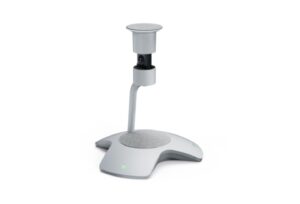
Equipping a Teams Room where people gather around one table? The Yealink SmartVision 60 is a 360° all-in-one camera co-developed with Microsoft for Teams Rooms, with a 10K panoramic camera (360° by 60° field of view), 5x digital zoom, an electric privacy cover, six MEMS microphones with 6 m pickup, a 5 W speaker, and USB-C 3.0.
- Best For
- Medium Teams Rooms with a central table
- Launch Price
- $1,999
- Resolution
- 10K panoramic camera
- Zoom
- 5 x
- Field of View
- 360° x 60°
- Auto Framing
- Individual people frames
- Camera
- 10K 360° camera
- Connection
- USB-C 3.0
- Teams Rooms
- Microsoft Teams Rooms
Review Scores Compared
Expert Score
Optics & Room Coverage
AI Speaker Tracking & Framing
Room Audio Pickup & Output
OS Platform & Ecosystem
Deployment & I/O
Editorial Reviews Comparison
Optics & Room Coverage
- OBSBOT Tail 27.6/10
- Yealink SmartVision 608.0/10Leader
OBSBOT Tail 2
A 1/1.5-inch CMOS sensor records up to 4K at 60 fps, which is a larger sensor than most PTZ cameras in this price range. Phase-detection autofocus keeps moving subjects sharp. The bigger sensor shows in dim lecture halls and evening events, where noise stays lower than on typical conference PTZs.
Yealink SmartVision 60
The 10K camera produces a 360° panorama with a 60° vertical field of view. Yealink designed it to make every seat in a medium boardroom clearly visible. The high capture resolution is used to crop individual people sharply, rather than to send a 10K stream. Faces look clear on a large display even when the panorama is shown at the same time.
AI Speaker Tracking & Framing
- OBSBOT Tail 29.4/10Leader
- Yealink SmartVision 608.7/10
OBSBOT Tail 2
OBSBOT quotes 5x optical zoom and 12x hybrid zoom through a 12-element lens. Optical zoom keeps full detail, while the hybrid range crops the sensor further. For a trainer walking around a stage, 5x optical is plenty to keep a waist-up shot from the back of a medium room. Beyond 5x, detail softens, so treat the 12x figure as a backup for occasional close-ups rather than a working range.
Yealink SmartVision 60
Zoom is digital, at up to 5x, which relies on the high-resolution sensor to keep detail. There is no optical zoom, as is typical for 360° devices. For deeper rooms, pair it with a front-of-room bar such as the Logitech Rally Bar to cover people seated further away.
Room Audio Pickup & Output
- OBSBOT Tail 2—
- Yealink SmartVision 609.0/10
Yealink SmartVision 60
The SmartVision 60 uses 6 MEMS arrays (6 m pickup) plus 6+1 AI array. It is specified for Medium rooms (6 m pickup).
OS Platform & Ecosystem
- OBSBOT Tail 2—
- Yealink SmartVision 606.8/10
OBSBOT Tail 2
OBSBOT Center controls tracking, presets and image settings on Windows and macOS, and a mobile app adds remote control. Gesture control lets a presenter start tracking or zoom with a hand signal. For meeting platforms it appears as a standard UVC camera, so no driver is needed. It lacks Teams Rooms or Zoom Rooms certification and fleet management.
Yealink SmartVision 60
SmartVision 60 is built for Microsoft Teams Rooms, with Multi-Stream People Feed, live transcription and participant identification. Transcription with speaker names works through Teams voice recognition, which requires enrolment in Microsoft's voice profiles. Admins should check licensing for these features. Firmware and settings are managed through Yealink Device Management or the Teams admin centre, depending on the deployment.
Deployment & I/O
- OBSBOT Tail 27.8/10
- Yealink SmartVision 607.8/10
OBSBOT Tail 2
Outputs include HDMI, USB-C, 3G-SDI and Ethernet with NDI support. It can run as a USB webcam for Zoom or Teams, or feed a video switcher in a production rack. That range of outputs is the main reason an AV team would choose it over a webcam-class tracker. One camera can serve both a hybrid meeting and a recorded stream at the same time.
Yealink SmartVision 60
The device connects with one USB-C 3.0 cable to a Teams Rooms system and uses an external 15 V, 2.4 A power adapter. It has mute buttons for the mics and camera. The electric privacy cover lifts automatically with a meeting and lowers afterward, with a ring of LEDs showing status.
Why OBSBOT Tail 2 Beats Yealink SmartVision 60 (and Vice Versa)
Why OBSBOT Tail 2 beats Yealink SmartVision 60
- Better ai speaker tracking & framing: 9.4 vs 8.7 out of 10
- Zoom: 12 x vs 5 x
- Auto Framing: Yes (AI Tracking 2.0) vs Individual people frames
- Digital Zoom: 12x hybrid vs 5x
Why Yealink SmartVision 60 beats OBSBOT Tail 2
- Camera Resolution: 10K panoramic camera vs 4K
- Field of View: 360° x 60° vs 81° horizontal
- Pan / Tilt: No mechanical PTZ; 360° camera with electric privacy cover vs Yes (PTZ plus rotation)
- Speaker Tracking: Yes (Microsoft Teams intelligent speaker features, including… vs Presenter tracking
- Horizontal FOV: 360° vs 81°
- Camera: 10K 360° camera vs 1/1.5" CMOS, 50 MP
Review-score leads of 0.5+ points out of 10 first, then specs where only one comes out ahead.
Full Specifications
General
| OBSBOT Tail 2 | Yealink SmartVision 60 | |
|---|---|---|
| Release Year | 2024 Better | 2022 |
| Launch Price | — | $1,999 |
| Weight | 1066 g | — |
| Privacy Cover | — | Electric lifting privacy cover |
| Dimensions | 97.5 x 103.5 x 155 mm (working); 97.5 x 103.5 x 172 mm (off) | — |
| Model Number | Tail 2 | SmartVision 60 |
Optics & Room Coverage
| OBSBOT Tail 27.6/10 | Yealink SmartVision 608.0/10 Better | |
|---|---|---|
| Optical Zoom | 5 x | — |
| Zoom | 12 x Better | 5 x |
| Field of View | 81° horizontal | 360° x 60° Better |
| Ideal Room Size | Small to medium, plus training rooms and stages | Medium rooms (6 m pickup) |
| Pan / Tilt | Yes (PTZ plus rotation) | No mechanical PTZ; 360° camera with electric privacy cover Better |
| Megapixels | 50 MP | — |
| Sensor | 1/1.5" CMOS | 10K 360° camera |
| Sensor Size | 1/1.5-inch CMOS | — |
| Aperture | ƒ/1.8–ƒ/3.0 | — |
| Vertical FOV | — | 60° |
| Digital Zoom | 12x hybrid Better | 5x |
| Focus | Phase-detection autofocus | — |
| Pan Range | ±160° (controllable); mechanical ±175° | — |
| Tilt Range | -60° to 32° (controllable); mechanical ±90° | — |
| Pan / Tilt Speed | 120°/s max controllable speed | — |
| Max Frame Rate | 60 fps | — |
| Best For | Presenter-led hybrid rooms | Medium Teams Rooms with a central table |
| Camera Resolution | 4K | 10K panoramic camera Better |
| Horizontal FOV | 81° | 360° Better |
| Camera | 1/1.5" CMOS, 50 MP | 10K 360° camera Better |
AI Speaker Tracking & Framing
| OBSBOT Tail 29.4/10 Better | Yealink SmartVision 608.7/10 | |
|---|---|---|
| Speaker Tracking | Presenter tracking | Yes (Microsoft Teams intelligent speaker features, including people identification) Better |
| Auto Framing | Yes (AI Tracking 2.0) Better | Individual people frames |
| Multi-Stream / Gallery | — | Multi-Stream People Feed |
Room Audio Pickup & Output
| OBSBOT Tail 2 | Yealink SmartVision 609.0/10 | |
|---|---|---|
| Built-in Mics | — | 6 MEMS arrays (6 m pickup) plus 6+1 AI array |
| Audio Input | 3.5 mm MIC IN and 3.5 mm LINE IN | — |
| Audio Output | — | 5 W speaker (7 W max) |
OS Platform & Ecosystem
| OBSBOT Tail 2 | Yealink SmartVision 606.8/10 | |
|---|---|---|
| Remote Management | — | Yealink Device Management, Teams admin centre |
| Teams Rooms | — | Microsoft Teams Rooms |
| Microsoft Teams | — | Yes |
| Software | OBSBOT Center, OBSBOT Start app | Microsoft Teams Rooms features including live transcription, translation, and participant identification |
| OS Compatibility | Windows, macOS (UVC for meeting apps) | — |
| Certifications | — | Microsoft Teams Rooms |
Deployment & I/O
| OBSBOT Tail 27.8/10 | Yealink SmartVision 607.8/10 | |
|---|---|---|
| Mounting | 1/4-inch tripod thread | Table |
| HDMI | Yes | No (USB-C 3.0 interface listed) |
| Power over Ethernet | Yes | — |
| Connection | USB-C, HDMI, SDI, Ethernet | USB-C 3.0 |
| USB | USB-C | USB-C 3.0 |
| Network | Ethernet | — |
| Wi-Fi | Wi-Fi 6 (802.11 a/b/g/n/ac/ax) | — |
| Wireless | Wi-Fi 6 (802.11 a/b/g/n/ac/ax); BLE 5.4 | — |
| SDI | Yes (3G-SDI) | — |
| NDI Support | Yes | — |
| IP Streaming | NDI | — |
| Video Codecs | MJPEG, H.264, H.265 | — |
| Control Protocols | VISCA, Pelco-D, Pelco-P (RS-232); UVC over USB-C | — |
| Power | USB-C (default 5 V/2 A, USB PD 3.0 up to 20 V/2 A); PoE+ up to 30 W; internal 5000 mAh battery | External 15 V, 2.4 A adapter |
| Power Consumption | PoE+ maximum 30 W | — |
| Operating Temperature | -10 to 40 °C | 0 to 40 °C |
| Video Outputs | HDMI, 3G-SDI, USB-C (UVC), NDI over Ethernet | — |
Takeaways
- Our pick: OBSBOT Tail 2, with the highest spec-based rating (4.2/5).
- Choose OBSBOT Tail 2 for presenter-led hybrid rooms.
- Choose Yealink SmartVision 60 for medium Teams Rooms with a central table.
Pros and Cons
OBSBOT Tail 2
PROS
- 5x optical and 12x hybrid zoom
- 4K60 recording paths
- AI Tracking 2.0
- HDMI, USB-C, SDI, Ethernet/PoE+
CONS
- NDI needs a license on many SKUs
- Heavier production feature set than a simple meeting PTZ
- Not a Zoom Rooms appliance by itself
Yealink SmartVision 60
PROS
- 10K 360° panoramic view
- Multi-Stream People Feed in Teams
- Automatic lifting privacy cover
- 6 m 360° pickup
CONS
- Designed for Teams first
- Needs a separate power adapter
- No optical zoom
Similar Comparisons
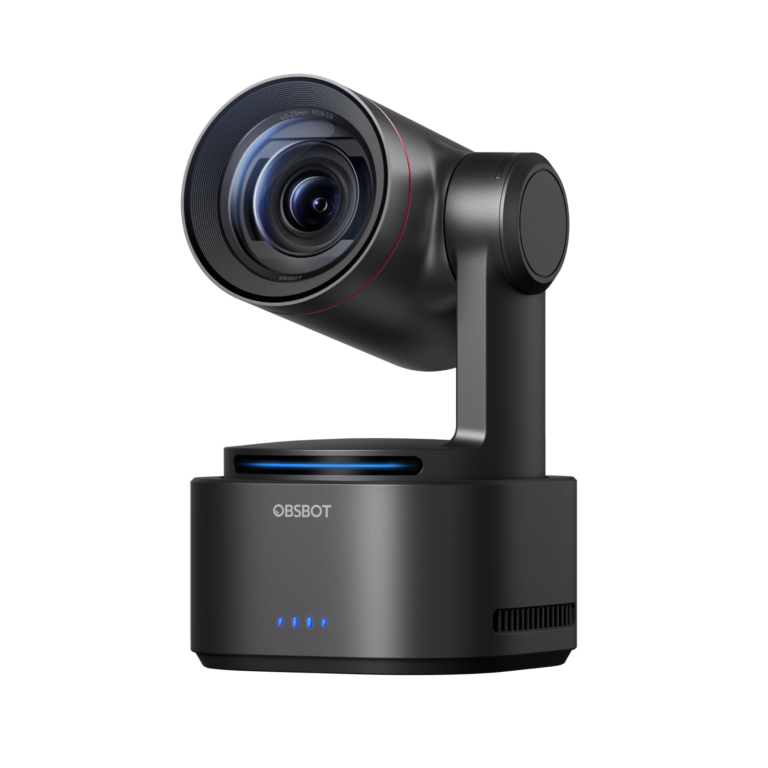 OBSBOT Tail 28.3/10
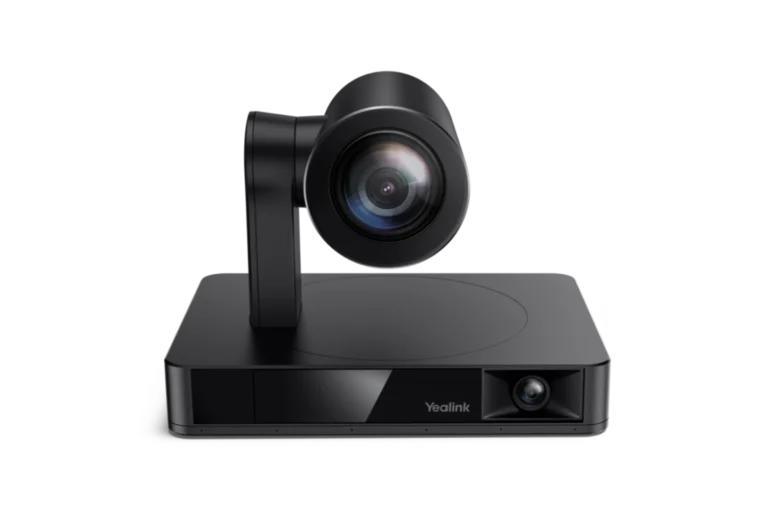 Yealink UVC869.4/10OBSBOT Tail 2 vs Yealink UVC86
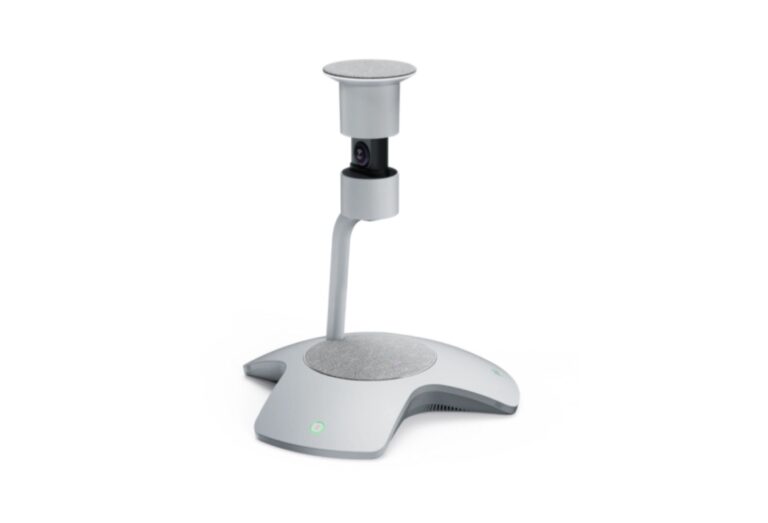 Yealink SmartVision 608.2/10Yealink UVC869.4/10Yealink SmartVision 60 vs Yealink UVC86
- OBSBOT Tail 28.3/10
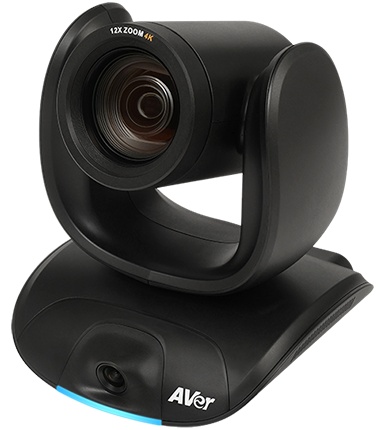 AVer CAM5509.2/10OBSBOT Tail 2 vs AVer CAM550
- OBSBOT Tail 28.3/10
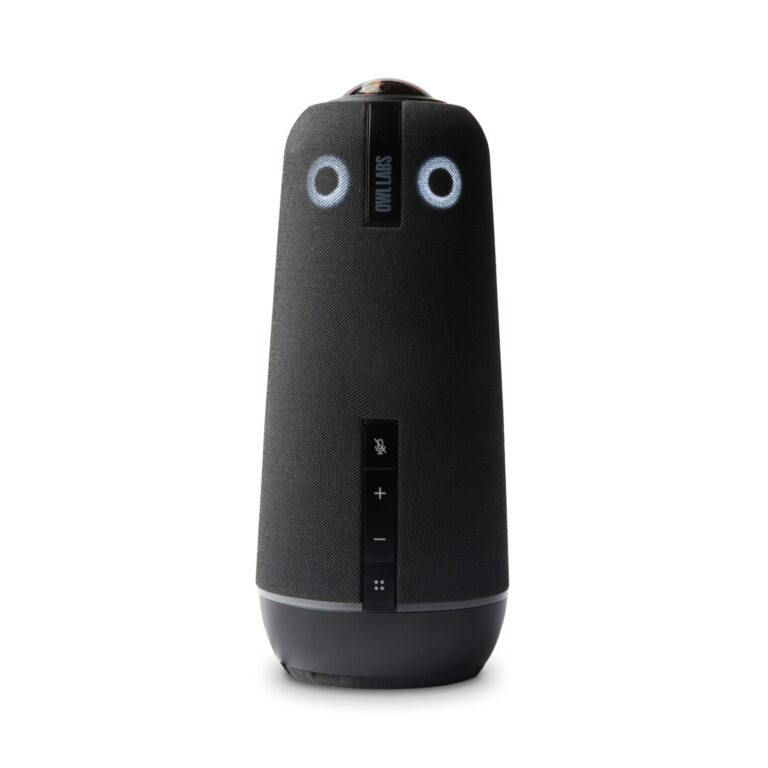 Owl Labs Meeting Owl 4+9.2/10OBSBOT Tail 2 vs Owl Labs Meeting Owl 4+
Quick Verdict
- OBSBOT Tail 2 8.3Best overallLeads in AI Speaker Tracking & Framing
- Yealink SmartVision 60 8.2Leads in Optics & Room Coverage