
At a glance
| Res. | 2K (2560 x 1440) |
|---|---|
| View | 95° |
| Autofocus | Yes (15 cm to 3 m) |
| Mics | Dual stereo with AGC and noise cancellation |
| Shutter | Yes (built-in camera cover switch) |
| Connect | USB-C |
- Model PowerConf C200
AnkerLast updated on October 2026
Anker PowerConf C200 2K Webcam
Prices, shipping and returns are handled by the retailer.
On this page
Overview
The Anker PowerConf C200 is a compact budget 2K webcam aimed at home offices and everyday calls. It records 2560 × 1440 at 30 fps on a 5 MP sensor, with autofocus, a selectable 95° / 78° / 65° field of view, dual stereo mics, and a built-in privacy cover switch.
- 2K at 30 fps
- Autofocus, 95/78/65° view
- Stereo mics with noise cancellation
- Built-in cover switch
Key Takeaways
- 3 m voice pickup
- USB-C
- AnkerWork app
Best For
- Budget buyers
- Home offices
- Small huddle calls
Avoid If
- Your room is dim
- You want 4K
Verdict
The PowerConf C200 is strong value on paper: 2K30, autofocus, a selectable field of view up to 95°, stereo mics with noise cancellation, and a physical cover switch in a pocketable body. It does not list HDR, and the 1/2.7-inch sensor is modest, so dim rooms still need a lamp or window in front of you. For bright desks and budget upgrades from a laptop camera, it covers the basics cleanly.
PROS
- 2K at 30 fps
- Autofocus, 95/78/65° view
- Stereo mics with noise cancellation
- Built-in cover switch
CONS
- No HDR listed
- Small 1/2.7-inch sensor
Review Scores
Score Breakdown
8.1/10 Expert Score
- Image Quality8.7/10
- Low-Light Performance7.0/10
- Field of View & Framing8.3/10
- Microphone7.0/10
- Build & Privacy8.3/10
- Connection & Software9.0/10
How this score is calculated
Each criterion gets 0-10 from the spec rules in our Webcams scoring matrix. The Expert Score is the weighted average x 10, shown out of 10; stars = Expert Score / 20, rounded to the nearest half star.
| Criterion | Weight | From specs | Score |
|---|---|---|---|
| Image QualityMax Resolution: 2K (2560 x 1440) → 8.0; Autofocus: Yes (15 cm to 3 m) → 10.0 | 25% | 8.7 | 8.7 |
| Low-Light PerformanceSensor: 1/2.7" CMOS → 7.0 | 15% | 7.0 | 7.0 |
| Field of View & FramingField of View: 95 → 8.3 | 15% | 8.3 | 8.3 |
| MicrophoneMicrophones: Dual stereo with AGC and noise cancella… → 7.0 | 15% | 7.0 | 7.0 |
| Build & PrivacyPrivacy Shutter: Yes (built-in camera cover switch) → 9.0; Tripod Thread: 1/4 in thread → 8.0; Mounting: Adjustable clip/stand → 7.0 | 15% | 8.3 | 8.3 |
| Connection & SoftwareConnection: USB-C → 9.0 | 15% | 9.0 | 9.0 |
| Expert Score | 8.1/10 | ||
Anker PowerConf C200 Review
We spent time with the C200 as a desk and monitor-top camera: unboxing the compact tray, clipping it to a thin-bezel display, and checking the privacy shutter, USB cable, and AnkerWork controls. Below is how each scoring criterion plays out against the published specs and what those hands-on moments show.
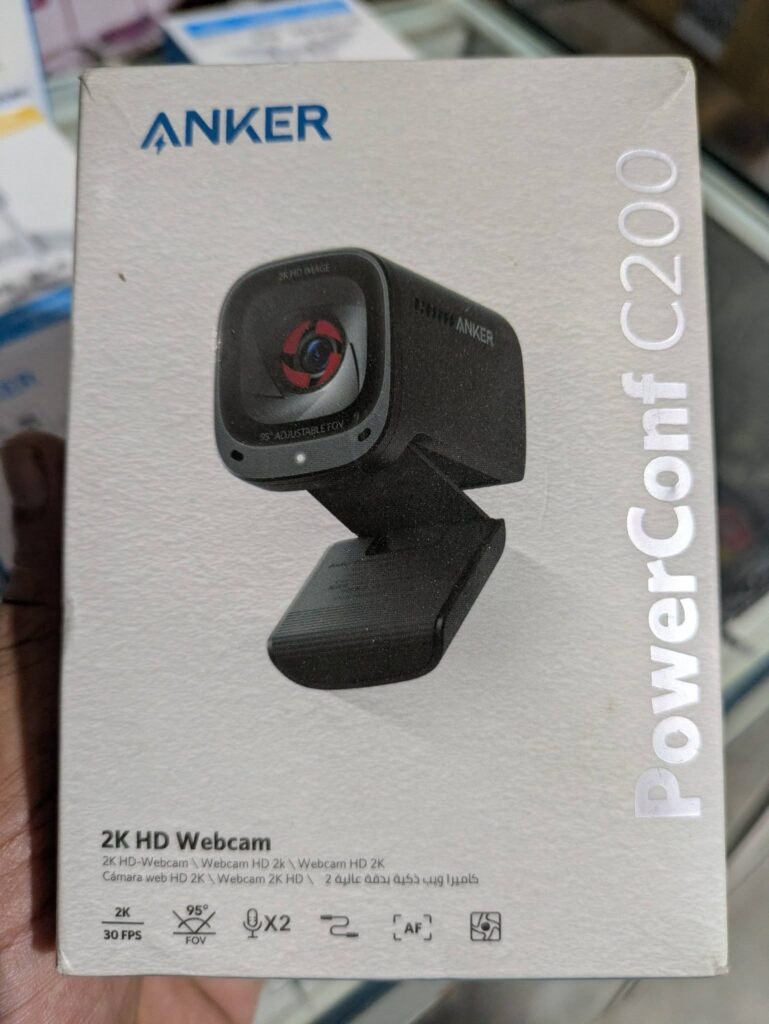
Image Quality 8.7/10
Anker rates the C200 at 2K (2560 × 1440) at 30 fps on a 5 MP, 1/2.7-inch sensor with autofocus. That resolution is useful headroom rather than what most calls display: Teams, Zoom, and Meet commonly send 720p or 1080p. The extra pixels help when the camera crops or digital-zooms, and when you record locally or stream at a higher capture size.
Autofocus is listed from about 15 cm to 3 m, which covers leaning into the lens, holding a document up to the camera, or sliding back in a chair. There is no HDR on the spec sheet, so high-contrast windows behind you will still challenge exposure more than a brighter-room 4K model with HDR. Relative to tiny laptop modules, the larger sensor and 2K mode are a clear step up for a budget USB webcam.
In practice, treat 2K as capture quality and app-tunable framing rather than a guarantee that every meeting guest sees 1440p. Keep a soft light in front of your face, and use AnkerWork if you want a fixed white-balance or exposure once you like the look.
- Res. 2K (2560 x 1440)
- Autofocus Yes (15 cm to 3 m)
Low-Light Performance 7.0/10
Anker does not advertise dedicated low-light modes or a large sensor for the C200. The 1/2.7-inch CMOS is typical for this price, not a specialty low-light chip, and HDR is not listed. Plan on decent lighting: a desk lamp or window in front of you still does more for the picture than any software toggle in this class.
Our desk setup photo shows the camera on a monitor in a dimmer streaming-style room with colored accent LEDs. That kind of back/side glow looks dramatic in person but is a tough scene for a small sensor without HDR—faces can go muddy unless you add a key light. For daytime home-office use with a lamp facing you, the C200 is fine; for night calls in a dark room, light the face first.
- Sensor 1/2.7" CMOS
Field of View & Framing 8.3/10
The C200 offers three fields of view—95°, 78°, and 65°—so you can trade width for a tighter head-and-shoulders crop without moving the mount. The wide 95° setting suits two people at a desk or a small whiteboard; the narrower modes reduce how much of the room appears behind you.
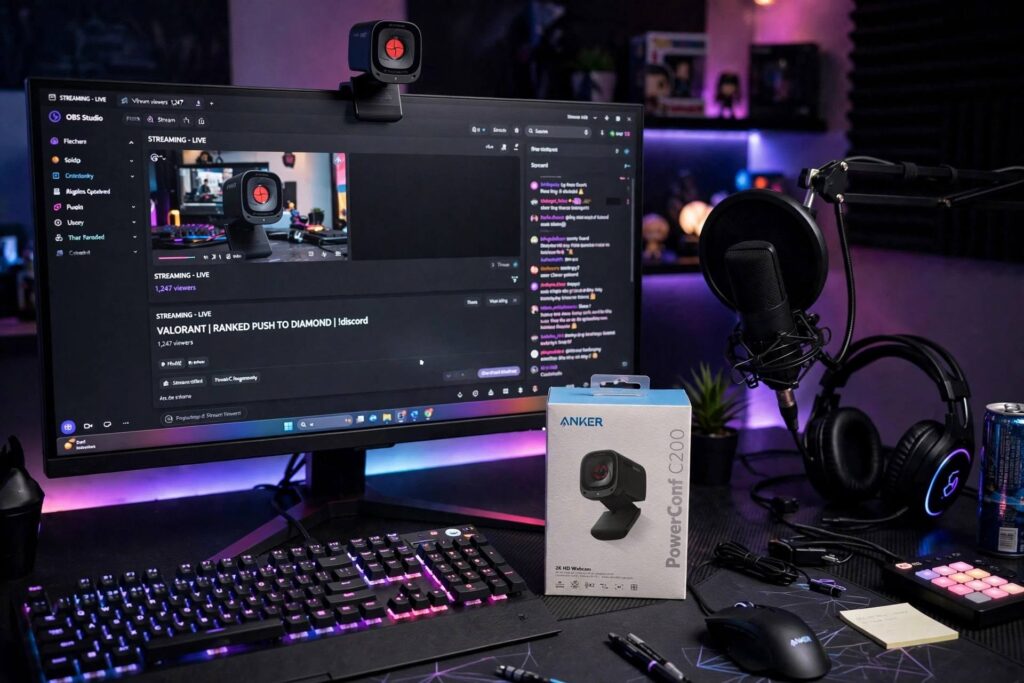
Clipped to a modern thin-bezel monitor, the cube body sits low and centered without dominating the screen. The hinged clip grips the top edge; a 1/4-inch thread is there if you prefer a stand or arm for eye-level framing. Autofocus and the selectable FOV together cover most “move closer / share a page / sit back” moments on a single desk.
Wide mode will show more background clutter—shelves, LEDs, posters—so tidy the wall or switch to 78°/65° for one-on-one calls. There is no motorized PTZ or AI auto-frame on the C200’s feature list; framing is manual via FOV presets and how you place the clip.
- View 95°
Microphone 7.0/10
Anker specs dual stereo microphones with auto gain control and noise cancellation, plus about 3 m of voice pickup. That is a clear step above a single laptop mic for keyboard and room noise filtering, and it can cover two people at a small desk when both speak toward the camera.
Pinhole mics sit on the front face under the lens; side vents on the body also show the compact acoustic layout. For daily calls, a headset or dedicated speakerphone still sounds cleaner and more consistent than any webcam mic—especially if you type hard or sit off-axis. Use the C200 mics for convenience; reach for a headset when audio quality is the priority.
- Mics Dual stereo with AGC and no…
Build & Privacy 8.3/10
In hand the C200 is a small matte-black cube with rounded corners and an integrated monitor clip. The clip hinge feels purposeful for laptop lids and thin monitors, with a rubberized contact area that helps it stay put. It is light enough to toss in a bag with a laptop for travel desks.

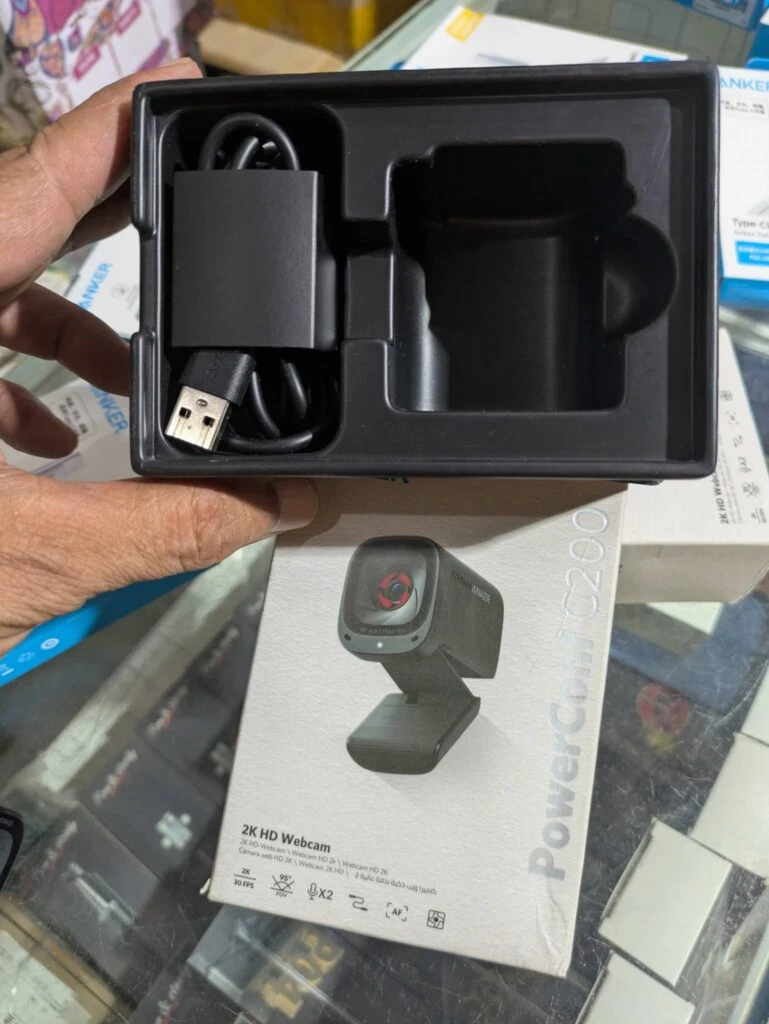
Privacy is a physical cover switch, not a software mute. With the shutter closed, a bright red iris fills the lens opening—easy to see from across the desk that the camera is blocked. The retail box and faceplate also call out the cover, 2K, and adjustable FOV, which matches what you get in the tray.

Unboxing is straightforward: a molded black tray holds the camera and a coiled USB cable. The camera body uses USB-C; the included cable in our tray showed a USB-A host end, so older desktops are covered while modern laptops may need the cable’s USB-C end or a port adapter depending on kit revision. A 1/4-inch tripod thread under the clip expands mounting options beyond the monitor lip.
- Shutter Yes
- Tripod 1/4 in thread
- Mounting Adjustable clip/stand
Connection & Software 9.0/10
Connection is USB-C on the camera for plug-and-play use with current laptops. Pair it with the included host cable (or your own USB-C cable) and it shows up as a standard UVC webcam in Zoom, Teams, Meet, and similar apps. Older machines with only USB-A ports need the A-end cable or an adapter.
AnkerWork lets you set framing (FOV), exposure, and color once so the camera keeps those preferences. That is useful after you find a look that works for your room. The C200 is not listed as Microsoft Teams or Zoom certified, which mainly matters if IT only approves certified peripherals—home and small-office users rarely notice.

On a busy desk the cable run from monitor-top to a rear USB port stays tidy if you route it down the stand. There is no Wi-Fi or wireless mode; power and video share the single USB link. For most buyers that simplicity is the point: clip on, open the shutter, join the call.
- Connect USB-C
Full Specifications
General
| Best For | Budget buyers |
|---|
Image
| Max Resolution | 2K (2560 x 1440) |
|---|---|
| Max Frame Rate | 30 fps |
| Sensor | 1/2.7" CMOS |
| Megapixels | 5 MP |
| Field of View | 95° |
| Autofocus | Yes (15 cm to 3 m) |
| Video Format | MJPEG / YUV |
Audio
| Microphones | Dual stereo with AGC and noise cancellation |
|---|---|
| Mic Range | 3 m |
| Noise Reduction | Yes |
Design & Privacy
| Privacy Shutter | Yes (built-in camera cover switch) |
|---|---|
| Mounting | Adjustable clip/stand |
| Tripod Thread | 1/4 in thread |
Connectivity
| Connection | USB-C |
|---|---|
| Software | AnkerWork |
| Operating Systems | Windows 7+, macOS 10.11+ |
Identifiers
| Model Number | A3369 |
|---|
Product Details
| Brand | Anker |
|---|---|
| Model | PowerConf C200 |
| Model number | A3369 |
Price Comparison
| Store | Price | Deal |
|---|---|---|
| Anker.com | See price | View deal (opens in a new tab) |
FAQs
What resolution is the PowerConf C200?
2K (2560 x 1440) at 30 fps, plus 1080p and 720p.
Does the C200 have a privacy cover?
Yes, a built-in camera cover switch.
What is the mic pickup range?
Anker lists a 3 m voice pickup distance.
What fields of view can I choose?
95°, 78° or 65°.
Does it have autofocus?
Yes, from 15 cm to 3 m.
What video formats does it support?
MJPEG and YUV.
Do the mics have noise cancellation?
Yes. Dual stereo mics with AGC and noise cancellation.
What is the model number?
A3369.