In a small meeting room, the usual complaint is simple: people at the ends of the table drop out of the picture, or their voices fade by the time they reach the far end of the call. The Jabra PanaCast 50 and the Poly Studio X50 are two all-in-one video bars built to fix exactly that in small and medium rooms. Both have a 4K camera, and both work with Microsoft Teams and Zoom.
They solve the problem in different ways, though, and that matters more than the spec sheet.
In this comparison, I’ll put them side by side on field of view, camera, audio, setup, platforms, and price. I’ll also flag something many older comparisons miss: in 2026, one of these two is no longer sold new.
Start with the room, then pick the bar.
Quick Verdict: Jabra PanaCast 50 vs Poly Studio X50
If you want the short answer, here it is:
- Choose the Jabra PanaCast 50 if you want the widest view (180 degrees), excellent audio, and a device you can still buy new with full support. It’s great for small rooms where people sit close to the screen.
- The Poly Studio X50 was a great standalone video bar that runs Teams Rooms or Zoom Rooms without a PC. But HP Poly has ended its sale, and support ends on May 31, 2027. For a new room today, I’d look at its successor, the Poly Studio X52, instead.
Jabra PanaCast 50 Overview
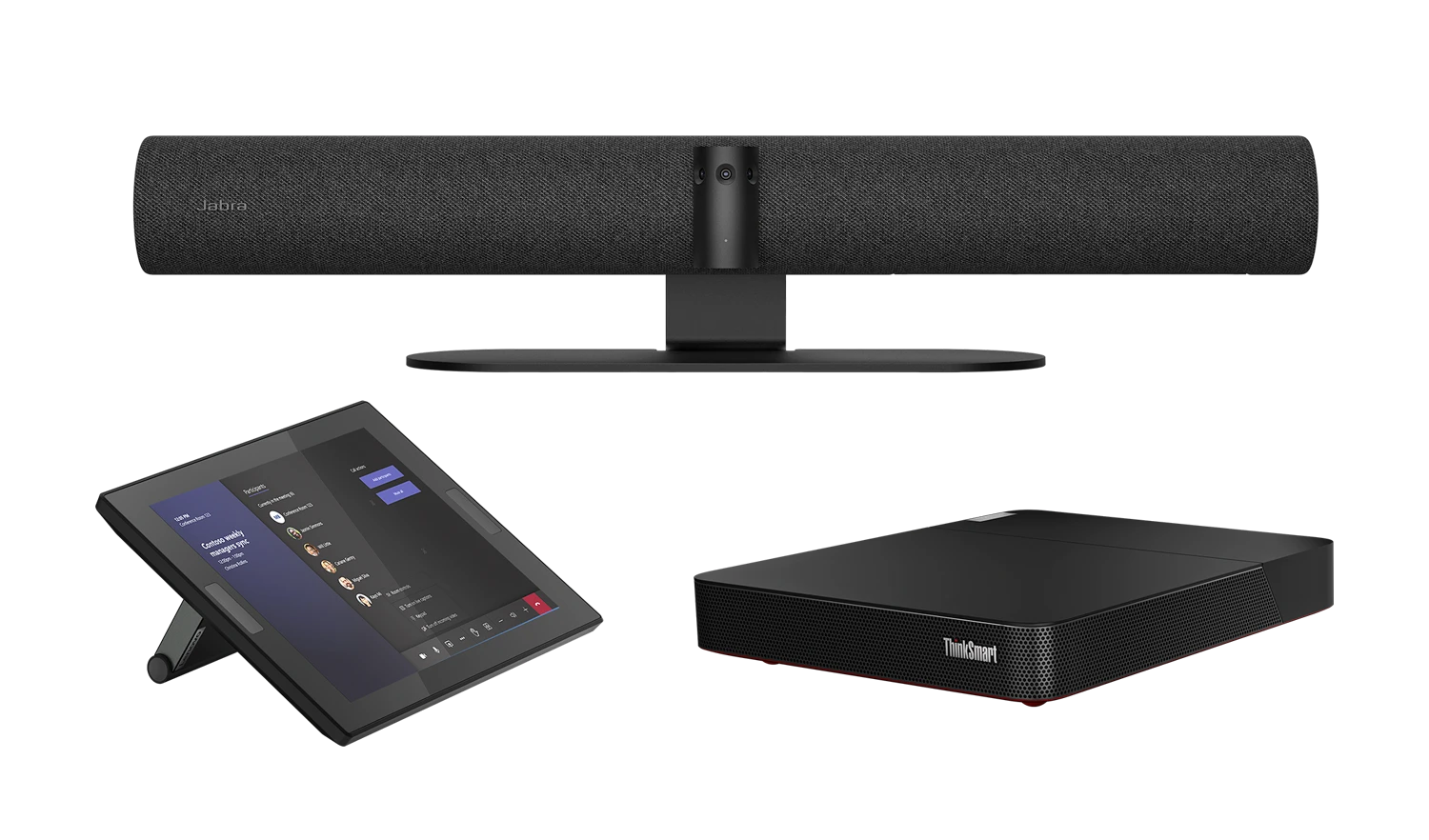
Brand: Jabra | Cameras: Three 13 MP cameras | Video: Panoramic 4K | Field of View: 180 degrees | Microphones: 8 beamforming mics | Speakers: 4 speakers | Connection: USB-C (VBS version runs Android) | Certified for: Microsoft Teams, Teams Rooms, Zoom, Zoom Rooms | Launch Price: $1,195
The Jabra PanaCast 50 is an intelligent video bar with three 13-megapixel cameras. Jabra stitches their images together in real time, so you get one smooth 180-degree panoramic 4K view. That means you can push the table right up to the wall, and people sitting next to the screen are still in the picture. In narrow huddle rooms I’ve set up, that wall-to-wall view is the main reason people pick this bar.
Audio is a big strength. It has eight beamforming microphones and four speakers (two woofers and two tweeters), with full-duplex audio so people can talk at the same time without cutting off. Jabra’s PanaCast 50 data sheet rates the mic array for rooms up to about 4.5 x 6 m. Smart features like Virtual Director, Intelligent Zoom, and Dynamic Composition frame the room and follow the conversation automatically.
The standard PanaCast 50 connects to a laptop or a Teams Rooms or Zoom Rooms PC over USB. If you want an all-in-one Android system, Jabra also sells the PanaCast 50 Video Bar System (VBS) with the computer and a touch controller included.
- Very wide 180-degree view
- Excellent microphones and speakers
- Still sold new with full support
- Certified for Teams, Teams Rooms, Zoom, and Zoom Rooms
- The USB version needs a PC
- The wide view can look a bit stretched at the edges
Poly Studio X50 Overview
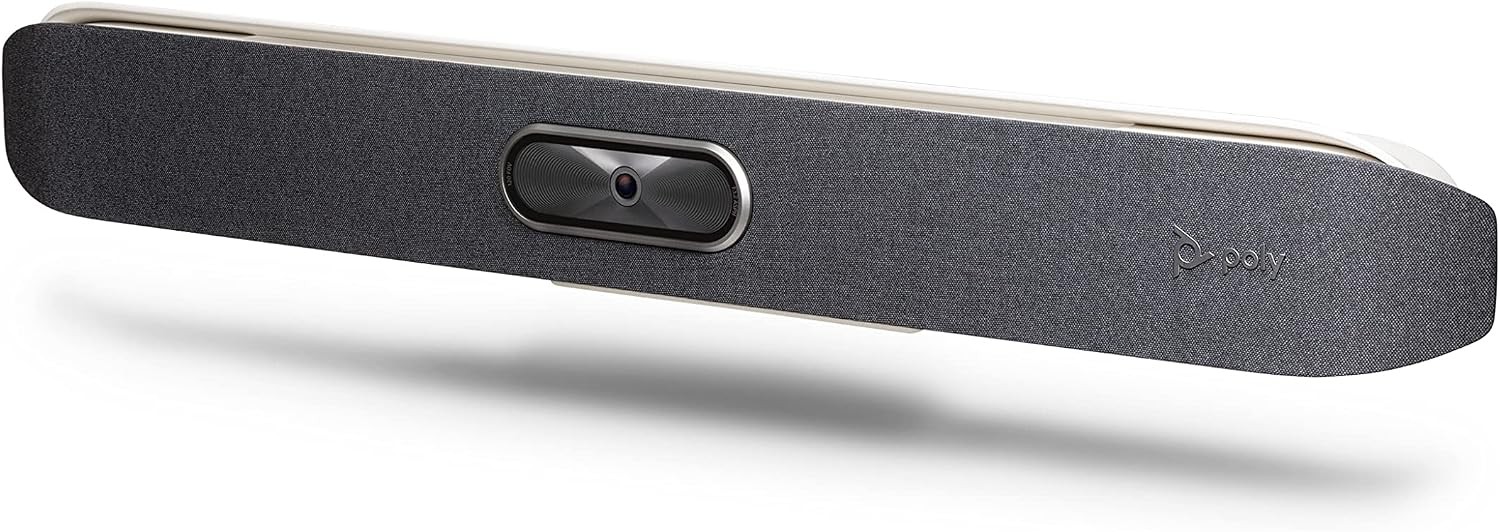
Brand: Poly (HP) | Camera: 4K UHD capture, 5x digital zoom | Field of View: 120 degrees diagonal (110 horizontal) | Microphones: 3 MEMS mics plus 2 second-order mics | Mic Pickup: Up to 25 ft (7.6 m) | Speakers: Stereo | Connection: Standalone appliance, or USB device mode | Displays: Up to 2 | Status: End of sale, support until May 31, 2027 | Launch Price: $3,499 (with Poly TC8 controller)
The Poly Studio X50 is an all-in-one video bar for small and medium rooms. Its big advantage is that it doesn’t need a computer. Meeting apps like Microsoft Teams Rooms and Zoom Rooms run directly on the bar, and you control them with the optional Poly TC8 touch controller. From an install point of view, that means one box on the display, one network drop, and no small PC hidden behind the screen.
It has a 4K camera with automatic people framing and speaker tracking, and its microphones pick up voices up to 25 feet away. Poly’s NoiseBlock and Acoustic Fence features help block typing and outside noise. It also supports two displays and wireless content sharing.
However, here’s the catch. HP Poly no longer sells the Studio X50, and its support ends on May 31, 2027 (source). You can still find it from third-party sellers, but I don’t recommend buying one for a new room in 2026, since it will soon stop getting firmware updates and app certification.
- Runs Teams Rooms or Zoom Rooms without a PC
- Long 25-foot microphone pickup
- Dual display support
- Support ends in 2027
- Narrower view than the PanaCast 50
- Only sold by third-party sellers now
Jabra PanaCast 50 vs Poly Studio X50: Side-by-Side Comparison
Here’s how the two video bars compare on the features that matter most:
Key Differences Explained
On paper these bars look close. In a real room, five things separate them.
1. Design and Field of View
The PanaCast 50’s 180-degree view is its biggest advantage. In a small huddle room, people often sit right next to the screen, and a normal camera can’t see them. The X50’s 120-degree view is fine for a standard medium room, but it can miss people at the very ends of a table pushed against the wall. If your room is wider than it is deep, that alone usually decides it.
2. Camera and Video Quality
Both deliver sharp 4K video with smart framing. The PanaCast 50 uses three cameras, so it can show several speakers at once in its Dynamic Composition layouts. The X50 uses one 4K sensor with 5x digital zoom, which looks very natural when it frames one person or a small group.
3. Audio
Both are strong here. The PanaCast 50 has eight microphones and four speakers, which is more than most bars its size. The X50 has a longer rated pickup range of 25 feet, so it works well at the far end of a medium room. In longer rooms I’d still check the far seats on a test call before signing off, whichever bar you choose.
4. Setup and Platforms
This is the biggest practical difference. The standard PanaCast 50 is a USB device, so you need a PC or laptop to run Teams or Zoom. The X50 is a standalone appliance with the meeting software built in. If you want a computer-free setup with Jabra, choose the PanaCast 50 VBS. Either way, pick hardware from Microsoft’s list of certified Teams Rooms hardware if the room will run Teams. Not sure whether you need a full room system? Read our guide to the difference between Microsoft Teams and Teams Rooms.
5. Price and Availability
The PanaCast 50 bar is about $969 at retailers right now, below its current list price. The X50 can be cheaper from third-party sellers, but it’s discontinued, often sold as old stock, and seller reviews are mixed. Its successor, the Poly Studio X52, costs about $2,999.
Which One Should You Buy in 2026?
I recommend the Jabra PanaCast 50 for most people who are choosing between these two today. It’s still current, fully supported, has excellent audio, and its 180-degree view is perfect for small rooms.
If you already own a Poly Studio X50, it will keep working, and HP Poly supports it until May 31, 2027. Just plan your replacement before then.
And if you really want a standalone Poly bar, skip the X50 and look at the newer Poly Studio X52.
Alternative: Poly Studio X52
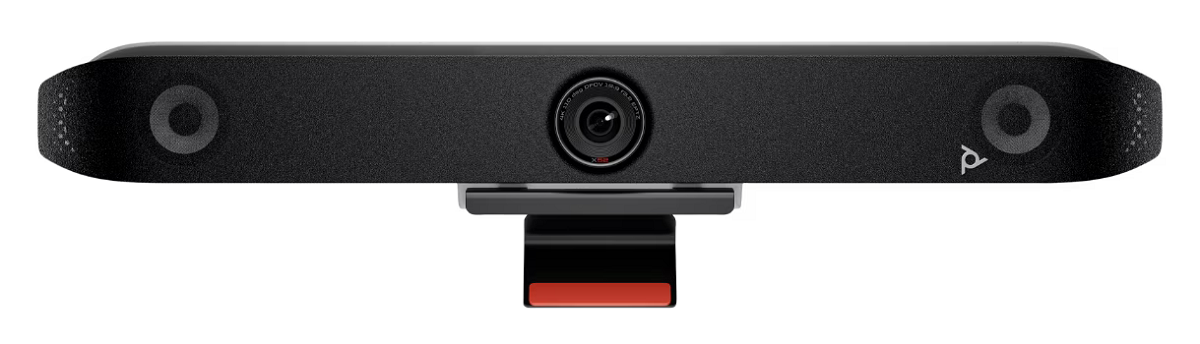
The Poly Studio X52 is the X50’s successor. It has a 20 MP 4K camera, Poly DirectorAI framing, NoiseBlockAI and Acoustic Fence, and built-in apps for Microsoft Teams, Zoom, and Google Meet. It’s about $2,999, so it costs more, but you get years of updates and support. For more front-of-room options, see our picks of equipment for Microsoft Teams Rooms.
Prices may change.
Conclusion
The Jabra PanaCast 50 and the Poly Studio X50 were close rivals, but in 2026 the choice is easier. The PanaCast 50 is still a great buy, with a 180-degree view and excellent audio. The X50 is discontinued, so it only makes sense if you already have one. Also, if the room needs to see people around a center table rather than along one wall, look at our 360-degree conference cameras, and if you’re weighing a TV-style bar, read the difference between a soundbar and a video bar.
For a computer-free Poly setup, go for the Poly Studio X52. And if you’re still exploring options, our guide to all-in-one video bar systems and our video conferencing requirements guide can help.
Which video bar are you using, and how big is the room? Tell me in the comments below and give this post a star rating. If you’re not sure which bar fits your space, feel free to contact us.