
Ever been on a call where half the room sounds like it’s speaking from the next building?
Remote attendees judge a meeting almost entirely by what they hear. Research on hybrid work from Microsoft WorkLab keeps pointing to the same issue: people outside the room struggle to follow and contribute.
A good conference speakerphone fixes most of that. It gives you a proper mic array, echo cancellation and a speaker built for voices, and it works with Microsoft Teams, Zoom and Google Meet.
I’ve spent more than fifteen years around conference calls, and echo and distant voices were always the complaints I heard most.
In this guide, I’ll show you the 5 best conference room speakerphones for 2026, how to match one to your room, and how to set it up so the far end hears every word!
If your room also needs video, all-in-one video bars are the better starting point. Start with the furthest seat, then pick the device.
What Is a Conference Room Speakerphone?
A conference room speakerphone is a speaker and microphone array in one device, made for group calls. It connects to a laptop, room PC or phone and becomes the audio device for Teams, Zoom or Meet.
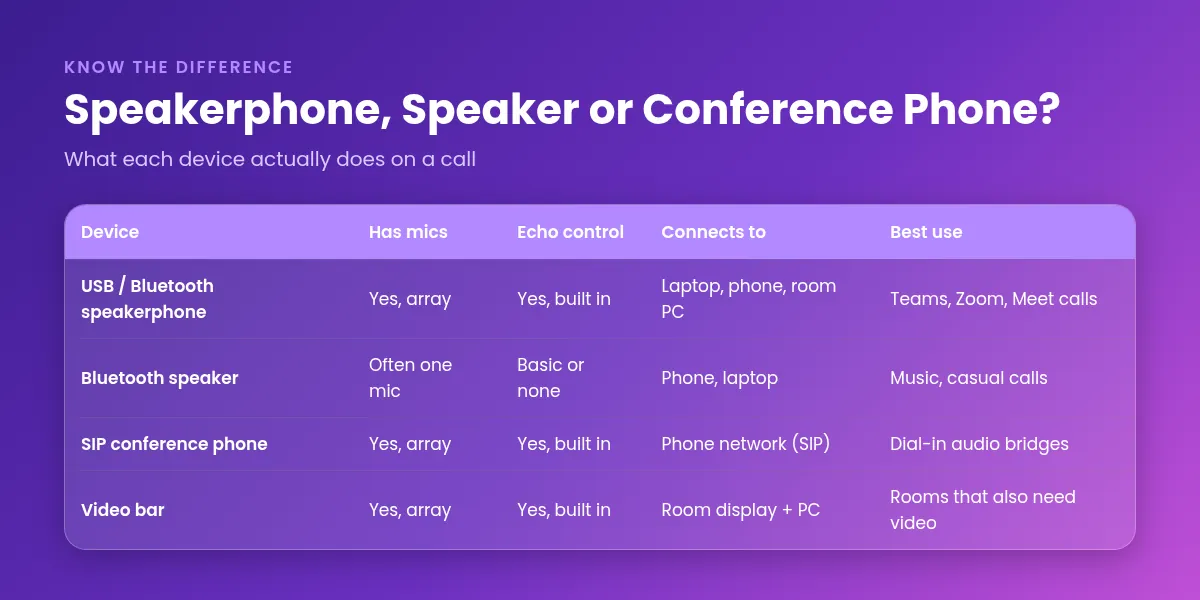
The difference from a regular speaker is the processing. A speakerphone runs acoustic echo cancellation (AEC), so the remote voice coming out of the speaker isn’t picked up and sent back. If you want the longer version, read our explainer on the difference between a speaker and a speakerphone.
A typical conference speakerphone includes:
- Mic array: three to six mics that pick up voices from every side of the table.
- Echo cancellation: removes the far-end voice from what the mics send back.
- Full duplex audio: both sides can speak at once without words being cut.
- Noise suppression: reduces keyboard clicks, air conditioning and room hum.
- Call controls: answer, end, mute and volume, often with a Teams button.
Speakerphone vs Video Bar vs Ceiling Mics: Which Do You Need?
A speakerphone is the right tool when the room’s audio is the problem and video is handled by a laptop or a separate camera. Once a room passes about ten seats, or you want camera framing and audio in one device, a video bar or ceiling mics start to make more sense.
| Option | Typical room | Best for | Trade-off |
|---|---|---|---|
| Portable speakerphone | 1-6 people | Desks, huddles, travel | Limited pickup range |
| Room speakerphone | 6-10 people | Small meeting rooms | Needs power at the table |
| Video bar | 4-12 people | Rooms that also need a camera | Higher cost, fixed install |
| Ceiling mic + DSP | 12+ people | Boardrooms | Integrator and budget required |
Essential Features to Look For in a Conference Speakerphone
Pickup Range and Room Size
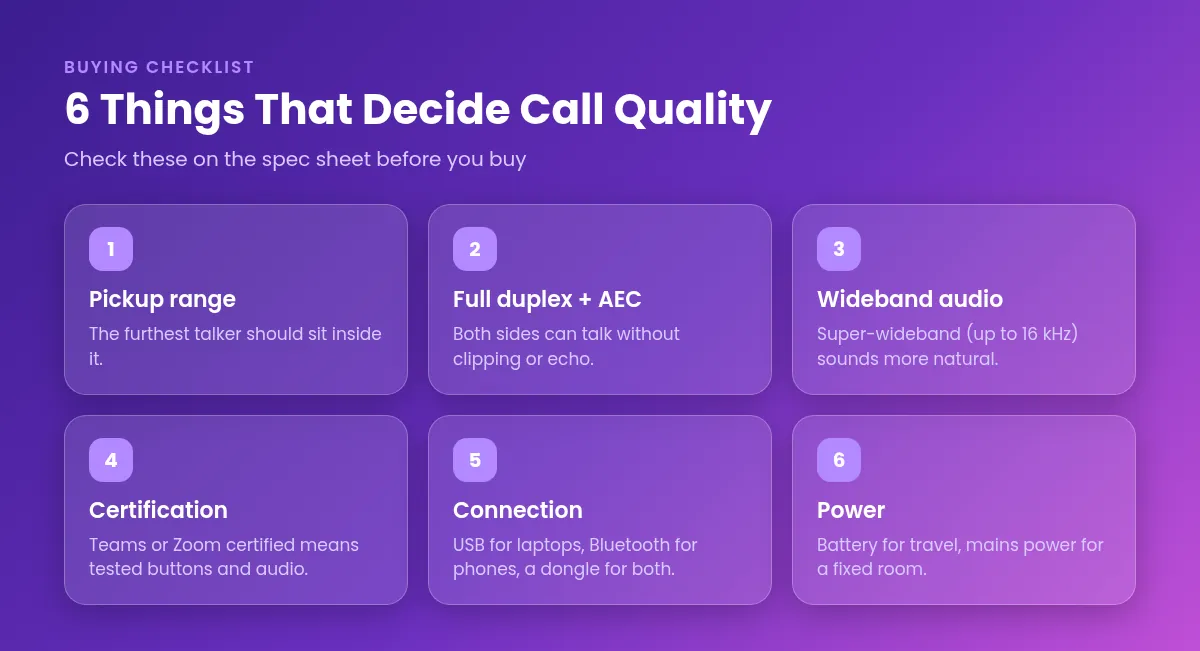
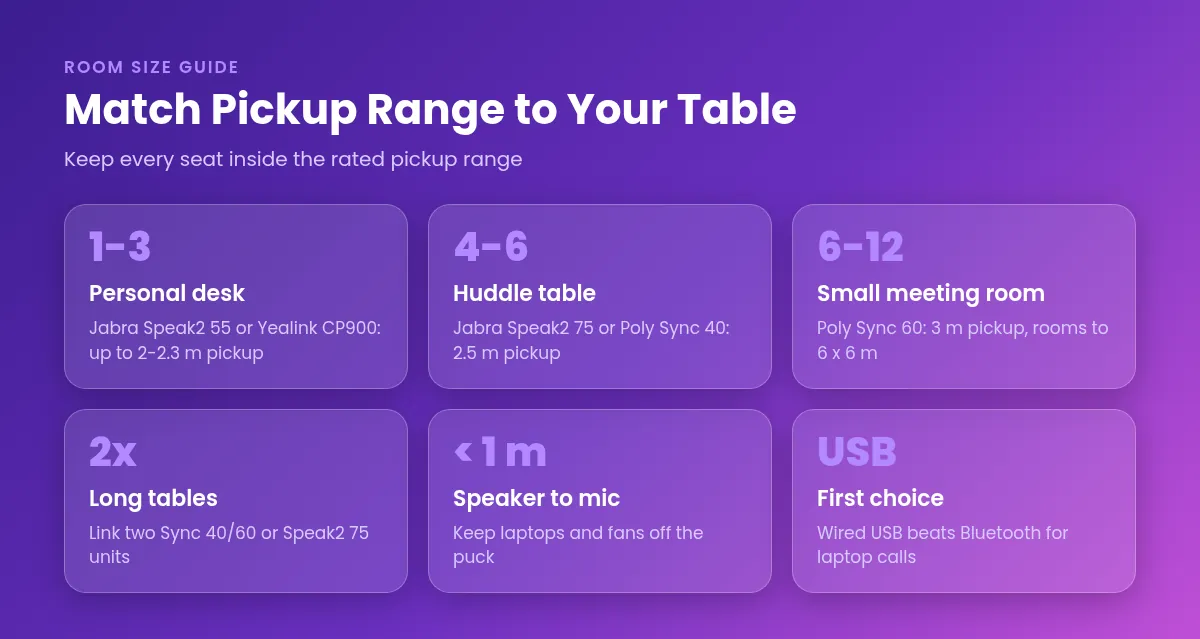
Start with the furthest talker. If someone sits 3 m from the device and the pickup range is 2 m, the far end will hear them as faint and distant. Most personal pucks cover about 2 to 2.5 m. Room units reach 3 m or more.
Microphone Array and Beamforming
More mics give the processor more information about where a voice comes from. Beamforming uses that to focus on the active talker and reject noise from other directions. Three to six mics is normal in this category.
Full Duplex and Echo Cancellation
Full duplex lets both sides speak at once. Without it, one side gets cut off whenever the other talks. Good AEC is what stops the remote caller from hearing their own voice a second later.
Wideband vs Super-Wideband Audio
Wideband voice covers roughly 50 Hz to 7 kHz, as defined in the ITU-T G.722 standard. Super-wideband goes up to about 14 to 16 kHz, which makes speech clearer and less tiring to listen to.
Certification for Teams and Zoom
Certified devices are tested by the platform for audio quality and call controls, so the mute and answer buttons work in the app. You can browse certified models in Microsoft’s Teams devices catalog.
USB, Bluetooth and Dongles
For a laptop, USB is the most reliable option. Built-in laptop Bluetooth often switches to a low-quality headset profile when the mic is in use. A dedicated dongle, like Jabra’s Link 390 or Poly’s BT600, avoids that.
Battery vs Mains Power
Portable units with 12 to 32 hours of rated talk time are great for travel and shared huddles. For a fixed meeting room, a mains-powered unit like the Poly Sync 60 is never flat when the meeting starts.
Best Conference Room Speakerphones for 2026
Compare pickup range, mic design, audio bandwidth, certification and battery, and you’ll quickly see which one suits your room. They run from the best all-rounder to the best budget Teams option.
Jabra Speak2 75
Specifications
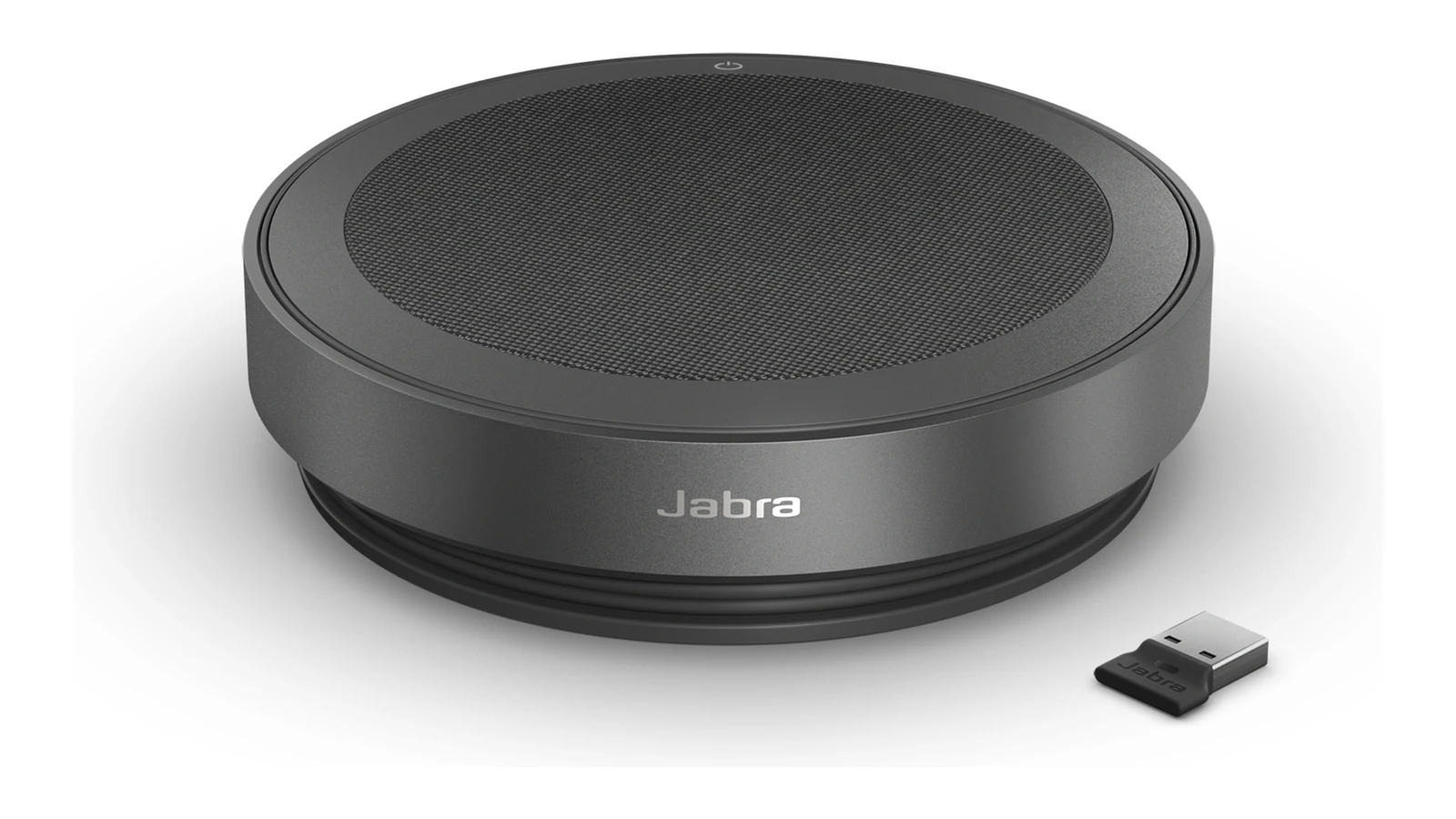
Brand: Jabra | Mics: 4 MEMS, beamforming | Pickup: 2.5 m | Speaker: 65 mm full-range | Audio: Super-wideband | Connection: USB-C, USB-A adapter, Bluetooth 5.2, Link 390 (variant) | Battery: 32 h talk time | Rating: IP64 | Certified: Microsoft Teams (variant), Zoom, Google Meet
Why I Picked the Jabra Speak2 75?
The Speak2 75 is the one I’d hand to anyone who runs serious calls from a desk or a small table. Its four beamforming mics cover a 2.5 m pickup range, and Jabra rates the room at up to 4.5 x 4.5 m. That’s enough for a four or five person huddle without anyone leaning in.
What matters most for the far end is that it’s super-wideband. The mics pass speech up to about 16 kHz, so consonants come through clearly and listeners don’t tire as quickly on long calls. Full duplex and echo cancellation let two people talk over each other without the audio clipping.
Battery life is rated at 32 hours of talk time. You also get an IP64 rating, an integrated USB-C cable with a USB-A adapter, and Bluetooth 5.2 for a phone. Variants that ship with the Link 390 dongle are the better pick for laptops, because the dongle avoids Windows Bluetooth profile switching.
There’s a busy-light style mute indicator, and on Teams variants a dedicated Teams button. Our Jabra Speak2 75 review breaks down every spec if you want the details.
Who It’s For?
It suits managers, consultants and small teams who move between a desk, a huddle room and travel, and who want the most natural voice pickup in a portable puck.
- Super-wideband mics up to 16 kHz
- 32 hours of rated talk time
- IP64 dust and water rating
- Link 390 dongle on some variants
- Premium price for a personal device
- No mains power or wired network option
Poly Sync 60
Specifications
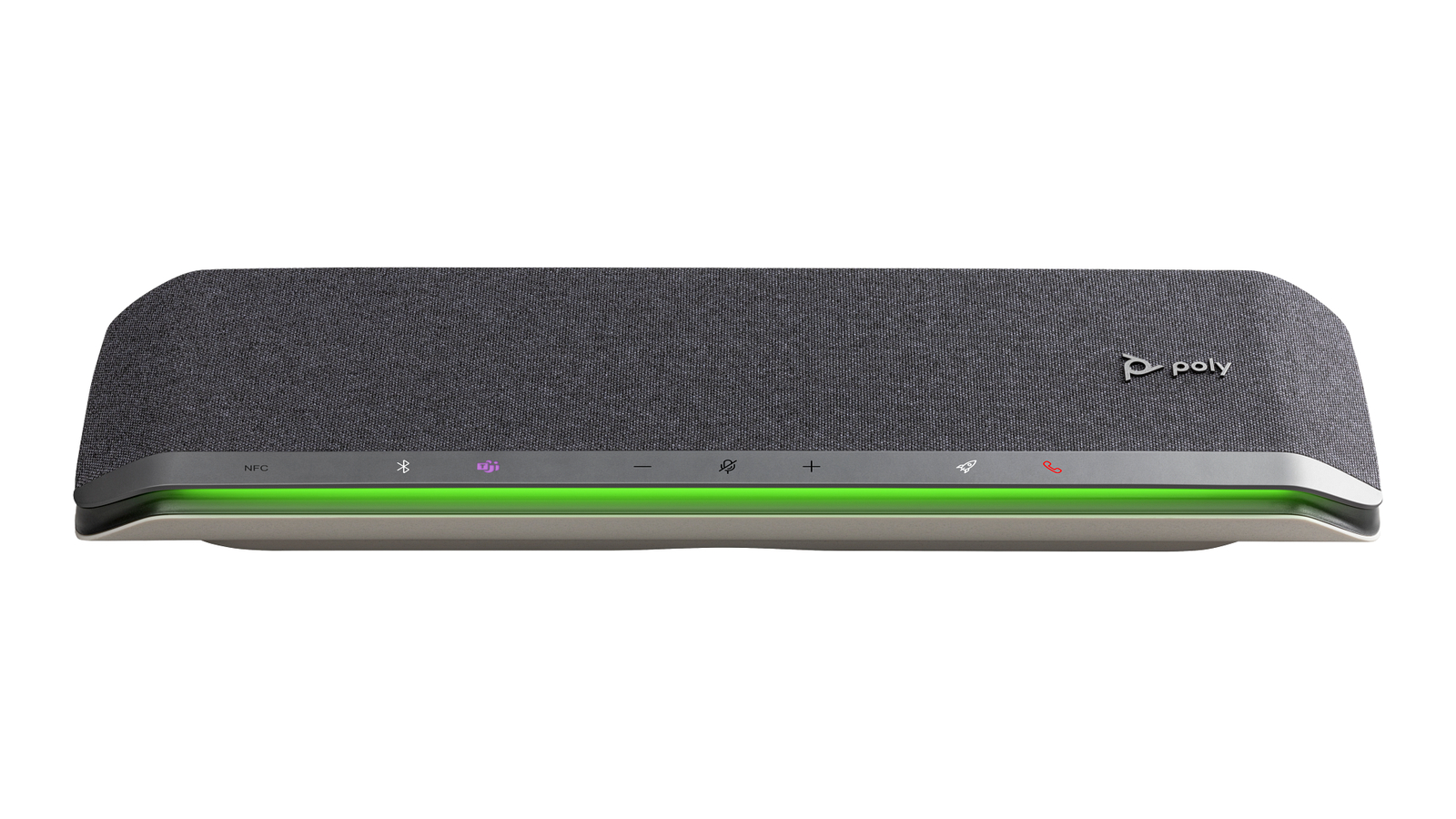
Brand: Poly (HP) | Mics: 6-mic steerable array | Pickup: 3 m | Speakers: 2 x 50 mm, 95 dB SPL | Room Size: Up to 6 x 6 m | Connection: USB-A (USB-C adapter), Bluetooth 5.1 | Power: AC adapter | Daisy Chain: Two units, wireless | Certified: Zoom
Why I Picked the Poly Sync 60?
The Poly Sync 60 is built for a fixed small room rather than a laptop bag. Poly uses a six-mic steerable array with a 3 m pickup range, and rates it for rooms up to 6 x 6 m. It runs on mains power, so you never find it flat at 9 a.m.
Two 50 mm drivers reach a nominal 95 dB SPL, which is loud enough for a room of eight to ten people to hear a remote speaker without strain. The array steers toward whoever is talking and rejects noise from the sides, which helps when a meeting room shares a wall with an open office.
For a longer table you can wirelessly link two Sync 60 units. Controls are touch-based for answer, end, mute and volume, and there’s a programmable button. It connects by USB-A with a USB-C adapter in the box, plus Bluetooth 5.1 for phones.
If you’re weighing it against the portable Poly model, the Poly Sync 40 vs Poly Sync 60 comparison lays out the differences side by side.
Who It’s For?
It’s for small meeting rooms and boardrooms of up to about ten seats where a room PC or a guest laptop runs Teams or Zoom and the speakerphone stays on the table.
- Six-mic steerable array
- Loudest speakers in this guide
- Mains powered, always ready
- Wireless daisy chain of two units
- Not portable, no battery
- Mic band stops at 6.7 kHz (wideband)
Poly Sync 40
Specifications
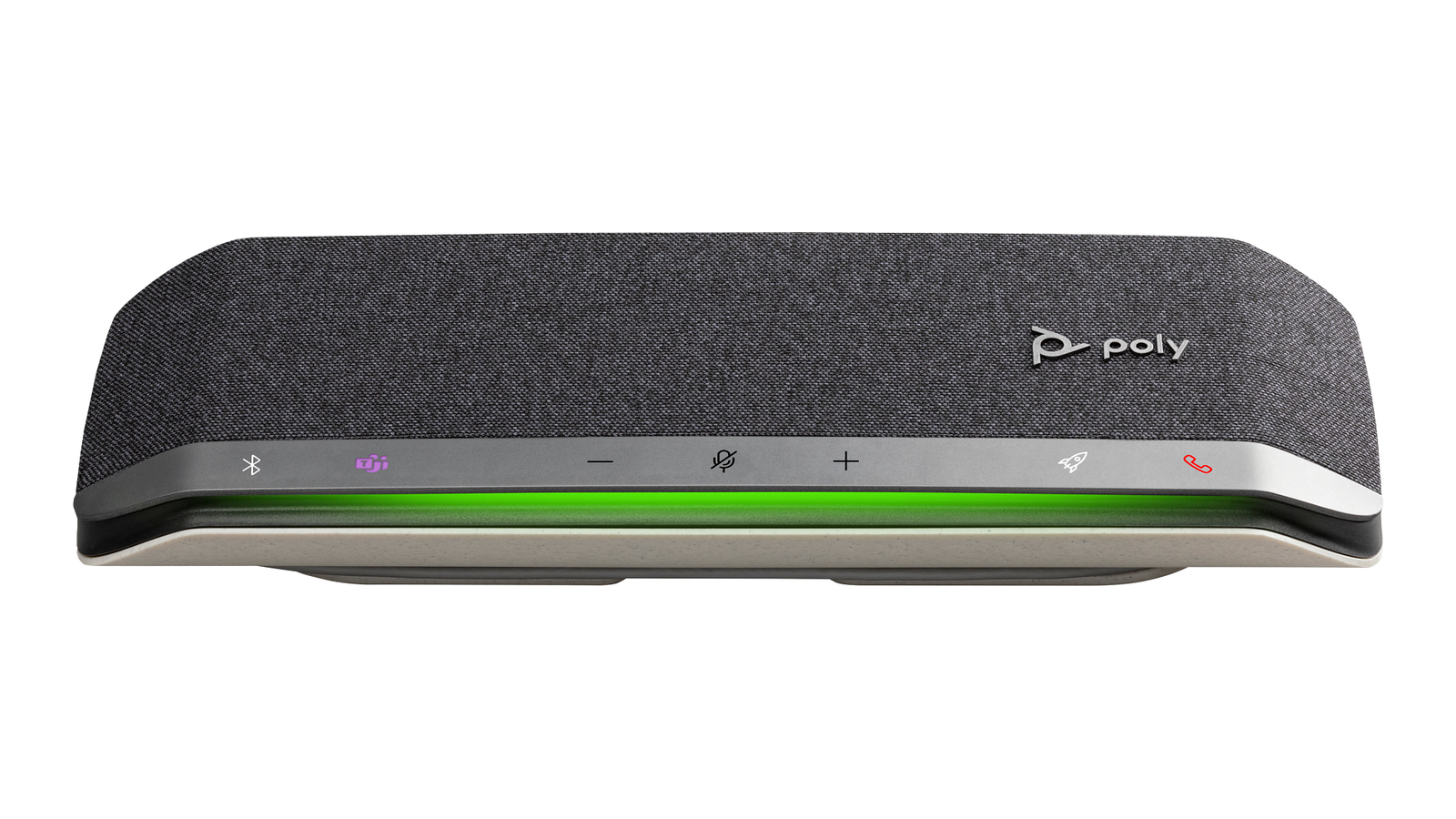
Brand: Poly (HP) | Mics: 3-mic steerable array | Pickup: 2.5 m | Speaker: 50 mm, 89 dB SPL | Room Size: Up to 5 x 5 m | Connection: USB-A and USB-C cables, Bluetooth 5.1 | Battery: 30 h talk time | Rating: IP64 | Certified: Microsoft Teams (Teams model), Zoom
Why I Picked the Poly Sync 40?
The Poly Sync 40 is a bar-shaped portable that sits between a personal puck and a room unit. Its three-mic steerable array covers 2.5 m, and Poly rates it for rooms up to 5 x 5 m.
The 30 hour battery is the headline. It can also charge a phone, and it ships with both USB-A and USB-C cables, so you rarely need an adapter. The Sync 40+ bundle adds the BT600 dongle for laptop Bluetooth.
Two units link wirelessly for longer tables. The body carries an IP64 rating, which is useful for a device that gets thrown in bags and carried between rooms.
Compared with the Sync 60 you give up the second speaker and some volume, but you gain a battery and a lighter 610 g body.
Who It’s For?
It’s for hybrid teams that book whatever huddle room is free and want one speakerphone they can carry from room to room.
- 30 hours of rated talk time
- USB-A and USB-C cables included
- IP64 rating
- Wireless pairing of two units
- Single speaker, 89 dB SPL
- Dongle only in the Sync 40+ bundle
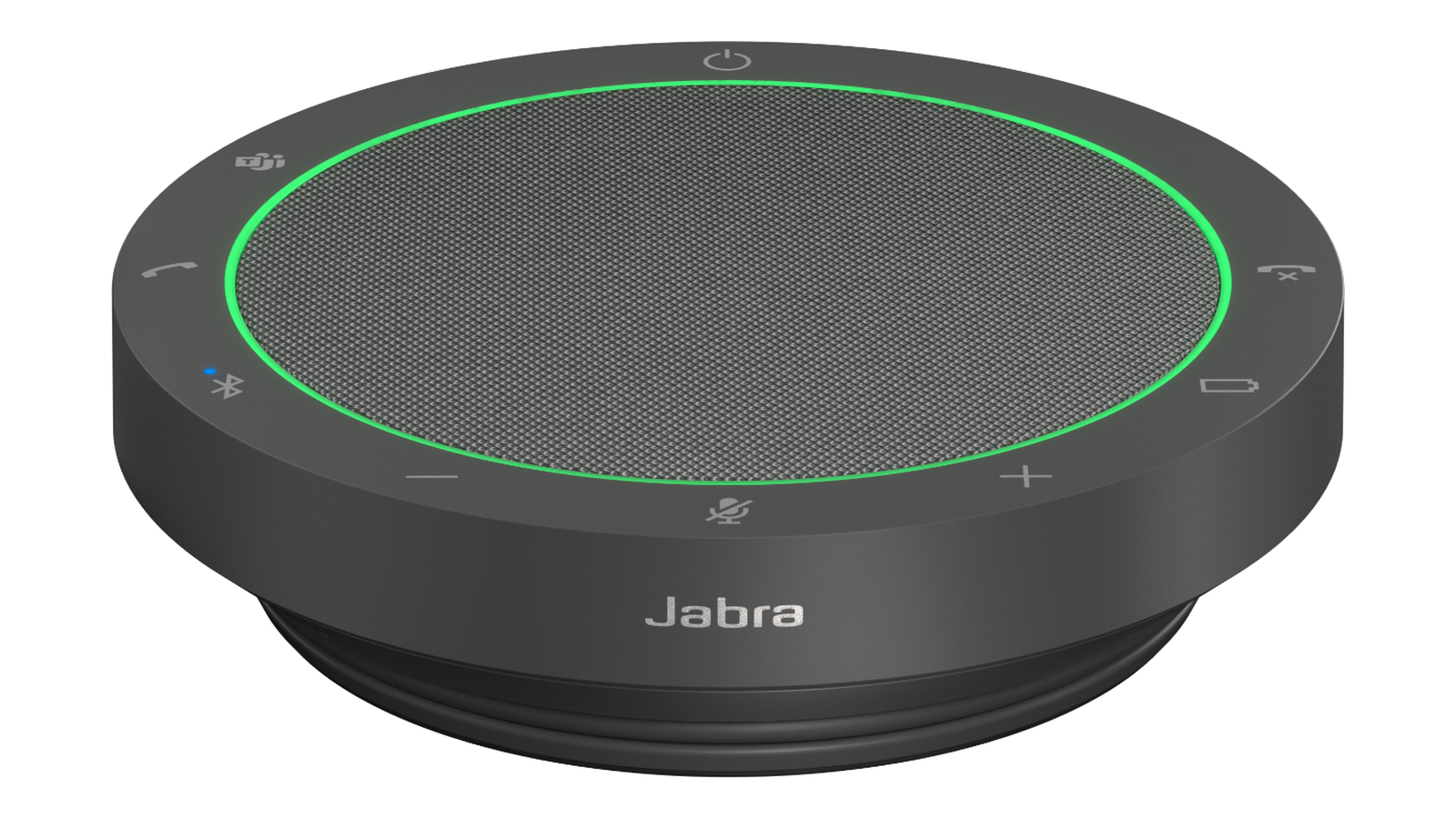
Jabra Speak2 55
Specifications
Brand: Jabra | Mics: 4 MEMS, beamforming | Pickup: 2.3 m | Speaker: 50 mm full-range | Audio: Wideband | Connection: USB-C, USB-A adapter, Bluetooth 5.1 | Battery: 12 h talk time | Rating: IP64 | Certified: Microsoft Teams (variant), Google Meet, Works With Chromebook
Why I Picked the Jabra Speak2 55?
The Jabra Speak2 55 keeps the four-mic design and full duplex audio of the 75 in a smaller 280 g puck. Pickup drops slightly to 2.3 m, and the mics are wideband rather than super-wideband.
For a home office or a single desk, that’s enough. It’s Works With Chromebook certified as well as Teams (variant) and Google Meet, which makes it a tidy choice for schools and Chromebook fleets.
Talk time is rated at 12 hours, and it uses an integrated USB-C cable with a USB-A adapter. Bluetooth here is for phones and tablets, so laptops should use the cable.
Not sure which Jabra fits? The Jabra Speak2 55 vs Speak2 75 comparison covers it.
Who It’s For?
It suits remote workers, interviewers and Chromebook users who take most calls alone or with one other person at the desk.
- Light 280 g body
- Works With Chromebook certified
- Full duplex with four mics
- IP64 rating
- Wideband, not super-wideband
- Bluetooth for phones and tablets only
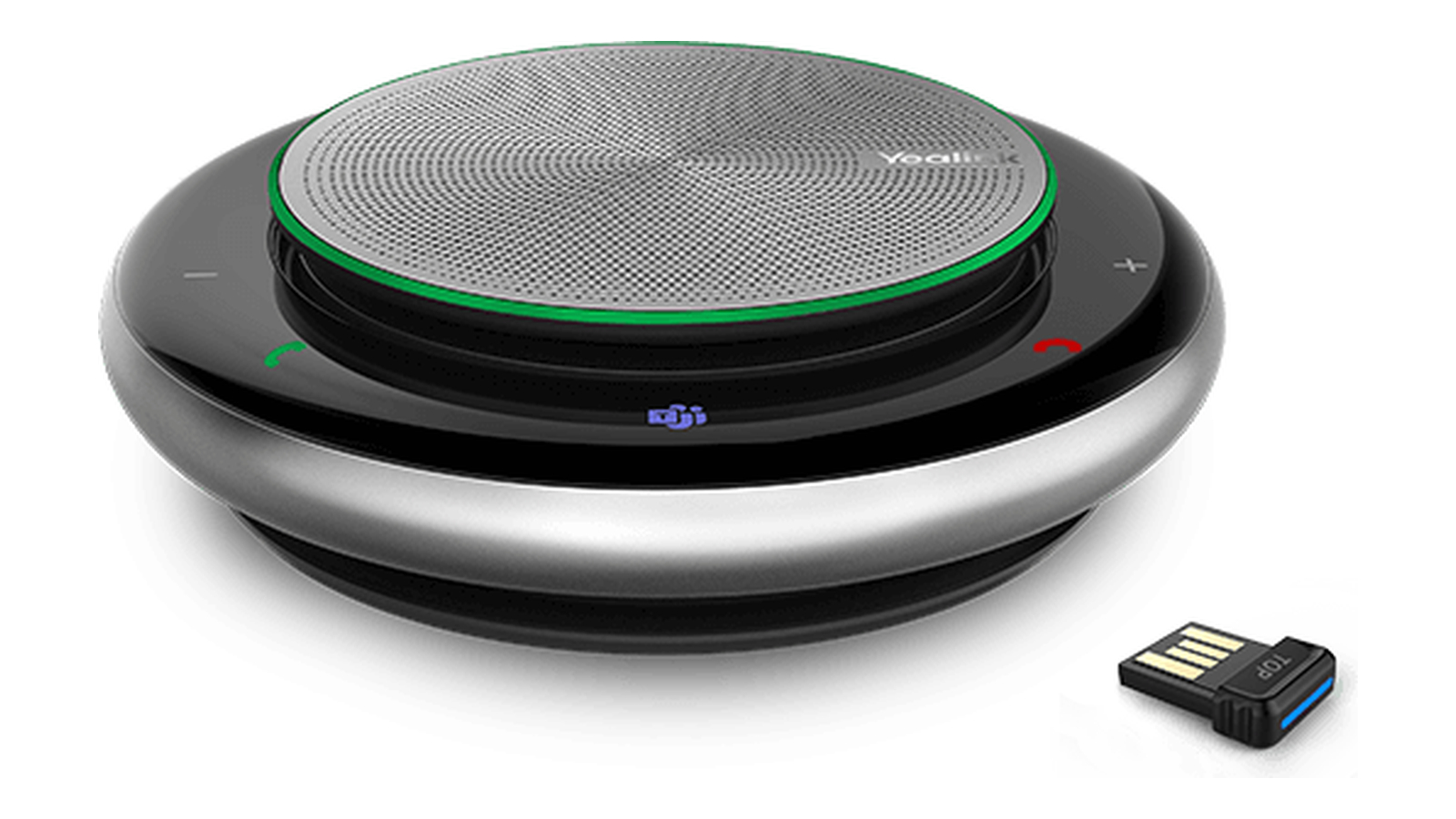
Yealink CP900
Specifications
Brand: Yealink | Mics: 6 MEMS, 360° beamforming | Pickup: 2 m | Speaker: 7 W peak, 3 W RMS | Room Size: Up to 6 people | Connection: USB 2.0, Bluetooth 4.2, BT50 dongle (optional) | Battery: 12 h talk time | Certified: Microsoft Teams
Why I Picked the Yealink CP900?
The Yealink CP900 is an older design, but it’s still a sensible Microsoft Teams certified speakerphone when budget comes first. It uses six MEMS mics in a 360° beamforming pattern with a 2 m pickup range.
A useful extra is call merging. The CP900 can connect up to three devices and merge a USB call with a Bluetooth call, so you can bring a mobile caller into a Teams meeting.
Battery is rated at 12 hours, with 400 days of standby. Bluetooth is version 4.2, which is dated, so the optional BT50 dongle is worth adding if you plan to use it wirelessly with a laptop.
Eight touch buttons include a dedicated Teams button, and a zipper bag is in the box.
Who It’s For?
It’s for Teams users who want certified audio for a desk or a four to six person table without paying for a newer model.
- Microsoft Teams certified
- Merges USB and Bluetooth calls
- Six-mic 360° array
- Long standby time
- Older Bluetooth 4.2
- Shortest pickup range here (2 m)
Comparing Conference Room Speakerphones
How to Set Up a Conference Room Speakerphone?
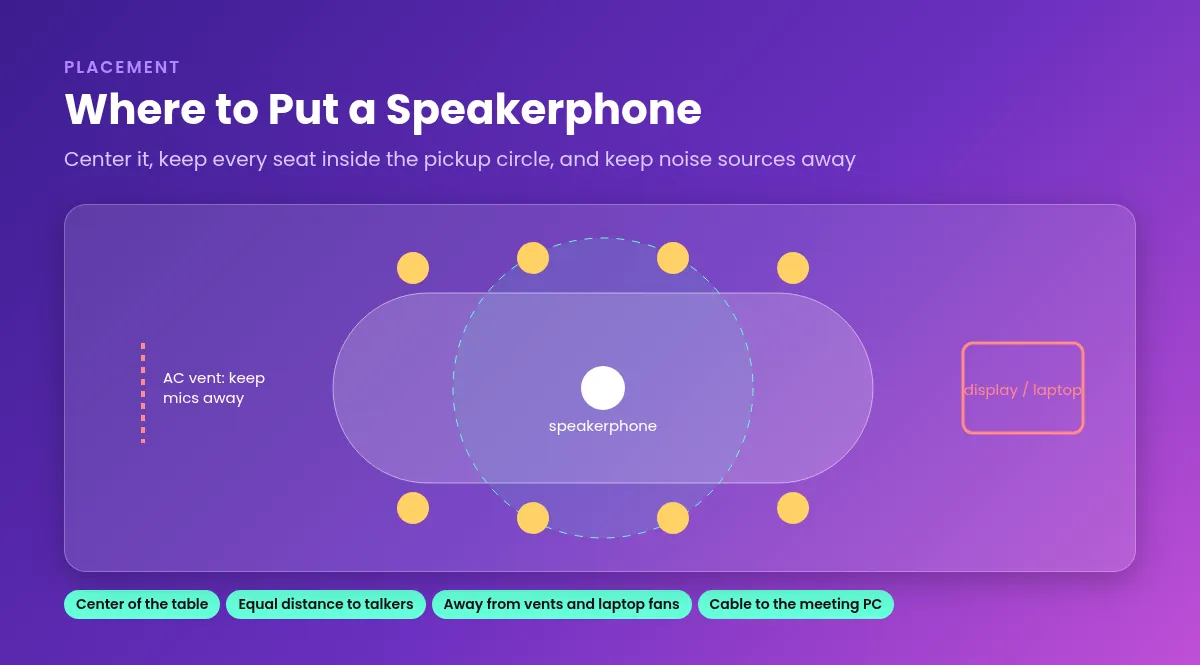
Placement comes first: put the speakerphone in the middle of the table, at an equal distance from the people who will talk. Keep it away from laptop fans, projectors and air vents.
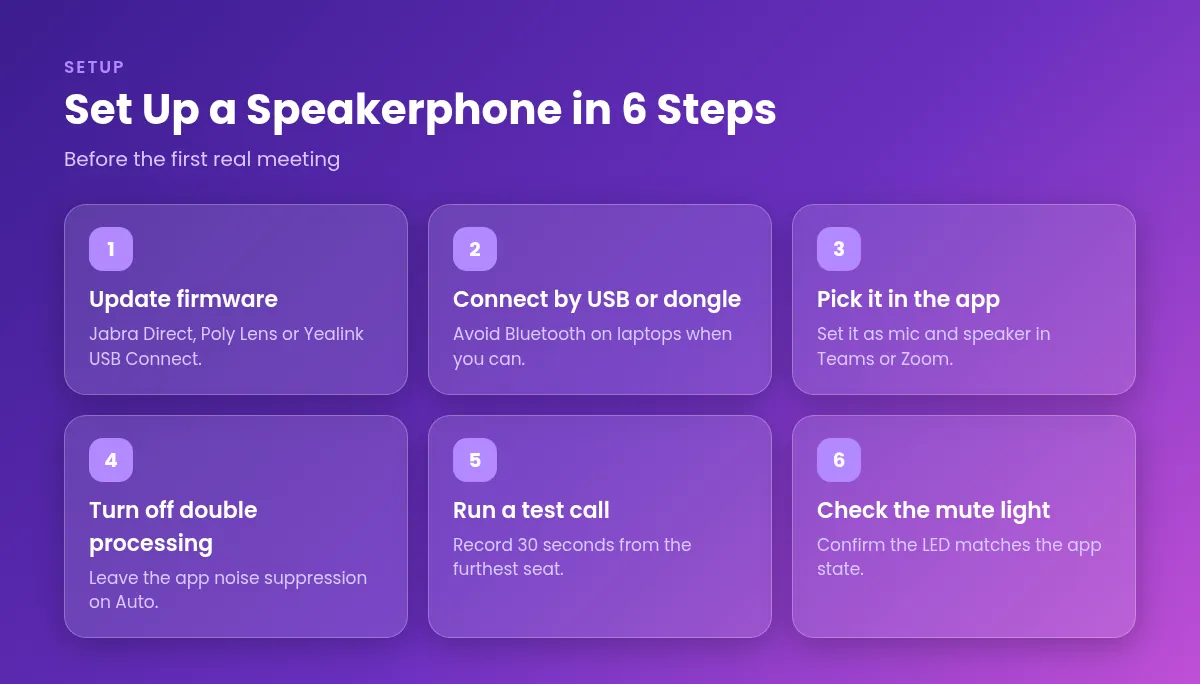
Our step-by-step guide on how to test your camera and microphone walks through the built-in test tools in Teams, Zoom and Meet.
Conclusion:
For most people the Jabra Speak2 75 is the safest choice. It has super-wideband mics, a long battery and wide certification. If the device stays in one room, the Poly Sync 60 is louder and always powered.
Running a shared huddle space? The Poly Sync 40 has a 30 hour battery and can charge a phone. For a single desk, the Jabra Speak2 55 does the job in a smaller body.
On important calls, I always check the mute light before I speak, and I’d suggest you build the same habit. If you’re unsure which model fits your room or call type, leave a question in the comments and rate this guide so we know what to cover next.